Create New Custom Asset

how i can create a custom post with right and left Side bare (100% full with) for a post and for categories page .
-

Hello Touhami,
A blog post with three columns, such as this one, can be created using Brizy Cloud: https://restaurant-1.brizy.site/en/how-to-choose-best-wordpress-hosting. Are you looking for something like this? Do you have a specific design in mind? We can make a screen recording with the procedure to create the blog posts design if you share a sample design.
0 -
excuse my delay because I was sick. yes like this https://cloud-1de12d.b-cdn.net/media/original/ce26f9e59b530ba14117ffa7fa7b7d7a.png with a featured image on top but I want to hide it on mobile.
something else I have categories and subcategories and I don't see where to put my subcategories. excuse me again for the delay0 -

Hi Touhami,
Thank you for your update.
To hide the featured image on mobile, switch to mobile view and click the Eye icon to hide it. You can reveal hidden elements by toggling the Eye icon in the update bar.
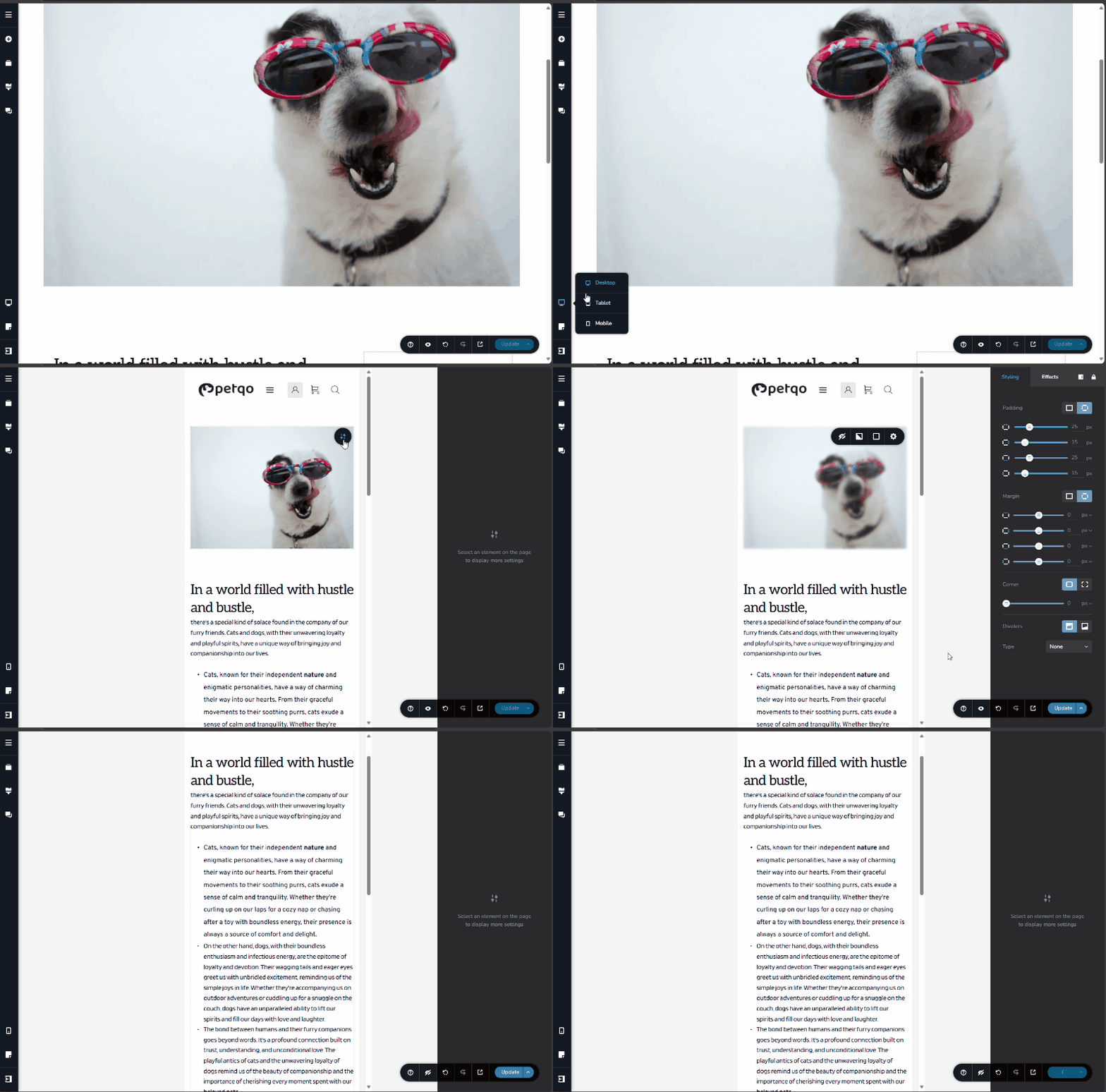
Unfortunately, there isn’t currently an option to use subcategories, but this is something we hope to address in the future.
Best regards,
Ariel H.0 -
Thank you, I want just two sidebars (widget) on the right and left and article on the middle like this picture https://cloud-1de12d.b-cdn.net/media/original/ce26f9e59b530ba14117ffa7fa7b7d7a.png and I want to hide them on mobile that's it. For featured image it's ok
0 -
Hi Touhami,
Thank you for the update.
Please try the following approach: https://youtu.be/I-c_lo1_aoY
Set the width of both the sidebars and the content area to 100%. Then, you can hide the sidebars on tablet and mobile by clicking the Eye icon.
If you have any further questions, feel free to reach out.
Best regards,
Ariel H.0 -
Thank you, now how about creating both sidebars and make it auto on every blog post i create in the future
0 -
Hi Touhami,
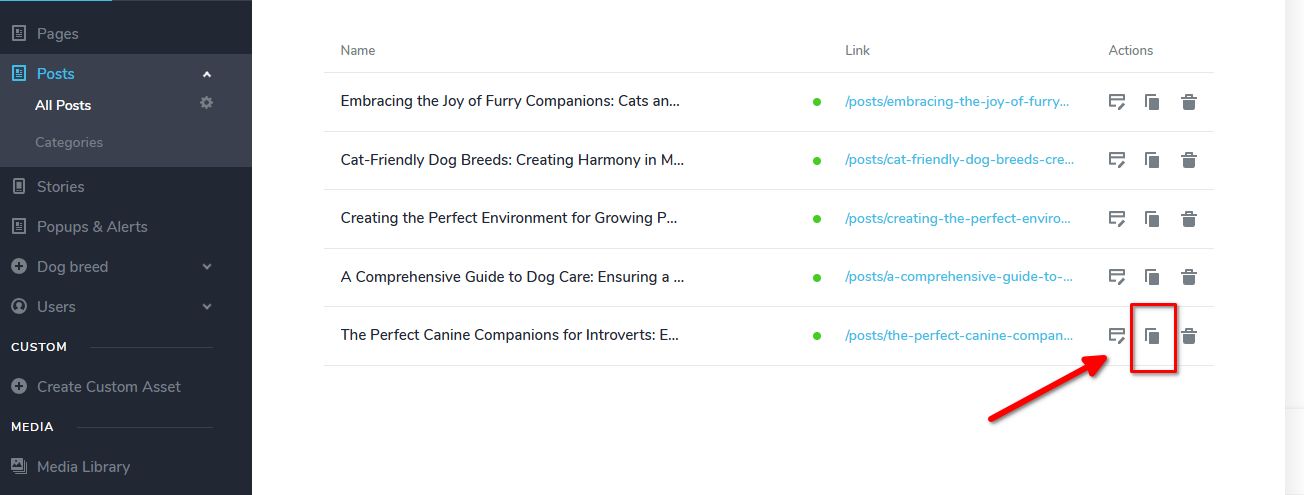
To achieve this, you can duplicate a post that already includes the sidebars. After duplicating, update the Post Title, Featured Image, Excerpt, and any other necessary details, then proceed to edit your post as needed.
Best regards,
Ariel H.0

Please sign in to leave a comment.
Comments
7 comments