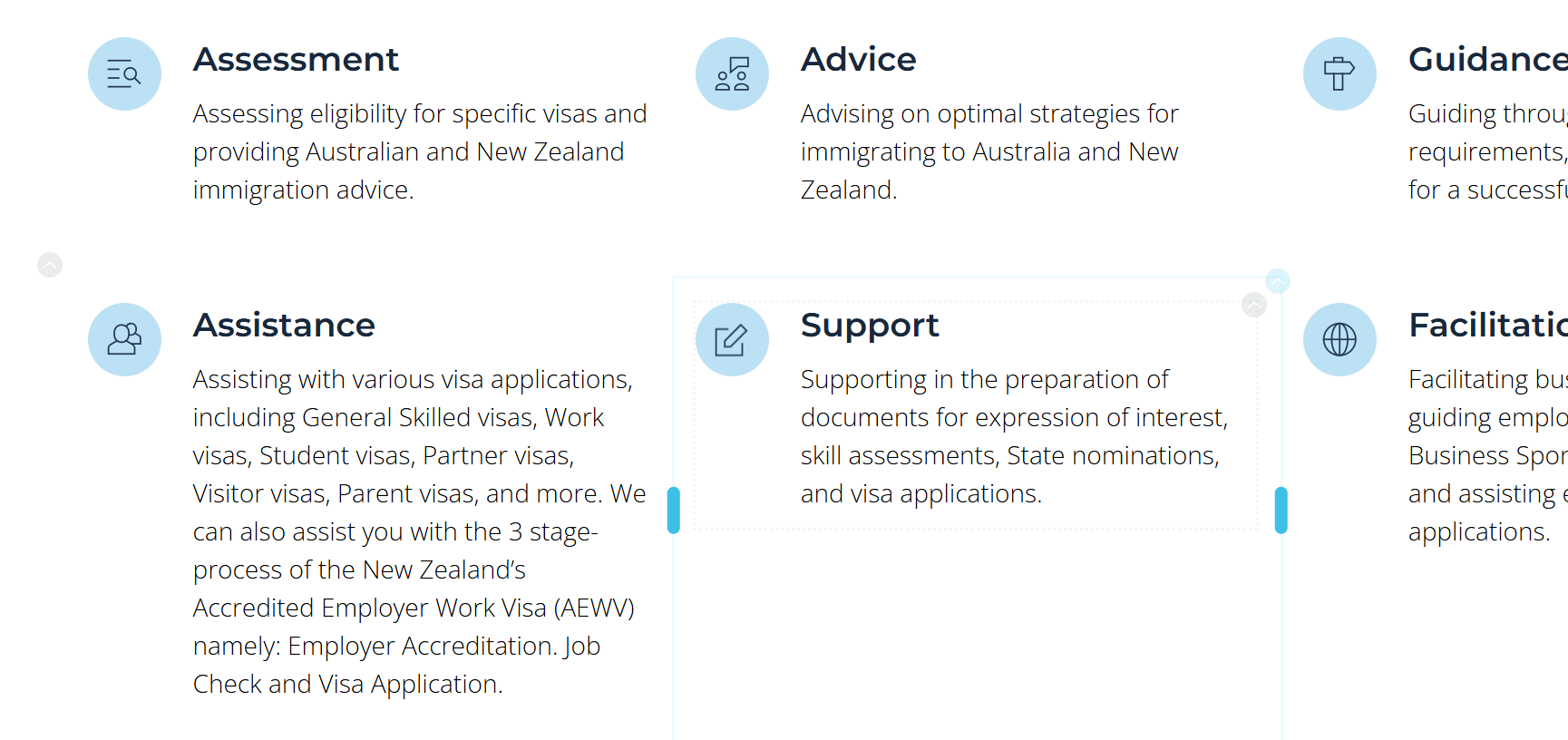
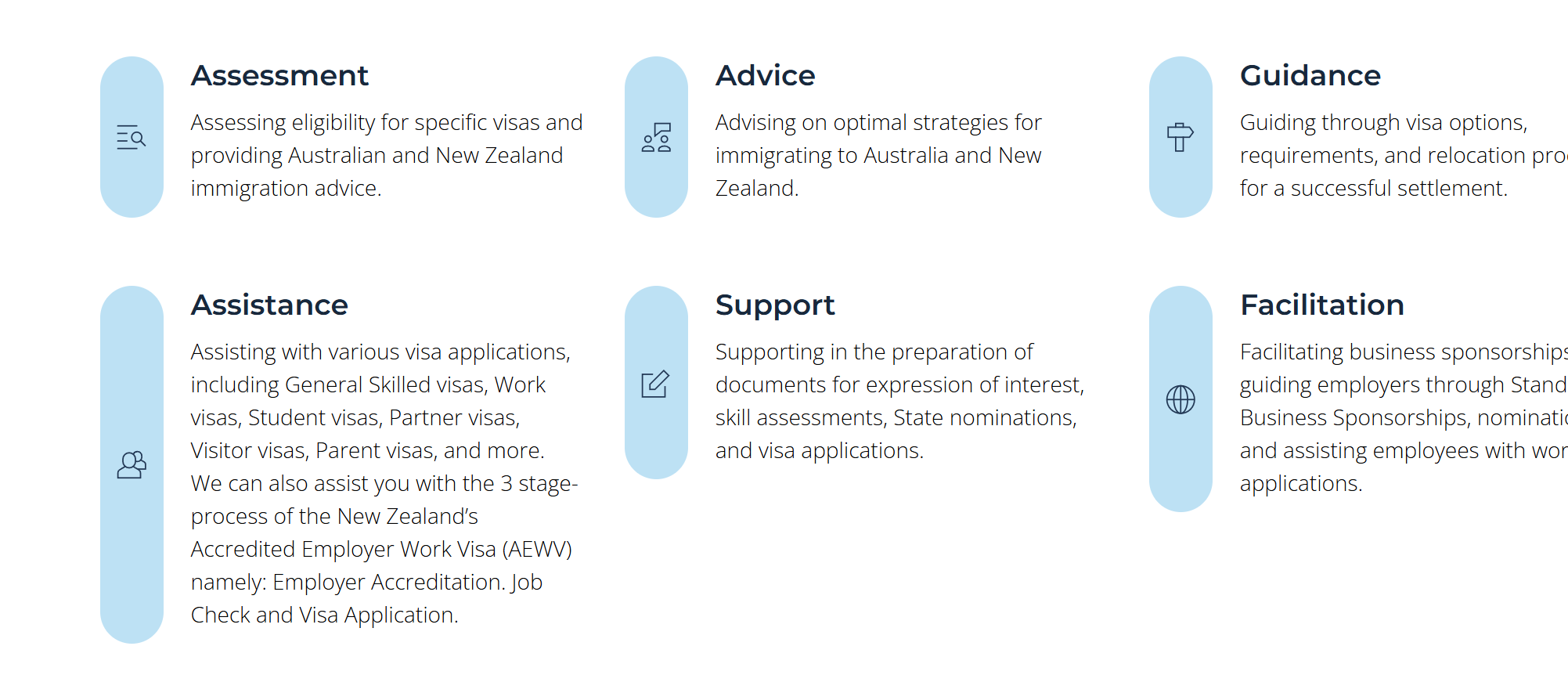
Round icons have stretched vertically to fit their containing columns!

Hi there !
I have some round icons on my home page which look fine in the editor and also looked perfect on the published site previously.
Today I've gone in and added a new section unrelated to these icons. And when I published those changes the icons in the section below are now all stretched vertically on the front end but still look OK in the back end.
I didn't touch the icons with this new update so not sure why their shapes have been stretched.
The site: www.emmadoremigration.com
Can you advise on a fix please? I've tried resizing them and re-saving to kind of reset them but no luck with that. Here's a couple screenshots to demonstrate:
Back end (how they should look):
And front end (looking stretched):
-

Hi Eva,
Thank you for reaching out to us.
It seems that Brizy is not applying the assigned vertical alignment to the icon. As a temporary solution, you can use the CSS provided below.
.brz-icon__container {
    display: flex;
    align-items: flex-start;
    flex-direction: column;
}
You can put this CSS in CMS - Project Settings -> Code -> Custom CSS.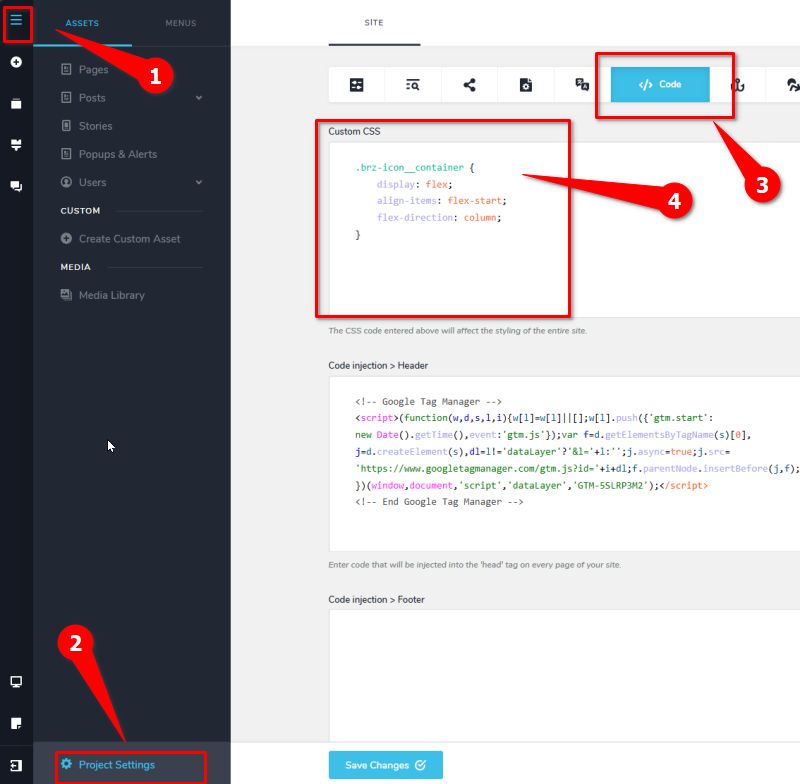
We have already reported this issue to our development team so it can be fixed in one of the upcoming updates.We apologize for the inconvenience.
Best regards,
Ariel H.0 -
Thanks, that has worked and looking forward to the update/fix so this won't be an ongoing issue
0
Please sign in to leave a comment.
Comments
2 comments