Dynamic Data Showing Wrong Text

Hello,
I added a new text field called "My Text" to the blog's Posts Asset and populated a few entries.
When creating a blog post, I added a text element and tried to display the new text field by using the dynamic data selection to select the new text field "My Text", the data text displayed end up being the Post Title's text instead of the data for "My Text" for some reason. Tried it a few times and got the same result so I believe it's a bug. When I select "Excerpt" or other existing fields, they displayed the correct data.
-

Hello Jason,
Kindly let us know the Workspace, Project Name and the Preview URL of the project where you are experiencing the above issue. We will take a look.
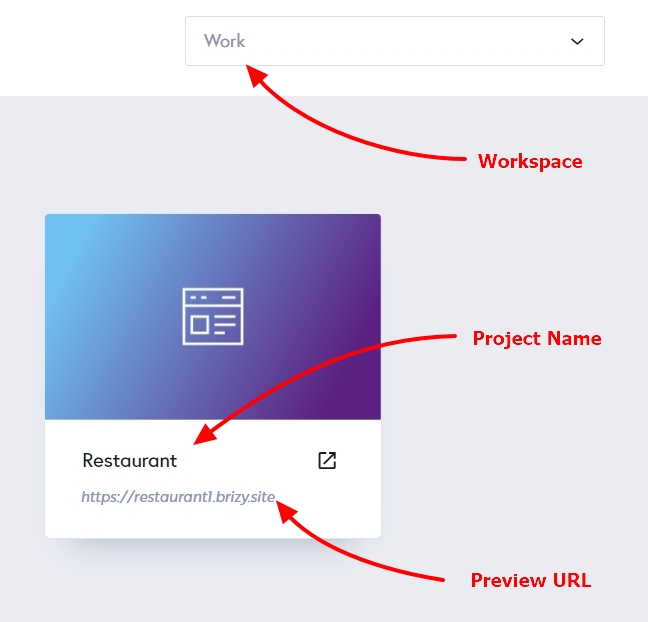 0
0 -
Please keep the following information non-public.
- Workspace
- Project name
- Preview URL
- Example blog post
The intended title displayed should be the text from "My Title" which is "Panama City Beach Sunbird Condominiums" but it's showing the text from "Post Title" which is "20241101 Panama City Beach Sunbird Condominiums".0 -
Hello Jason,
This was an unusual bug. We recreated the custom field "My Title" to fix the issue. Please check.
0 -
That fixed it. Thank you.
I just remembered something. Initially, the custom field I created was named "Title" but later changed it to "My Title". Not sure if that has anything to do with the bug.0
Please sign in to leave a comment.
Comments
4 comments