Images with Captions displaying wider than Post Content area in Brizy Template

I am using a Brizy Template for Single Posts, and for some reason, any image that is place within the Post content area that has a caption is being displayed wider than the container area. This causes the image to not align properly and overlaps with the right column. In the HTML view, the Caption and Image have width settings. When I removed these, the caption is then no longer formatted as per the caption text of the rest of the site, however the issue with overlapping the right column is fixed. I don't understand why this is happening. I want the image to both align properly and maintain the Caption text formatting. Can you please help? See an examples here:
https://visionzeronetwork.org/world-day-of-remembrance-2024/
Some images the captions are formatted properly but then the alignment and overlap issue occurs. See screenshots below:
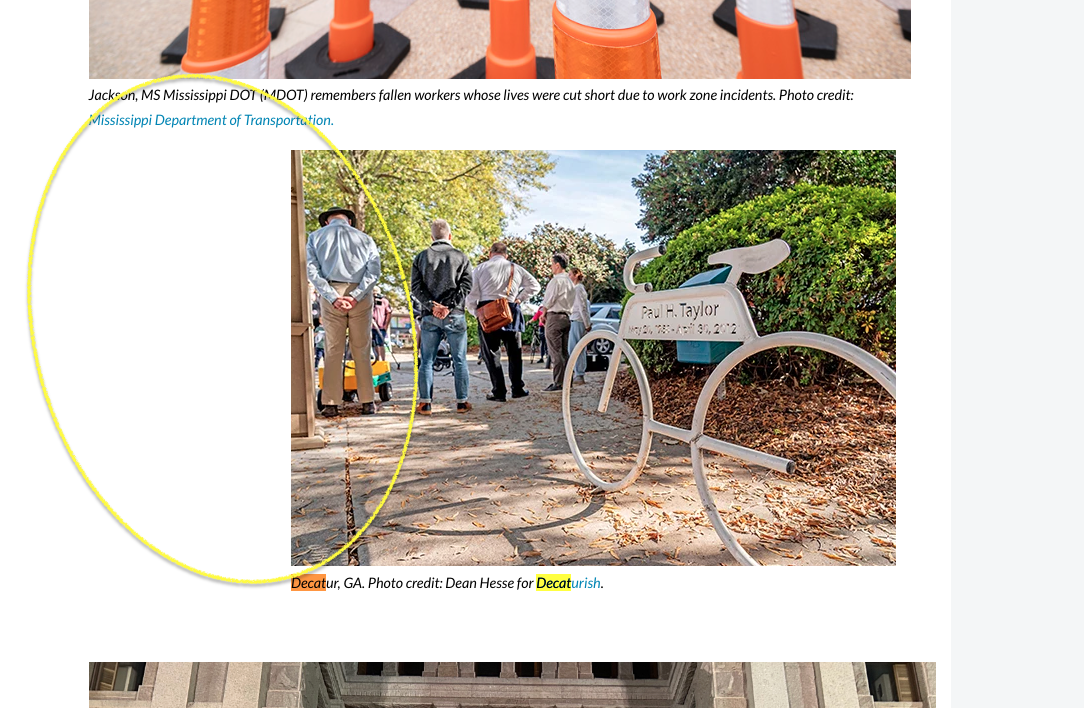
Example 1: Caption text formatted properly, but the alignment is not correct on the left side and it overlaps the right column.
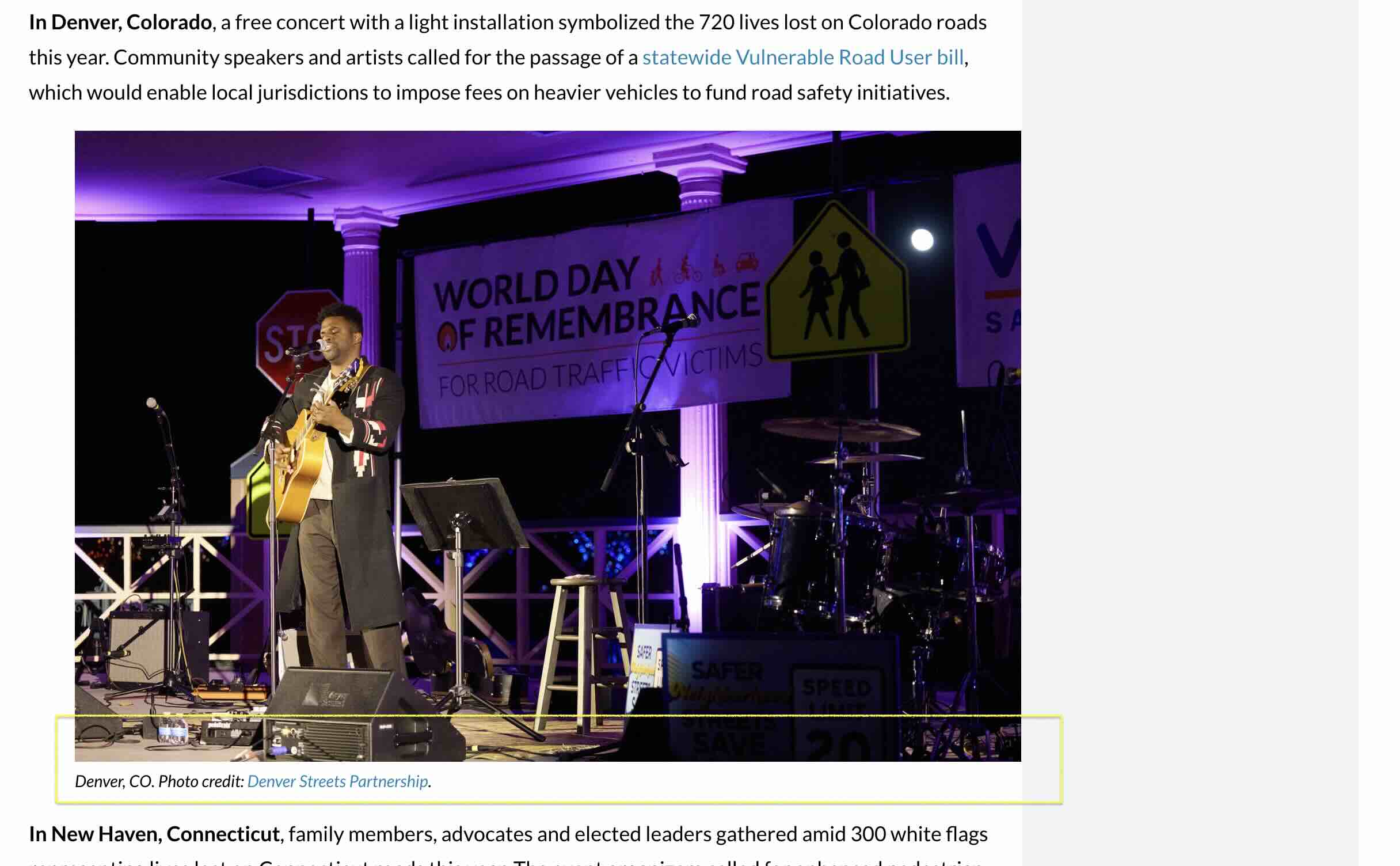
Example 2: Width setting removed in the HTML editor, alignment issues are fixed, but the Caption text is not formatted per the website styling.
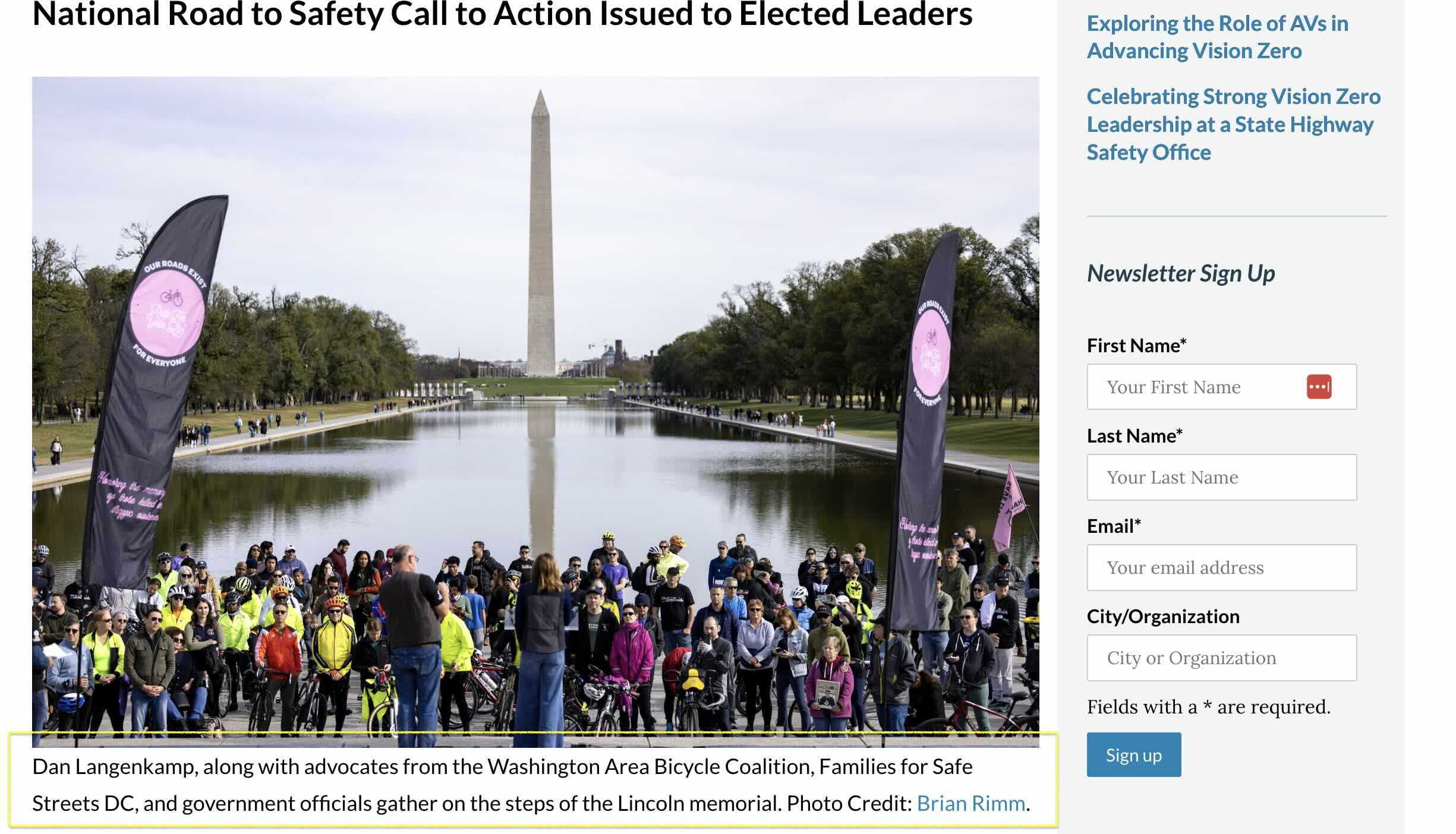
Here is an example of the HTML that is displayed when placing an image before removing the width setting.
[caption id="attachment_44753" align="alignnone" width="2048"]<img class="size-full wp-image-44753" src="https://visionzeronetwork.org/wp-content/uploads/2024/11/WDoR_2024_CO_Denver_concert_singer_1_1.jpg" alt="" width="2048" height="1366" /> Denver, CO. Photo credit: <a href="https://denverstreetspartnership.org/" target="_blank" rel="noopener">Denver Streets Partnership</a>.[/caption]

-

Hi Eric,
Thank you for contacting us.
Could you please try adding the following CSS and let us know if it works for you:
.brz-wp-post-content {
  padding-right: 10px;
  margin-right: 10px;
}
You can adjust the padding and margin values as needed. This should create some space to prevent the post content from overlapping with the sidebar.
Best regards,
Ariel H.0 -
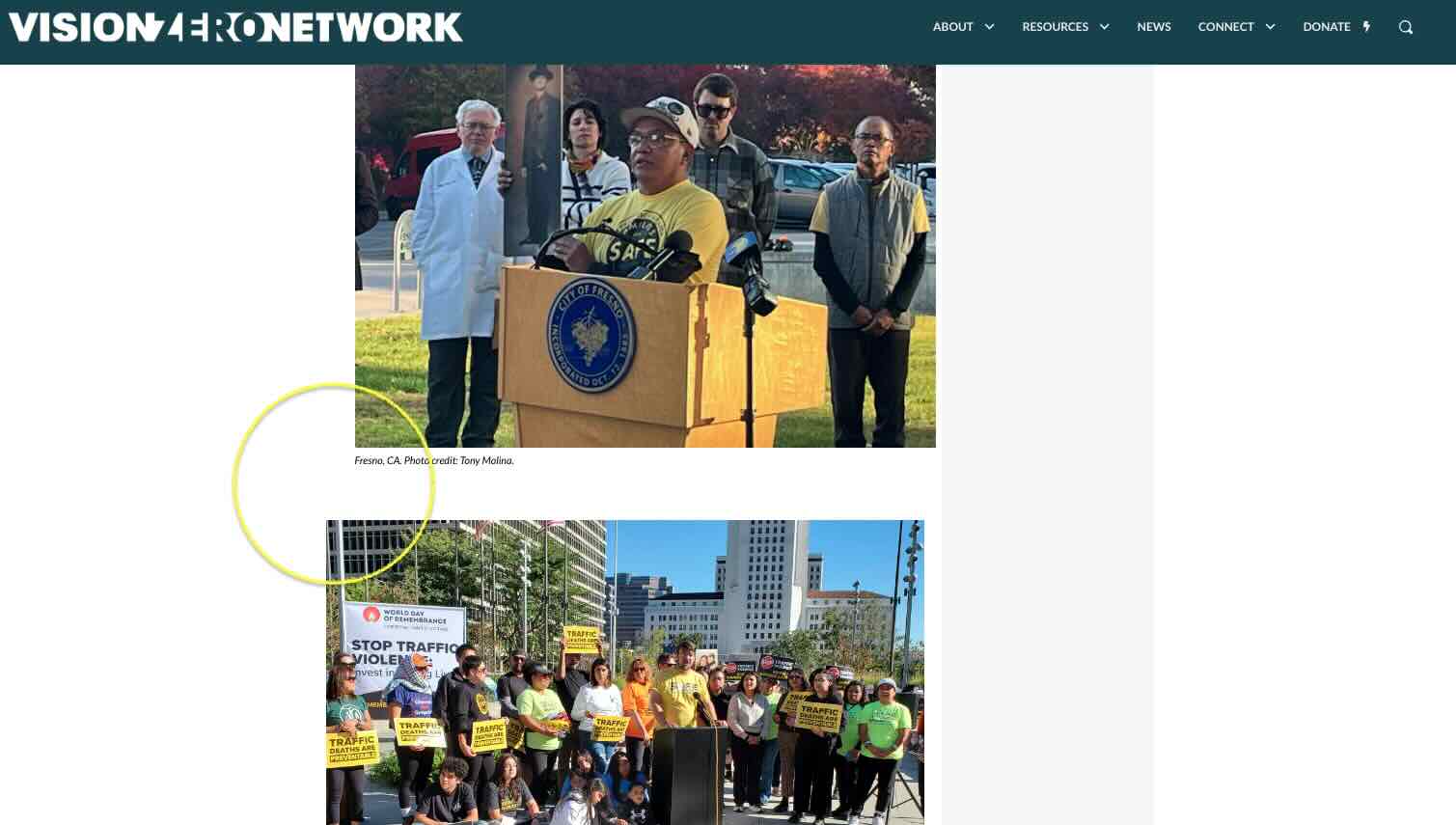
This works for the Right side issue, but it does not make the images align properly on the Left with the rest of the body content and text. I don't understand why we've had so many issues with the Brizy Templates and displaying simple Post content. I've had to implement a lot of custom CSS via your support to fix things that should not be issues out of the box.
 0
0 -
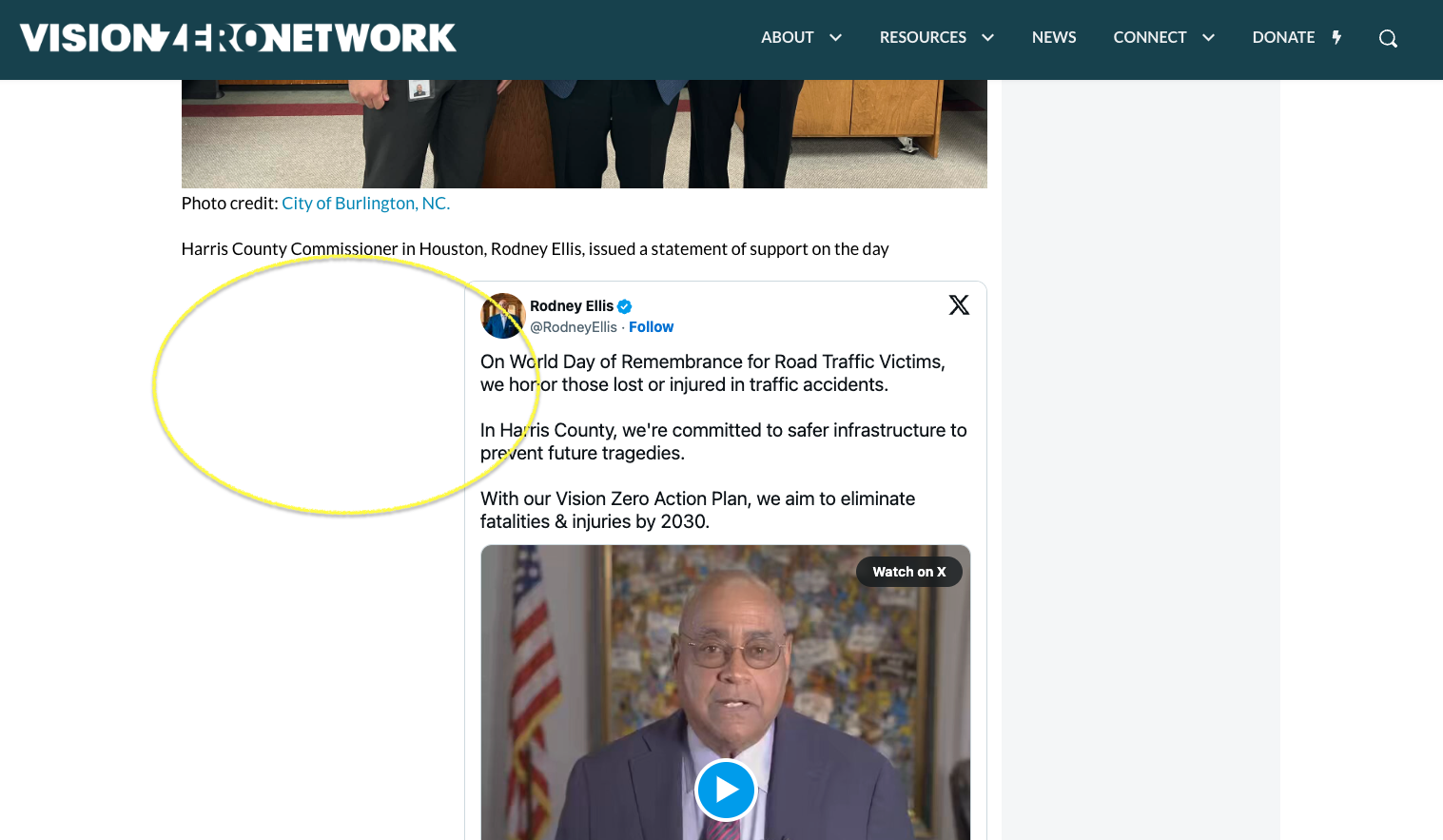
I used the inspection tool on my browser and then I tried adding this custom CSS, which resolved both the Left and Right side spacing issues, however, then the X/Twitter embeds are now aligning in the center for this Post.
.brz .brz-wp-post-content>div>* {
margin-left: auto;
}https://visionzeronetwork.org/world-day-of-remembrance-2024/
 0
0 -
Also, this smaller image then also moves far into the center of the Post Content area. This doesn't seem like the best fix either. Appreciate your help solving this.
 0
0 -
Hi Eric,
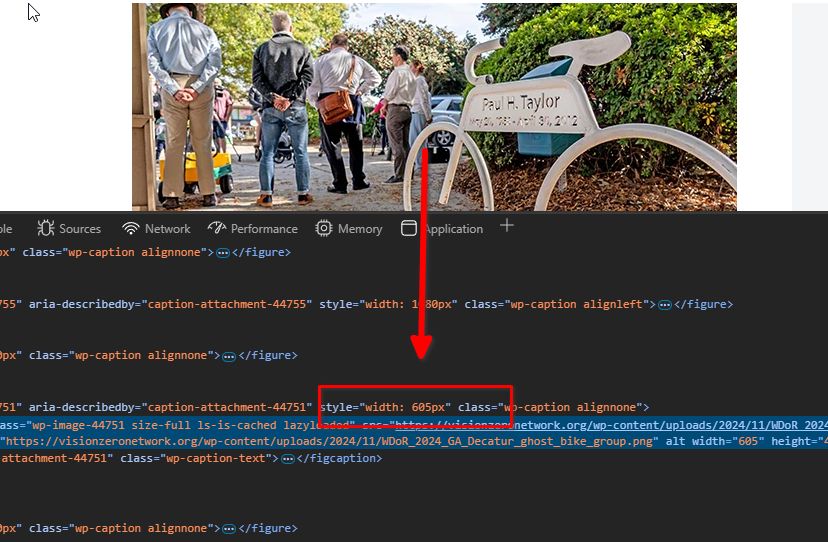
Upon checking, it appears the image has a fixed width, which is causing the alignment issue and preventing it from matching the size of the other image.
Please update the image size and set it to "Full Size."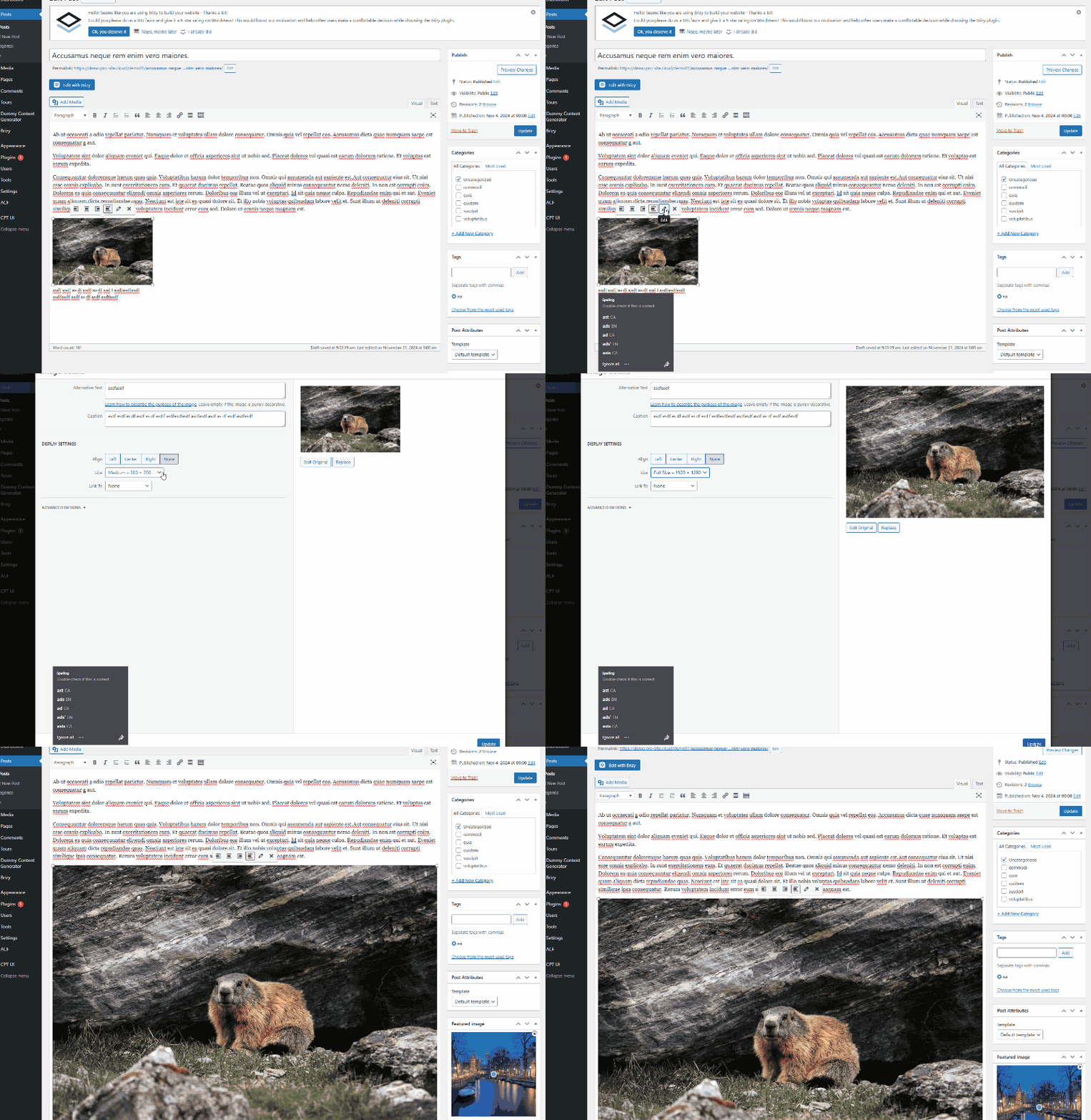
Give this a try and let me know how it works for you.
Best regards,
Ariel H.0 -
I am not seeing the Size options for all my images. See screenshot below for an example:
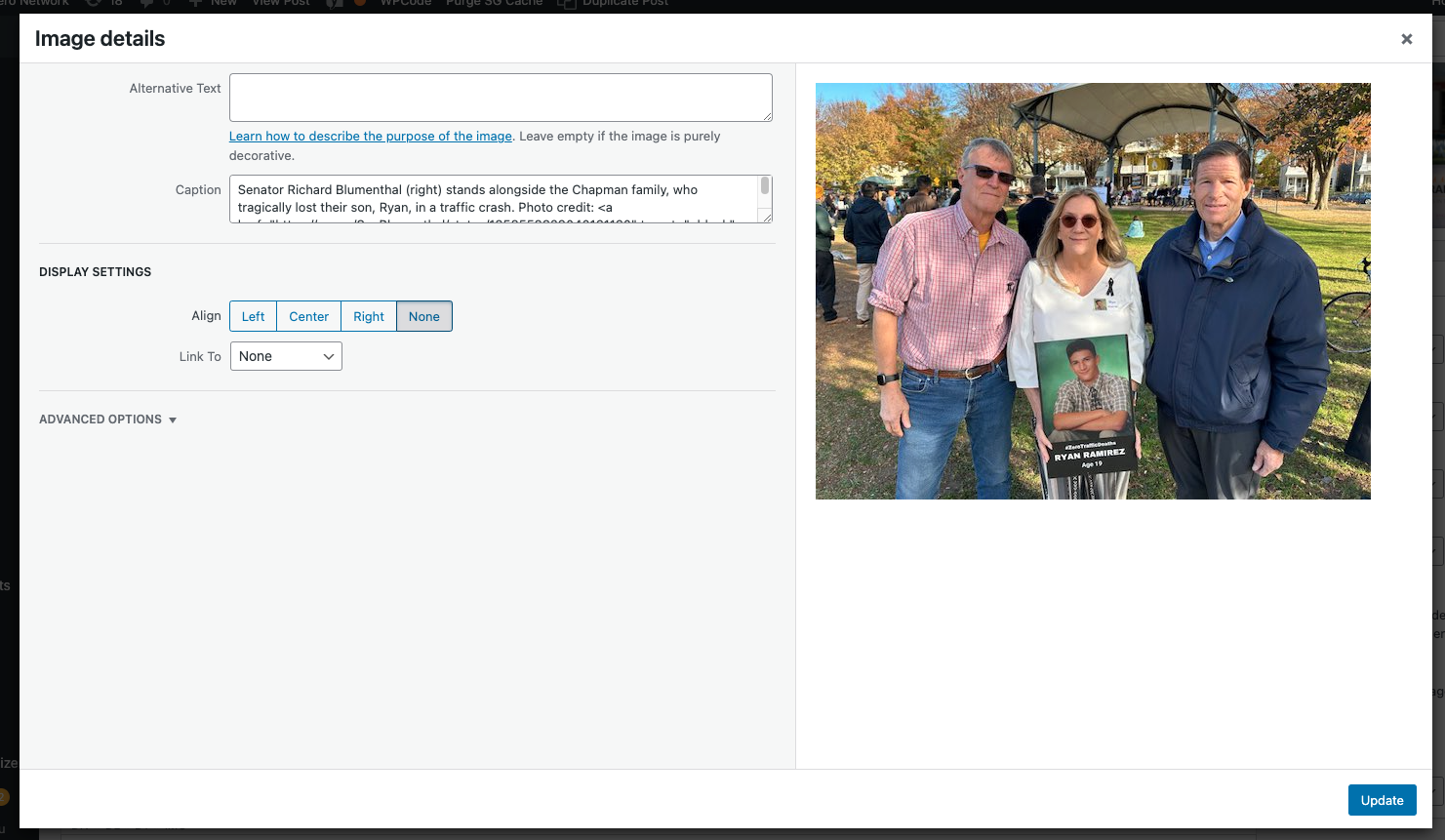
Why is that?
However, I tried this CSS in the Custom CSS area and it seems to be working.
.brz .brz-wp-post-content>div>* {
margin-left: 10px;
}0 -
Hi Eric,
It’s possible that your theme has disabled this feature. You can confirm by temporarily switching to a different theme.
In any case, I’m glad you were able to figure out the CSS solution to make it work.
If you have any further questions, feel free to reach out.
Best regards,
Ariel H.0 -
We are using the Astra theme which was recommended by your Support in the past, and I am seeing the ability to change images sizes on some of the images, but not all. It's not consistent. So I don't think it's disabled by the Theme. Is there any other reason this could be happening?
0 -
Hi Eric,
Thank you for the update. I checked my local WordPress setup using the Astra theme, and the display image settings option is available. It's possible that a plugin or custom code is causing a conflict with Astra's default behavior. You might also try temporarily switching to a default theme like Twenty Twenty-Four and then back to Astra, as this often helps reset settings without affecting your content.
For additional help, Astra's support team or community forums may offer more specific guidance.
Best regards,
Ariel H.0
Please sign in to leave a comment.
Comments
9 comments