Retrieve and transfer project

Hi I would like to transfer the project that I had done with my Brizy Pro Plugin WP to your Brizy could so that my website can be hosted from your end is it possible?
-

Hi Alex,
Thank you for reaching out!
You can export the layouts you created with the Brizy Pro Plugin in WordPress to Brizy Cloud. However, please note that this will only transfer the layout. If your WordPress site relies on third-party plugins to extend its functionality, those features may not work properly in Brizy Cloud.
If you have any questions, please let us know.
Best regards,
Ariel H.0 -
Hi Ariel,
Thanks for the prompt reply but can you let me know how can I go about to retrieve the layout and also for now on i will use Brizy to host my domain.
Regards
Alex
0 -

Hi Alex,
Kindly follow these steps to migrate your WordPress website to Brizy Cloud
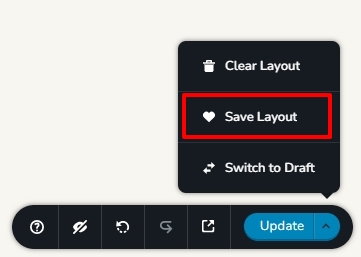
- Save each page as a layout in the WordPress project by selecting the "Save Layout" option
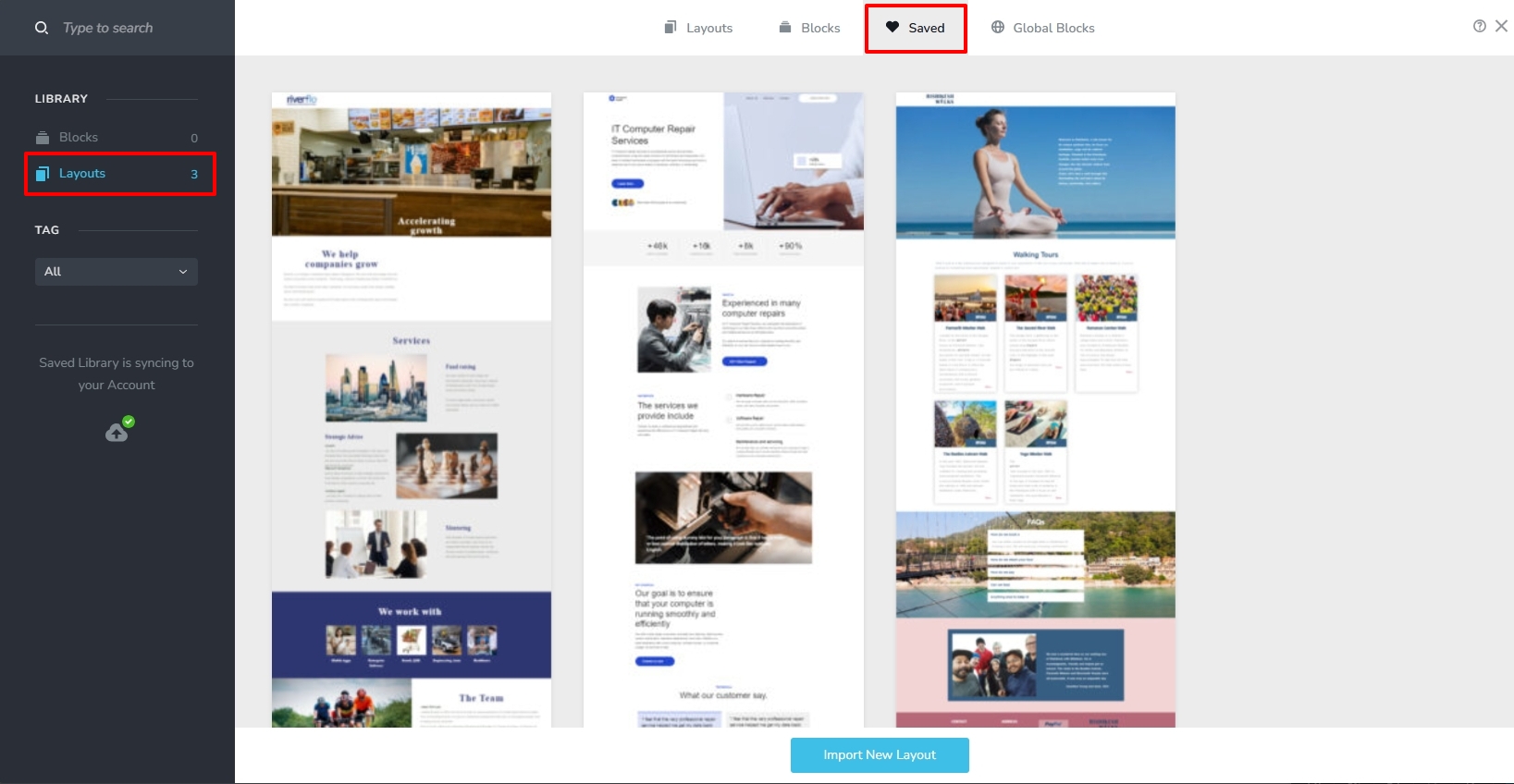
- In a new Brizy Cloud project add pages one by one and import the page layouts saved in step 1 to different pages. The design layouts you have saved in Step 1 should be available in your Brizy Cloud Saved Blocks and Layouts Library. You could also download the design layouts from WordPress project and import it to Brizy Cloud.
- Copy paste the global colors and typography from Brizy WP to the Brizy Cloud
- Recreate menu in Brizy Cloud, setup global blocks and display conditions
- Re-setup the email notifications for Brizy forms in the Cloud project
0 - Save each page as a layout in the WordPress project by selecting the "Save Layout" option
Please sign in to leave a comment.
Comments
3 comments