I see the wrong title on my page

hi team
when I save my site, and update the set settings etc I see this
https://share.zight.com/wbuq2Z2o
I don't want that to show
-

Hello Richard,
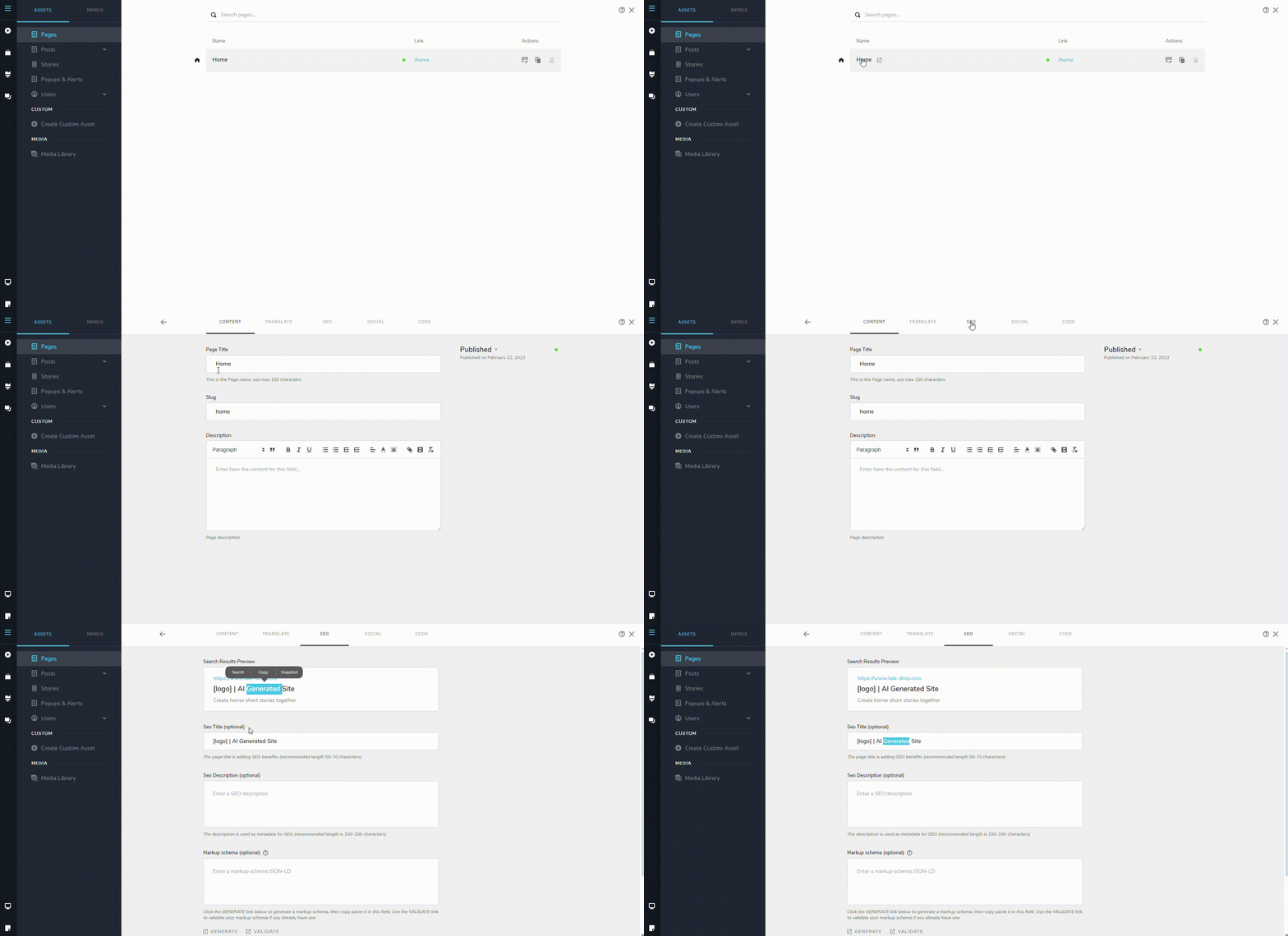
To change the SEO Title and Description added to your homepage, in the Brizy Cloud editor, select the CMS (hamburger) icon on the left sidebar and then "Pages". You will see "Home" on the right pane. Click on the name "Home" and then select the SEO tab to edit the SEO Title and Description
 0
0 -
ahhhh on the page, I was doing on the project
cheers KC
0 -
one other thing actually two
this part here is not responsive - it is just text but it breaks into two lines on tablet / mobile
https://share.zight.com/04unp9Oe
and also when I try to edit the submit button by clicking on the plug icon this happens
https://share.zight.com/Z4u9OeyR and it keeps going around in circles for every (well at least 5 mins then I give up)
0 -
Hello Richard,
To avoid the text from wrapping around on mobiles, kindly reduce the text size so that it can fit in a single line. I have set some random font sizes for the text "BIKELOCK" for the tablet and mobiles. Feel free to customize it according to your liking.
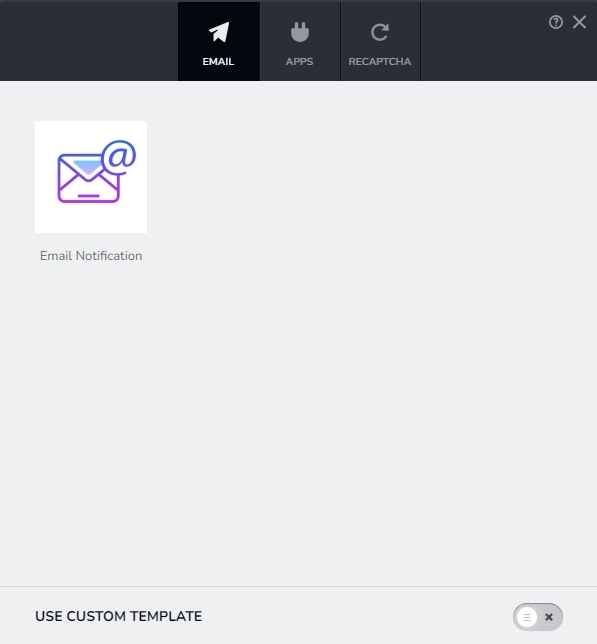
I have also fixed the issue with your form. You should now see this when clicking on the plug icon.
 0
0 -
Great thanks so much and let me check
ok still seems to spinning when I click on the icon and have tried it in chrome
It may be me doing something wrong (btw thanks for the great service)
Richard
0 -
Hello Richard,
Appears working fine at my end. Please see my test at https://jmp.sh/Uqii2oWA
0 -
Wonderful it works now thanks so much
0
Please sign in to leave a comment.
Comments
7 comments