huge issue with connecting a domain on cloudways

I have reached out with this issue before with a different site. now it is https://azerplumb.com/
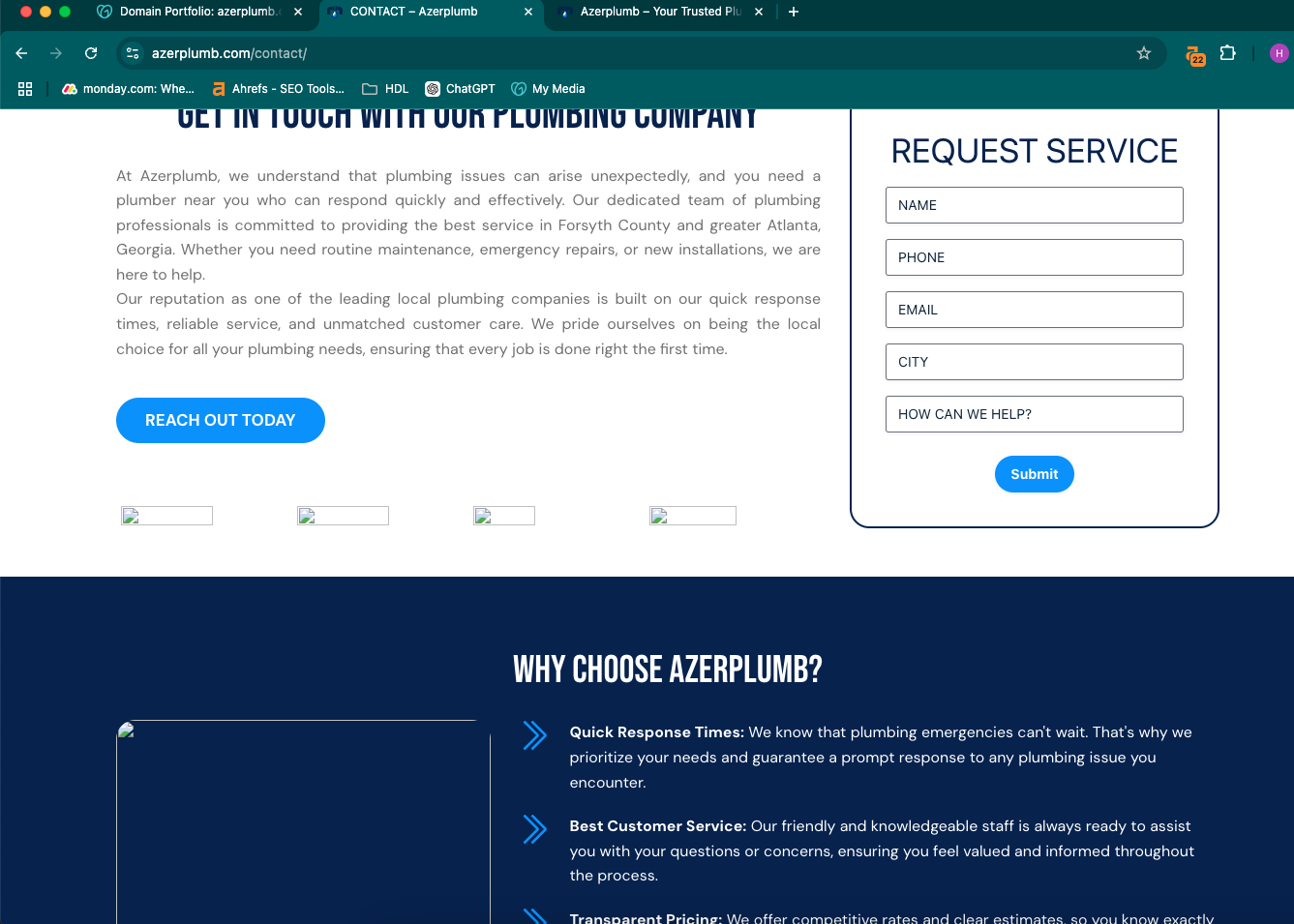
the issue is that after I connect the domain none of the images show up. you have recommended me to do a bunch of caching stuff on the other sites, but that is not working. I have ran search and replace and the builder itself still pulling info for the images from the old domain (temporary domain on which I built the site).
I have contacted the hosting today again and they have done all kinds of checking and they do not see any issues upon their side. they are saying The issue lies within in the builder. that it is still pulling images from the old domain. even though all images are in the library and have the correct url to them.
I deleted and reinstalled brizy plugins and that seamed to only fix the home page for some reason but not any other pages.
then I went to our company page and edited a image she on one image and it fixed that page.
the problem is that i cannot be going to all of the pages each time I build a site and change stuff. this is taking a lot of time. and it is silly for me to do this since it should be working correctly from the beginning.
is there a way to cache or reset the builder plugin somehow itself? this is a huge issue. because on this site I have 20 pages, and on some others I have way more.
and also after I reinstalled the plugin and updated it all the headers disappeared. so now I have to go and delete it and add it again.
I love the builder but this is happening every time now.
I am going to go into every page now and try to adjust the images but I am attaching the screenshot of what it looked like for me.
I would love to have some kind of solution for this.
-

Hello Tatsiana,
We apologize for the inconvenience. When migrating from one domain to another, recompiling the pages is required before the new domain name would take effect.
We have released a new version Brizy 2.6.1 few hours ago. This version has a fix for the issue with cached image URLs after site migration. You could try this version and check if the issue resolves.
0
Please sign in to leave a comment.
Comments
1 comment