Icon Box Logos Don't align the same while Designing as Viewed on Browsers

Hi, I am new to Brizy and switching some of my WordPress and Elementor sites. So far, everything has been smooth until I came across Icon Boxes. I have set the Icon to (top) as in the first image below, and things look fine. When I view the site in any browser, the Icon is always in the middle, see the second image. It doesn't matter where I set the icon (top, middle, bottom). It always views in browsers as middle. What causes this as it is happening on all of the websites I am building. I have verified the issue using Google Inspect. Thank You.

-

Hi James,
Thank you for reaching out to us.
It seems that Brizy is not applying the assigned vertical alignment to the icon. As a temporary solution, you can use the CSS provided below.
span.brz-icon.brz-span {
    display: flex;
    align-items: flex-start;
}
This can be added either within the individual icon box or at the column level.
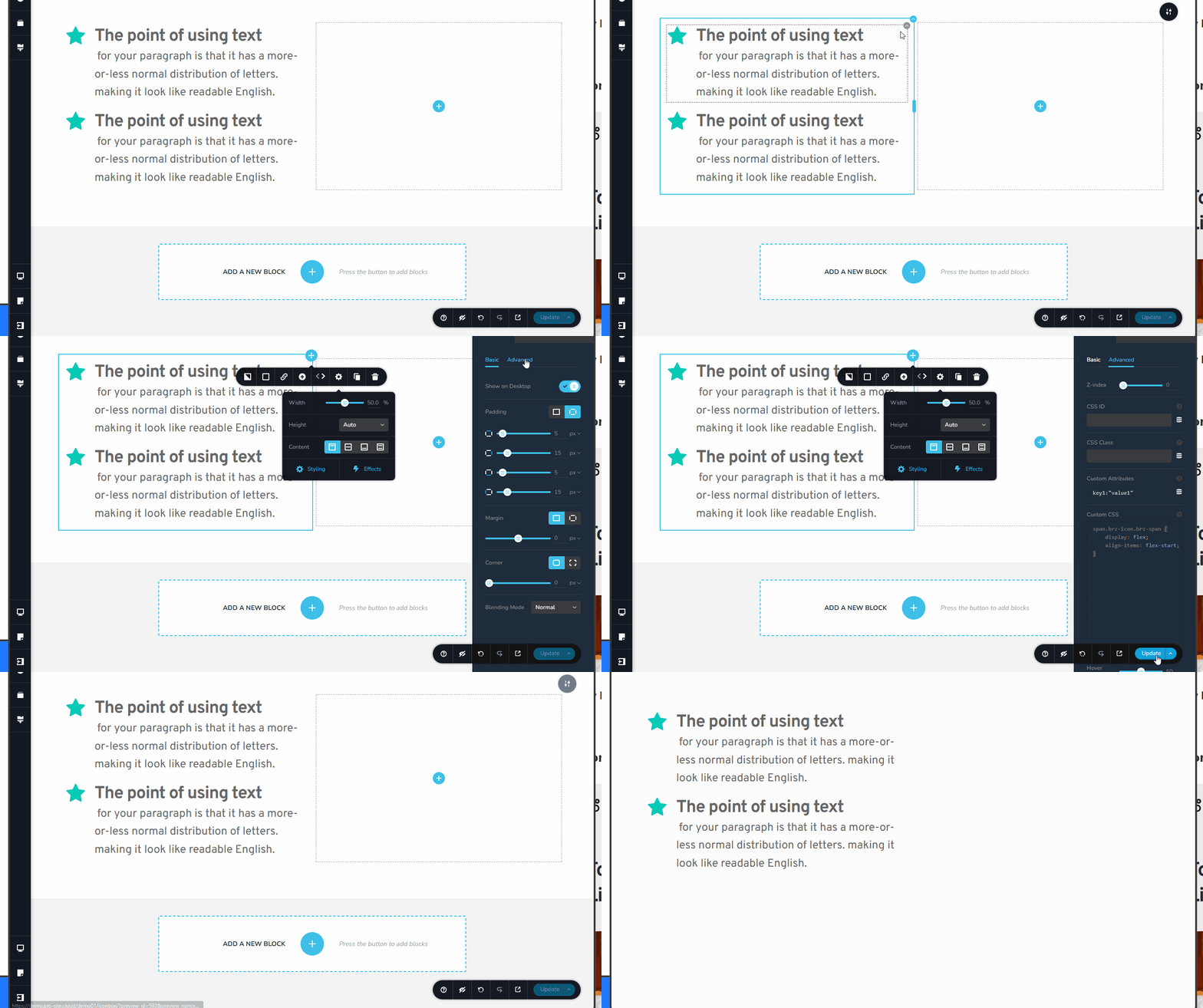
I’ll report this issue to our development team so it can be fixed in one of the upcoming updates.
We apologize for the inconvenience.
Best regards,
Ariel H.0 -

Also in the current version the same problem. I can't believe it!
Please fix ASAP!0 -
Actually, your CSS fix isn't working either. The icon is oriented at the very top of the container, but the text is NOT.
How can you align icon and text block on the same top position?0 -
Hi Stefan,
Thanks for reaching out. I’m sorry for the delay in getting this issue resolved, but it should be included in one of the upcoming updates.
In the meantime, I’d like to take a look at your site to see if I can provide a CSS fix. Could you please share the URL? Don’t worry, it won’t be visible in this support thread.
Kind regards,
Ariel H.0
Please sign in to leave a comment.
Comments
4 comments