Website not displaying header

my website nisyrosny.com lost its header. how do i get it back. I've tried several other methods posted but no luck.
-

Hello Nicholas
Try these steps and let us know if the header and footer displays in the website frontend.
- Make a minor change to the header: Navigate to any page within your project, make a small edit in the global header (such as increasing the padding by one pixel), and then revert the change.
- Make a minor change in the footer: Similarly make a small edit in the global footer (such as increasing the padding by one pixel), and then revert the change.
- Save the project: Update the project by clicking on the "Update" button at the bottom right corner
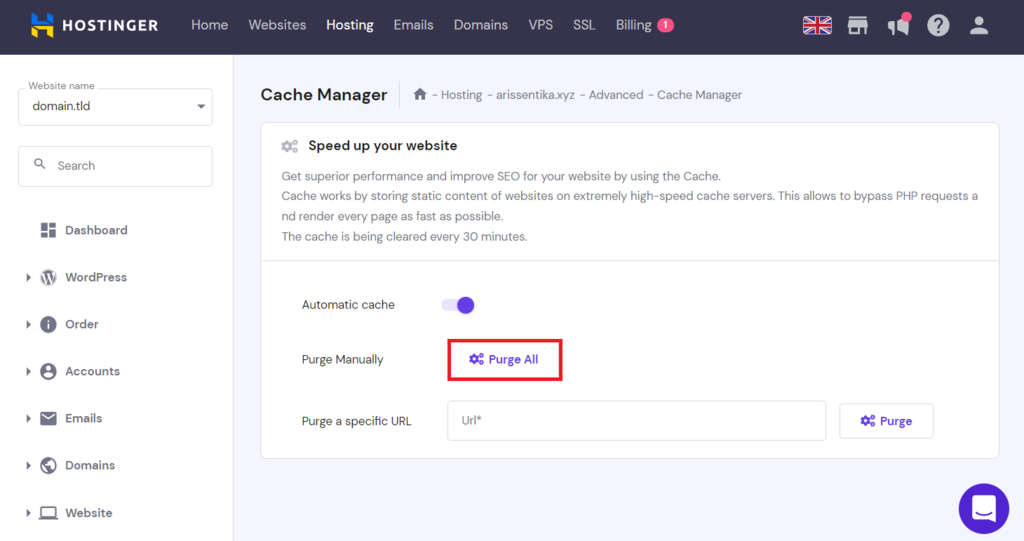
If your website is hosted with Hostinger, kindly purge all server cache by following the instructions at https://www.hostinger.in/tutorials/website-cache
 0
0 -
That fixed that issue. Now for some reason when I go to look at the blog posts it's showing up as the old editor and header version not the brizy version
0 -
Hi Nicholas,
I checked your blog post Wine & Cheese Night November 16th 7:30 Limani. Looks like you could fix the issue with your blog post template. If you still need help with it, kindly get back to us.
0
Please sign in to leave a comment.
Comments
3 comments