Brizy plugin not showing in front page

Hi
I have deactivated all plugins, and lefto only Brizy, but the plugin is not showing what I designed.
I have 2.5.5 and latest WP
please can you help?
Thanks
-

Hi Gianpietro,
Please provide us with temporary access to your WP Admin page so we can take a look. Please add us as an Admin user to your WordPress Dashboard and send the following details to communitysupport@brizy.io.
Community Post link: https://support.brizy.io/hc/en-us/community/posts/22432096921106
WordPress Admin URL:
Username:
Password:As a precaution, we recommend creating a full backup of your site.
Best regards,
Ariel H.0 -
Hi Marco,
Thank you for your cooperation. We attempted to log in but encountered an error.
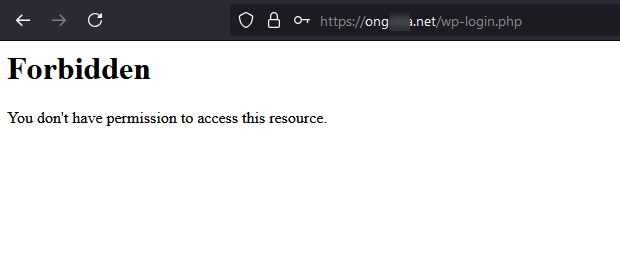
It’s possible that IP blocking is enabled on your server. Could you temporarily disable it or allow access from this IP address: 136.158.11.132?
Best regards,
Ariel H.0 -
Hi Marco,
I'm following up on this request. Currently, we're unable to access your site due to a Forbidden error. In my previous email, I asked if you could either allow access for the above IP address or temporarily disable IP blocking or the firewall so we can access your WordPress Admin area to assist you with the issue.
Best regards,
Ariel H.0
Please sign in to leave a comment.
Comments
3 comments