Problem with error codes on the home page

Hello,
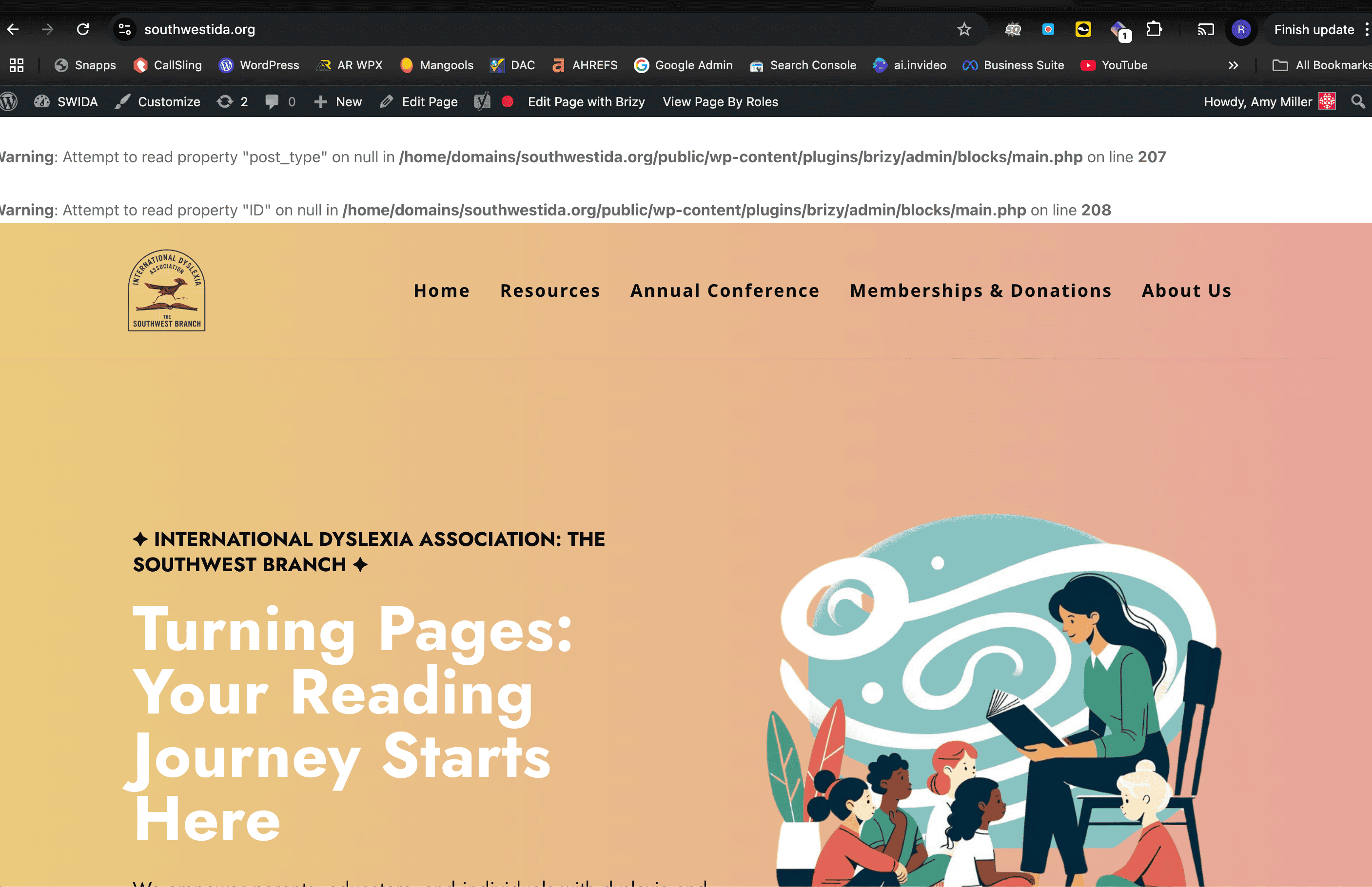
I'm having an issue with a couple of error codes on the top of the home page (it doesn't seem to be affecting any other pages). The error codes are only on the live URL and not inside the builder. I have attached a screenshot of the issue and here is the URL: https://southwestida.org/
Thanks!
-

Hi Amy,
Thank you for reaching out to us.
We have already reported this issue to our dev team, it should be fixed soon.
The warnings are non-fatal and should not affect your site's overall functionality.In the meantime, please add the following directives in wp-config.php to hide the warning on the front-end.
ini_set('log_errors','On');
ini_set('display_errors','Off');
ini_set('error_reporting', E_ALL );
define('WP_DEBUG', false);
define('WP_DEBUG_LOG', true);
define('WP_DEBUG_DISPLAY', false);
If you don't have access to update the wp-config.php file, you can also use a plugin to hide error reporting.
https://wordpress.org/plugins/debug/
Sorry for the inconvenience.Best regards,
Ariel H.0 -
Hi Ariel,
I added the code to the wp-config.php and it has hidden the error codes.
Thanks!
0 -
Hi Amy,
We've released an update to resolve this issue. Please update, and feel free to reach out if you have any further questions. You can remove the directives from your wp-config.php file, or leave them as they are—they only suppress PHP warnings and won’t impact your site.

Best regards,
Ariel H.0
Please sign in to leave a comment.
Comments
3 comments