Form from GetResponse not appearing

I have created a from in Getresponse. Before i did it many times with no problem. Web Connect is on the place, but on the website form not appearing.
Can you help?
-

Hi Wojciech,
Thank you for reaching out.
To help us better understand the issue, could you please share a short screencast demonstrating the problem?
Looking forward to your response.
Best regards,
Ariel H.0 -
Hi Ariel
there is link to the problem ->> https://www.loom.com/share/f9fe09d20eab49db82a002f99053c658?sid=996f3daf-6e8a-4c62-b2a4-62c0882eb010
hope the video will work.
0 -

Hello Wojciech,
Get Response form embeds may have an incompatibility with Brizy. Our developers need to work with GetResponse team to fix this issue.
Have you tried connecting to GetResponse using the API following the procedure at https://support.brizy.io/hc/en-us/articles/360043923871-Get-Response? Kindly try this approach instead of the form embed option.
0 -
Hi Wojciech,
Thank you for the update.
I attempted to replicate the issue, and the form appears correctly in my test environment: https://demo.pro-site.cloud/demo01/
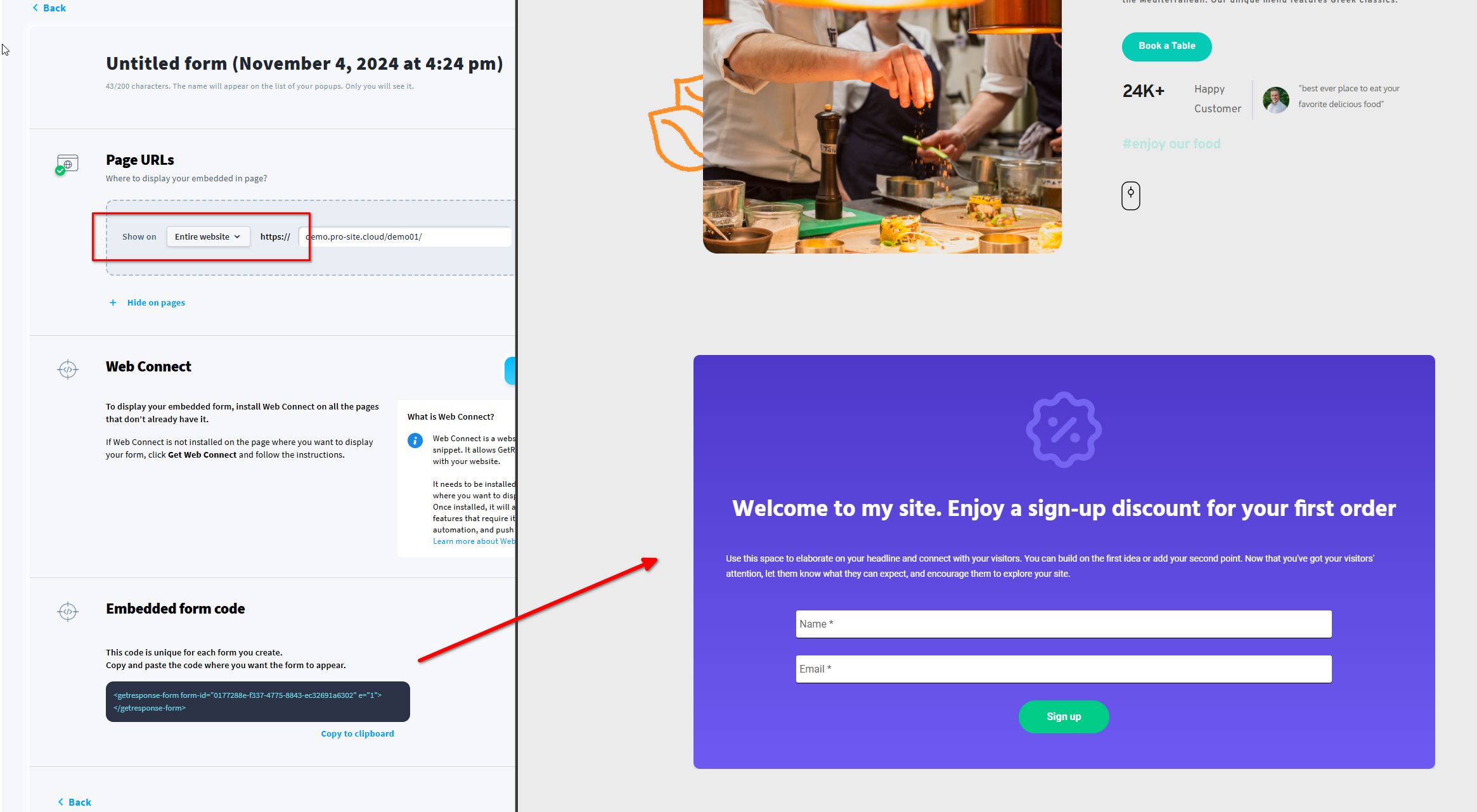
You might have set the form to display only on a specific page; please try temporarily setting "Show" to "Entire website" to see if that resolves the issue. Additionally, check if any security plugins on your site might be blocking the script.
Best regards,
Ariel H.0 -
Hi all!
Thanks for help, all is good now.
I have tried this way -> https://support.brizy.io/hc/en-us/articles/360043923871-Get-Respons
And its works perfect!
All good lads, thx for help.
0
Please sign in to leave a comment.
Comments
5 comments