errors above the header

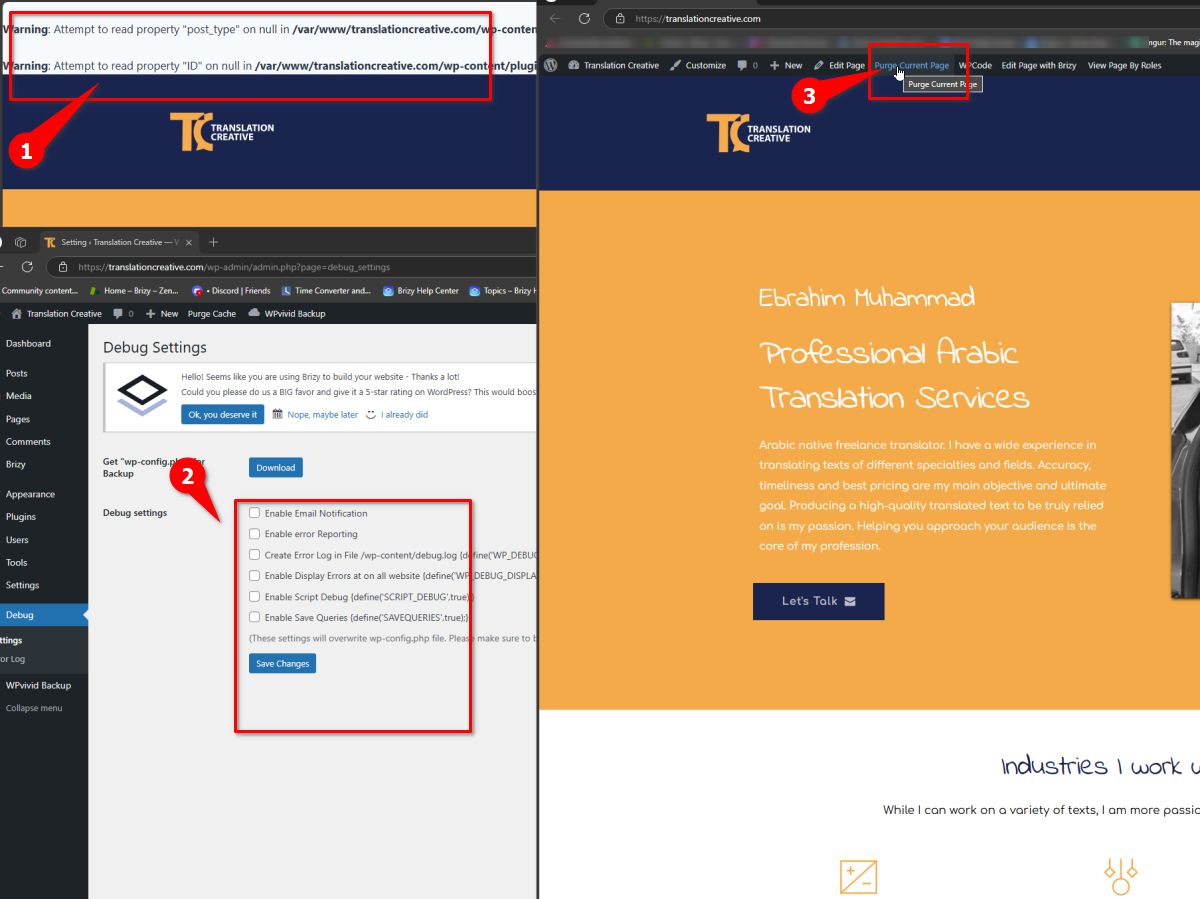
I see errors above the header when I try to visit my website https://tr*********ive.com/.
I tried to disable them following your instructions, but this did not work.
Please try to disable them using the below credentials.
-

Hi Sherif,
Thank you for reaching out.
To hide the warnings, please disable all options in the debug plugin settings, save your changes, then visit the affected pages to purge the cache. Alternatively, go to your caching plugin settings and select the option to purge all cache across the entire site.
Kind regards,
Ariel H.0 -
Hi Sherif,
We've released an update to resolve this issue. Please update, and feel free to reach out if you have any further questions. If you added the above directives in your wp-config.php file, you can remove them or leave them in place—they simply suppress PHP warnings and won’t affect your site.

Best regards,
Ariel H.0
Please sign in to leave a comment.
Comments
2 comments