Brizy templates and WPML

Post and pages works fine to translate with WPML, but how can we translate templates?
Now we have a post template for each post but it couldnt be tranlated so header and footer is showing in the wrong language. How can we solve this?
Thanks.
-

Hello
The WPML plugin has 3 variations they offer at https://wpml.org/purchase/ To the best of our knowledge, Brizy Templates can be translated with the "Multilingual CMS" and higher. Brizy templates could not be translated using the "Multilingual Blog" (at least in the past, this was the experience of individuals who were using Brizy in conjunction with WPML). Could you confirm which WPML product you are using?
Consider creating distinct headers and footers for every language, and use Display Conditions to show the relevant headers for pages in each language.
0 -
Hello George, we have WPML Multilingual Agency..
We already have header/footer for difference languages, you can have a look here: https://summons.es/0 -
Hello
Kindly check if you have an option to set a Brizy Template to a specific langauge. If you have this option, you can setup one template for each language.
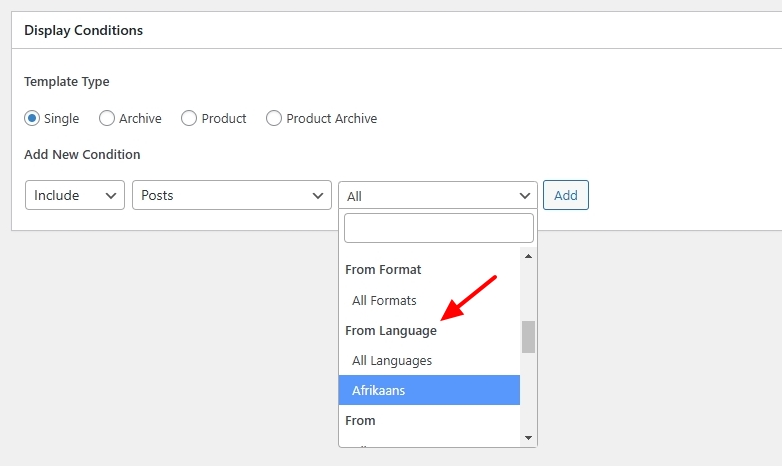 0
0 -
We dont have that option, only see this one:
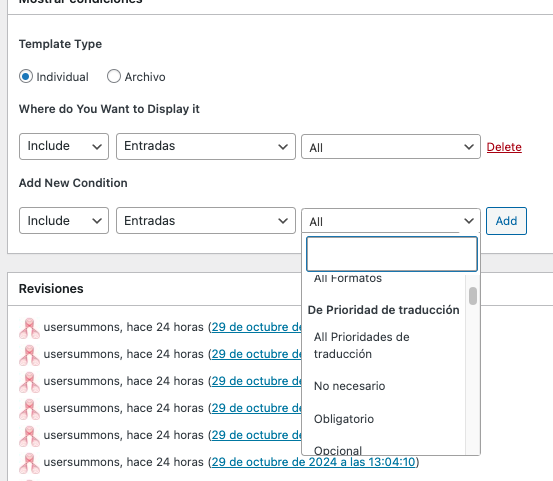 0
0 -
Hello,
Can we have a look at your WordPress Dashboard to check if there is any possibility of making WPML work with Brizy templates? Please add a new user to your WordPress Dashboard and send the following details to our email: communitysupport@brizy.io
- Support Forum link: https://support.brizy.io/hc/en-us/community/posts/22277780083602
- WordPress Admin URL:
- Username
- Password
Please let us know in this forum when you send us the email.
0 -
Hello David,
I have enabled translations for Brizy Templates following the procedure at https://jmp.sh/zmeXedbL Kindly add English translations to your Brizy templates.
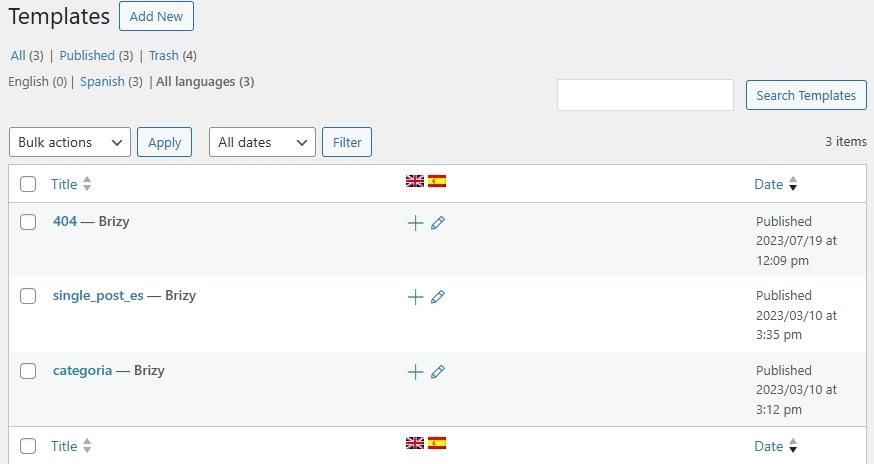 0
0 -
Perfect, many thanks!
0
Please sign in to leave a comment.
Comments
7 comments