This page needs a refresh

Hi guys,
We are experiencing issues updating the site, constant "this page needs a refresh" error message.
Running the following;
Wordpress 6.6.2
Brizy 2.5.9 and Brizy Pro 2.5.5
PHP 8.1
I have tried to disable all the other plugins except for Brizy and Brizy Pro but the problem remains.
I have set the PHP memory limit to 256 MB from 128 MB and the post_max_size to 2 MB from 32 MB, still no changes.
Can you please assist?
-

Hi Kenneth,
Thank you for reaching out to us.
This issue often occurs on websites using WordFence, or similar security plugins. Disabling the Firewall or setting it to learning mode often fixes the issue. You can find more information on this here: https://help.elegantthemes.com/en/articles/2395855-how-to-fix-saving-issues-while-wordfence-plugin-is-enabled
If this doesn't help, try to isolate the issue by disabling all other plugins besides Brizy and Brizy Pro to check if it's coming from a plugin conflict. If this resolves the issue, gradually enable the other plugins one by one as you test and edit your pages until the issue comes back. This will help you determine which plugin is causing this issue.
If the issue continues, could you kindly give us temporary access to your WP Admin? This will allow us to further investigate the issue. Please add us as an Admin user to your WordPress Dashboard and send the following details to communitysupport@brizy.io:
Community Post link: https://support.brizy.io/hc/en-us/community/posts/22171945286930
WordPress Admin URL:
Username:
Password:Please make a full backup of your site as a precaution.
Best regards,
Ariel H.0 -
Like I said, all the other plugins were disabled and it still doesn't work. I have sent the admin details to you.
0 -
Hi Kenneth,
Thank you for your cooperation.
Upon checking, the issue appears to be connected to your Web Application Firewall.
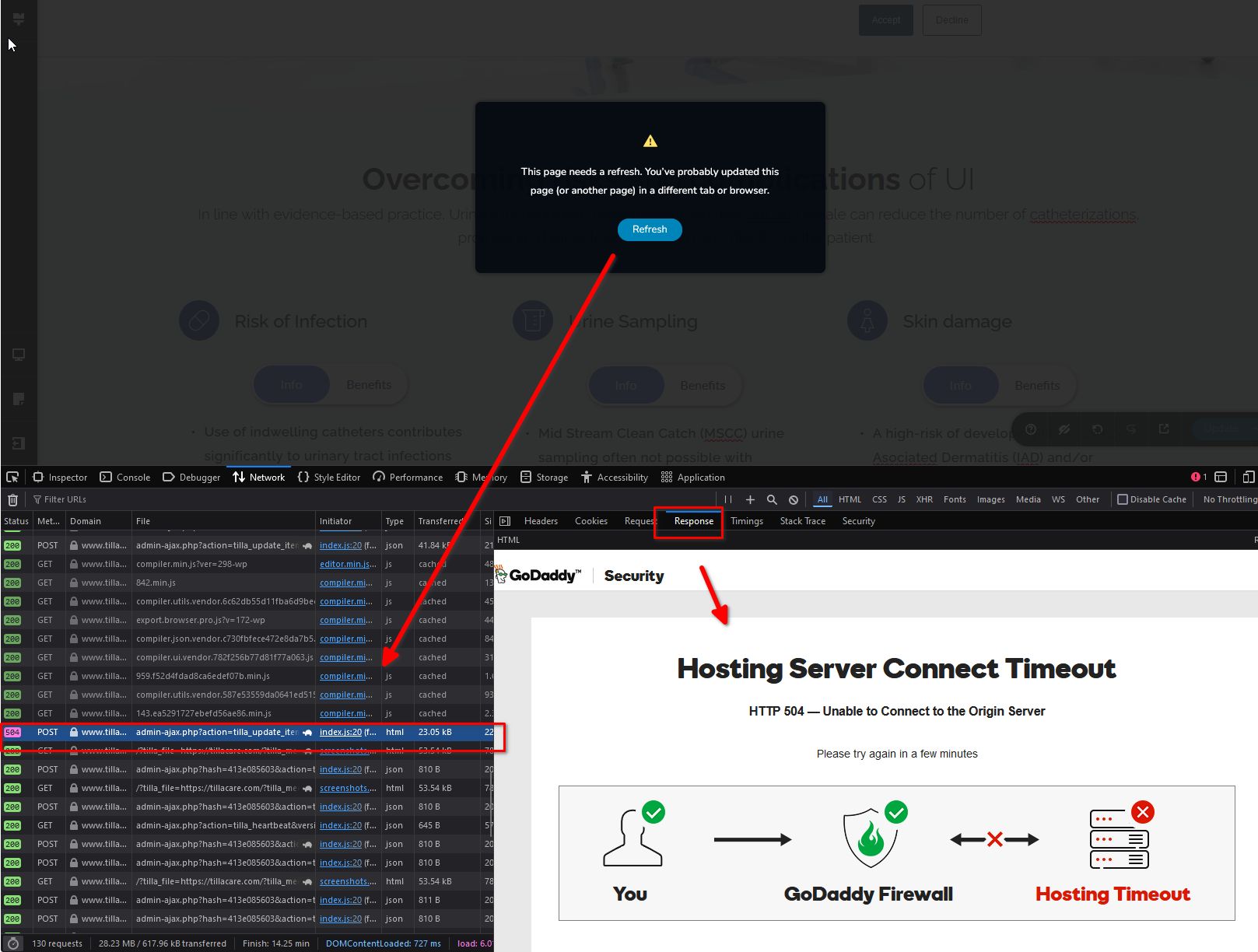
To fix this issue, please refer to this link:
https://www.godaddy.com/en-ph/help/502-504-or-redirect-error-when-i-open-my-website-after-web-application-firewall-waf-setup-27382Otherwise, please reach out to your hosting provider for further assistance.
Best regards,
Ariel H.0
Please sign in to leave a comment.
Comments
3 comments