warnings visible above header on website

Hi KC,
A customer has just alerted me to these warnings visible on our website, on both chrome and edge. How do I fix this?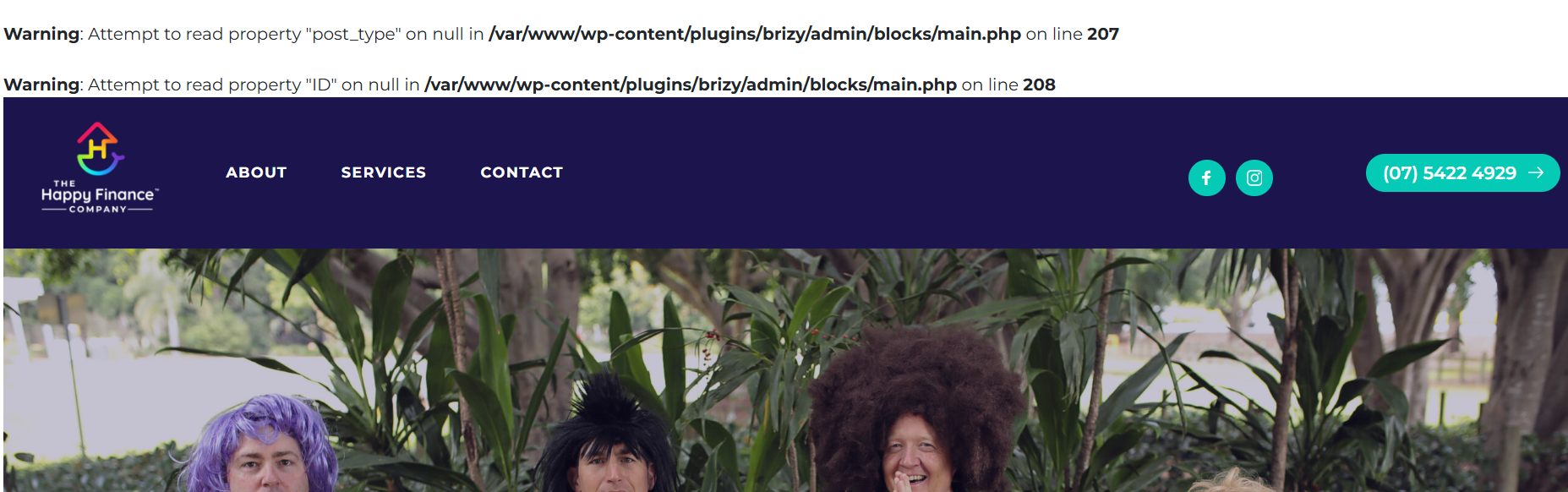
-

Hello
Kindly disable the WordPress DEBUG mode following the procedure at https://blogvault.net/debugging-in-wordpress/ and check if the PHP warning messages disappear from your website?
0 -

My website presented the same issue. I’ve already tried disabling the debugger, but without success. I’m waiting for a solution.
0 -

Hi,
Thank you for reaching out to us.
We have already reported this issue to our dev team, it should be fixed soon.
In the meantime, please add the following directives in wp-config.php to hide the warning:
ini_set('log_errors','On');
ini_set('display_errors','Off');
ini_set('error_reporting', E_ALL );
define('WP_DEBUG', false);
define('WP_DEBUG_LOG', true);
define('WP_DEBUG_DISPLAY', false);If you don't have access to update the wp-config.php file, you can also use a plugin to hide error reporting.
https://wordpress.org/plugins/debug/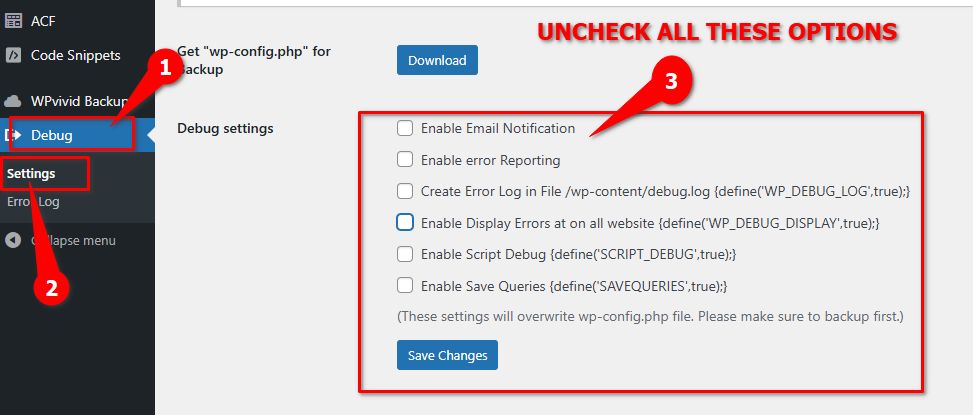
Sorry for the inconvenience.Best regards,
Ariel H.0 -
Hi,
To KC's comment - the article says to disable by disabling the plugin… but I don’t have the plugin installed or active.
To Ariel's comment - I have no coding experience so I don't know how to update the php. And am reluctant to install a debug plugin because of KC's instructions to disable it.
Pls advise what I should do. Thanks0 -
Hello
I have disabled the warming message using the previous access you had given us. Please check.
0 -
fixed, thank you!
0
Please sign in to leave a comment.
Comments
6 comments