re: Leverage the font-display CSS feature

Hi all! I use Brizy Pro WP plugin and use Google Fonts Locally, only Lexend, LondrinaSolid, and McLaren. On PageSpeed Insights, I get:
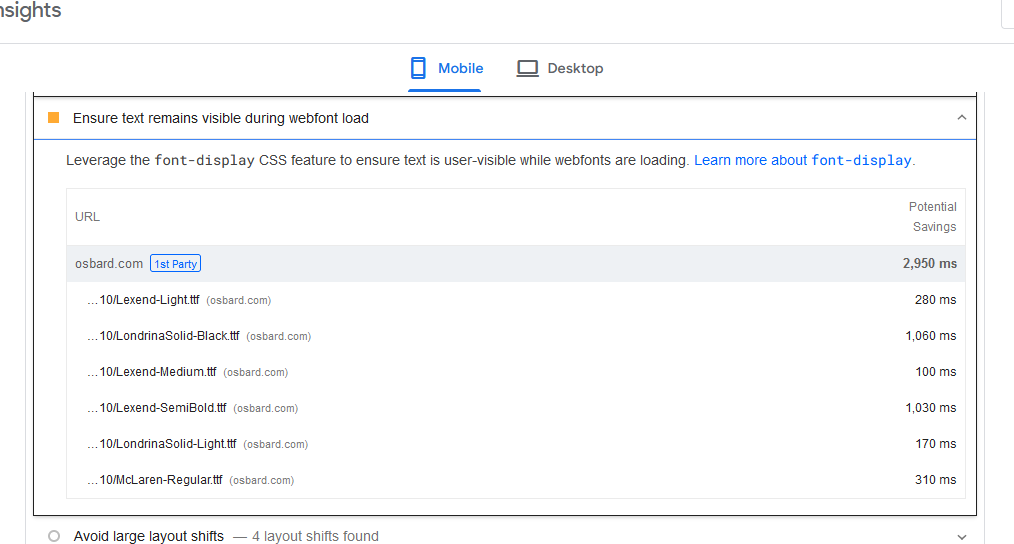
At the "Learn more about font-display" link, the instructions say:
"Leverage the font-display CSS feature to ensure text is user-visible while webfonts are loading."
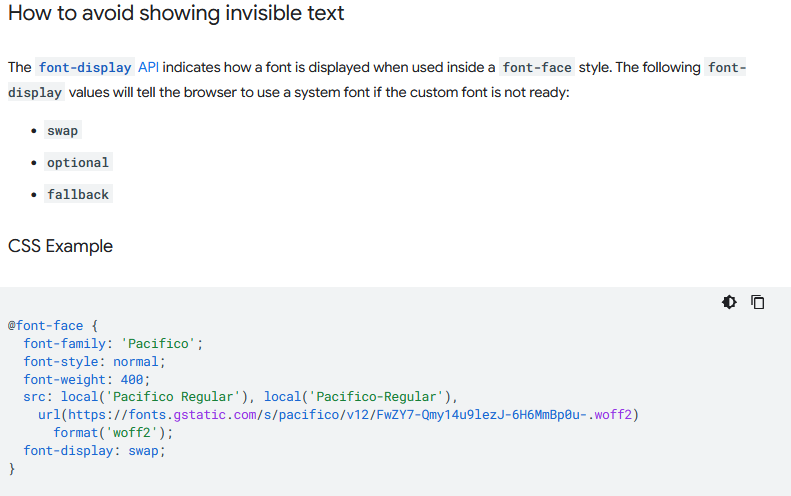
Is there a way I can add - font-display: swap;
?
Thank you!
-

Hi Steve,
Brizy supports the CSS fallback option in place of the CSS swap option. You can designate a particular font as the "Default" in your Font Library. The Default font will be used as the fallback. When the main font face is not yet loaded or lacks the glyphs required to render text, the fallback font is used.
In the Fonts tab of the Brizy Font Manager, you may click on any font to make it the default font. The default font is highlighted using a green border and a check mark.
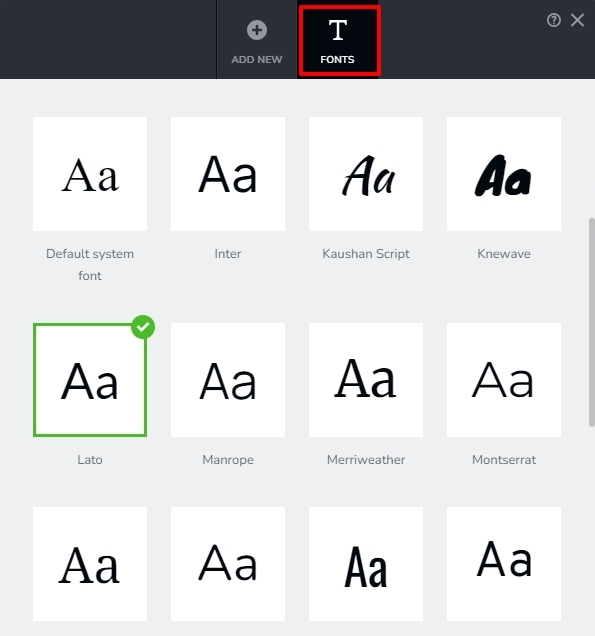
You could consider setting a Google font as your default font. They usually load faster than locally hosted fonts. Brizy uses Bunny hosted Google fonts it will be served by Bunny.net.
0 -
Hi Mr K C George,
Thank you for the information and very clear instrucitons. I totally forgot about the Font Manager area! I understand it now. Ty.
0 -
Hi Mr KC George,
I followed your advice and changed from locally hosted fonts to Brizy hosted Google fonts and Google font for fallback. My web page size decreased substantially, and the PageSpeed Insights is much faster across the board. Thank you!
0
Please sign in to leave a comment.
Comments
3 comments