Active link of e-mail from Brizy cloud CMS

Hi,
When I create custom field EMAIL in my CMS, I can't create clickable link on that asset. I can't find a way to make the link/button/text active and to assign him the field (email) link...
Please help.
Simon
-

Hi Simon,
Sorry about that. This appears to have worked previously. The email address should appear as an option in the dynamic fields dropdown.
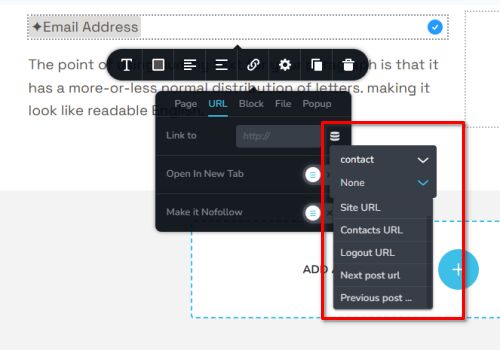
We've submitted a bug report, so it should be fixed in one of the upcoming updates.
Best regards,
Ariel H.0 -
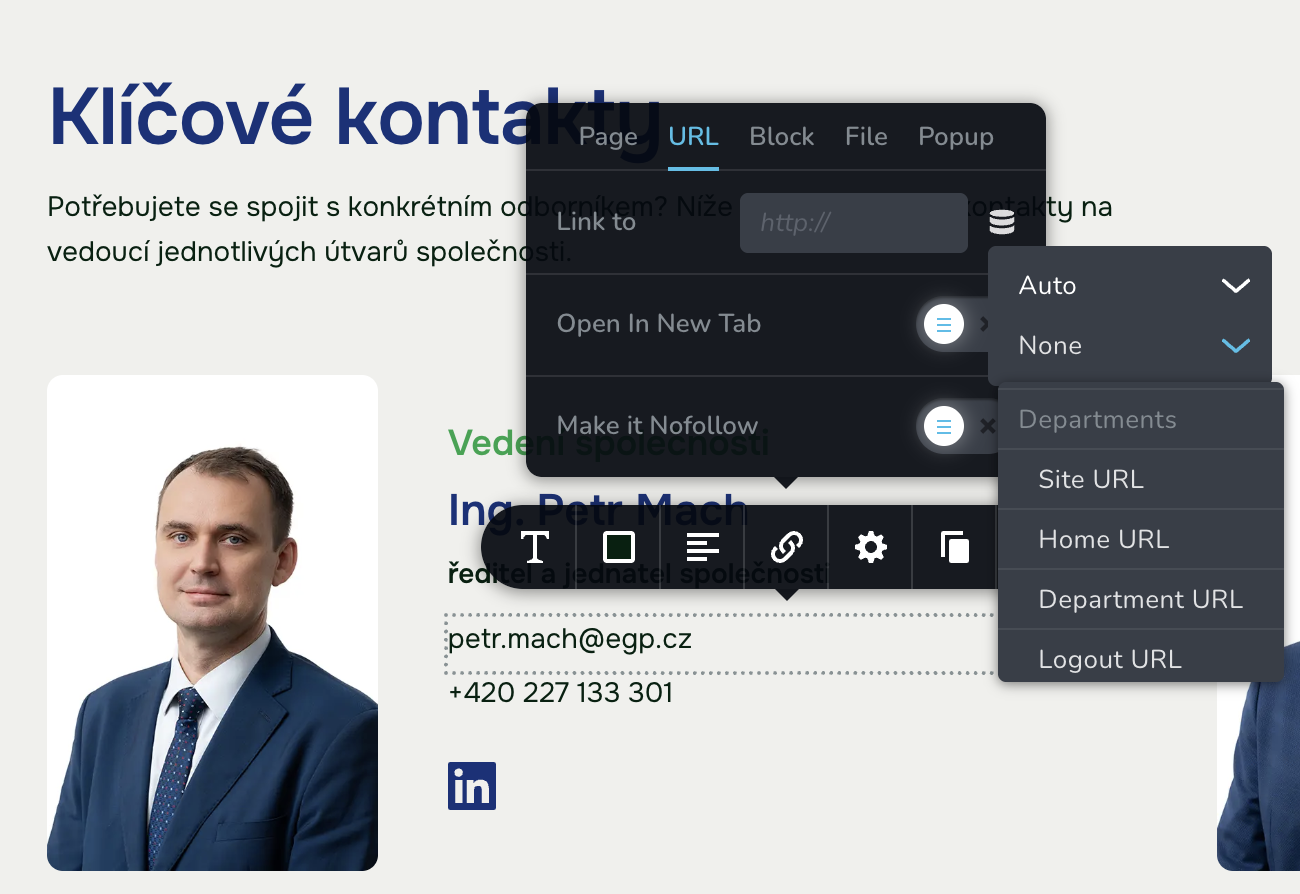
Hello, I was asking about this thing above YEAR AGO. Any news of the update. This really sucks when I make databese of people with e-mails and simply can't create clickable e-mails. Any workaround?
 0
0 -
Hi Simon,
Thank you for following up. Could you help us locate the project and workspace for this website? We might be able to create a custom script as a temporary workaround to make the email addresses clickable.
We understand how frustrating this can be and appreciate your patience.
Best regards,
Ariel H.0 -
Hi,
It’s this project:Name: EGPI need CMS EMAILS AND PHONES work as link badly on those pages:https://gibbonb6f95478.brizy.site/cs/ing-petr-mach - every profile in CMShttps://gibbonb6f95478.brizy.site/cs/elektro-iac - on every section page - though I removed it here, so it doesn’t work.- - -Also, I can’t launch collaborative mode to start collaboration the final web with client. Can you help me regarding this issue too. It freezes on "brizy working" wheel...- - -And finally, I wanted to create hover effect on cards on homepage - see screenshot BUT it doesn’t show on preview. Only in the editor. Can’t make it work. Please help. Client wants dynamic grow cards…Thank you for helping me.This client is very important for us and web is almost finished. Mr. Šafránek (ÚJV) will be contacting you to move the web under another account so - new client for you.RegardsSimon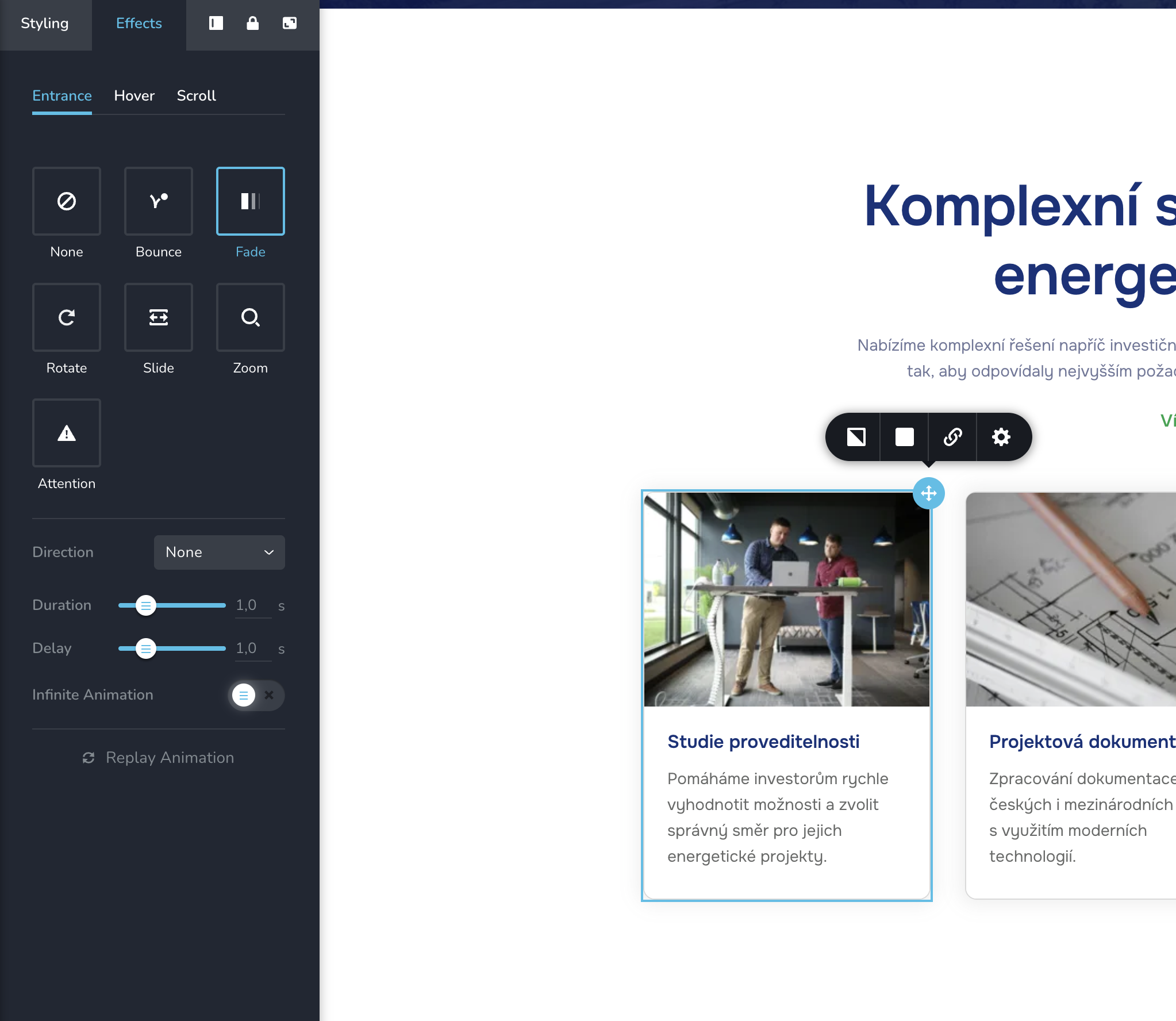 0
0 -
Regarding the hover effect... It works on the block bellow - that is not in CMS repeater... Maybe the bug is in there - CMS ... I'm trying everything...
0 -
Regarding the hover again. The problem is WHEN there is a link on the "hovered" element. So I worked it out, that to CMS repeater window is JUST with the effect and I put link on picture, headline and text. So when someone clicks on the white space around the text, it will not work as a link. This is kinda bug and it would be good to fix it. That I can make the repeater clickable AND animated.
0 -
Hi Simon,
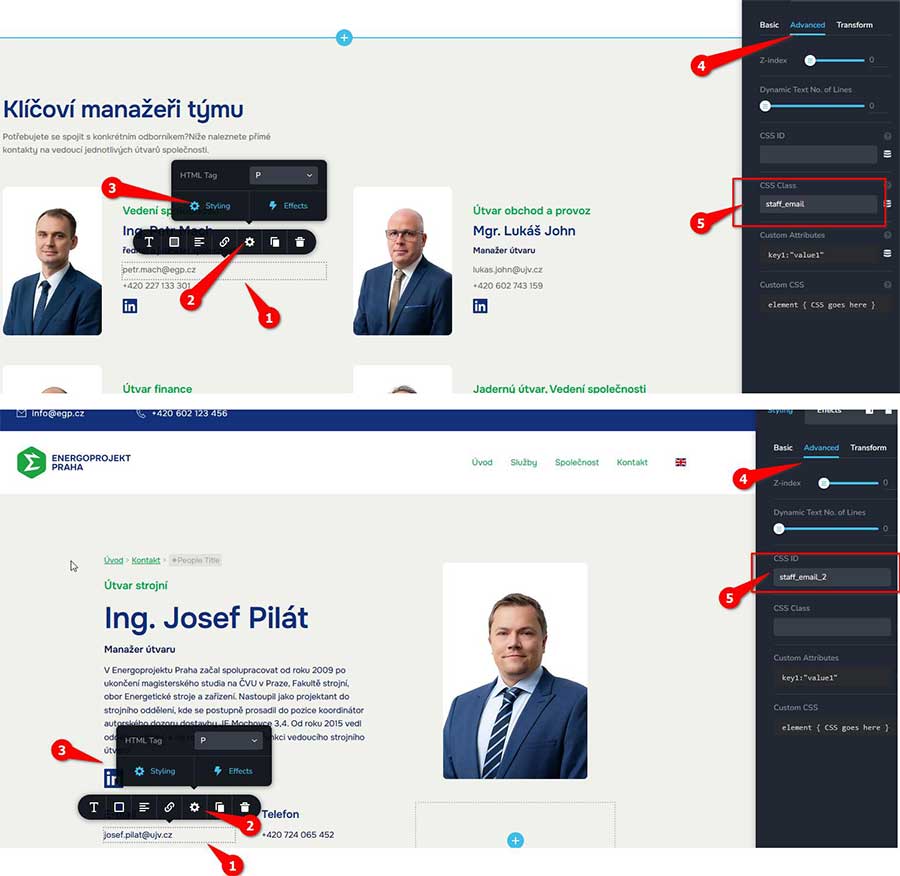
We have added the script. you can find the script under CMS > Project Settings > Code. To make it work on any page, just assign the text element the CSS Class staff_email.
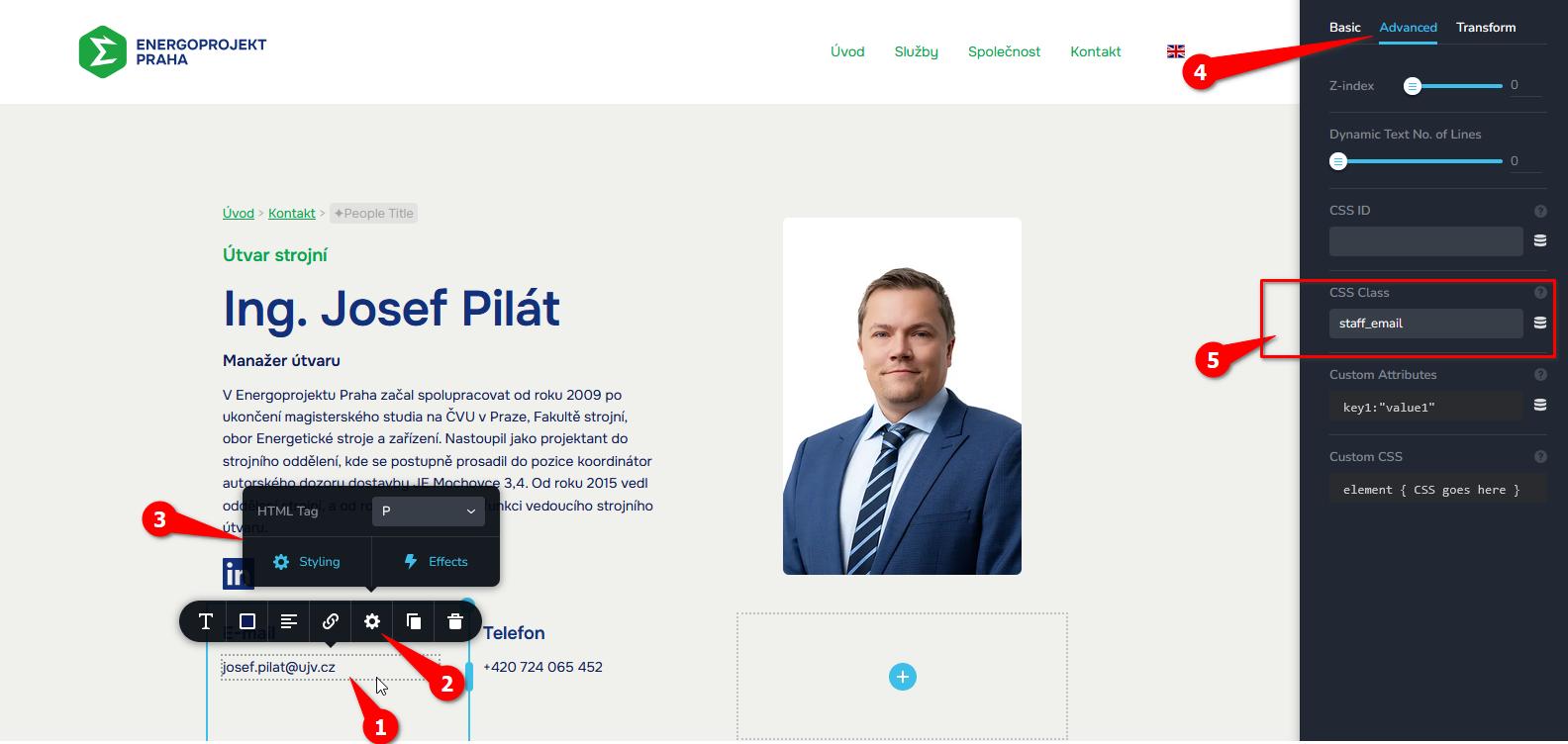
This setup makes the email address on your page clickable, so visitors can easily send an email.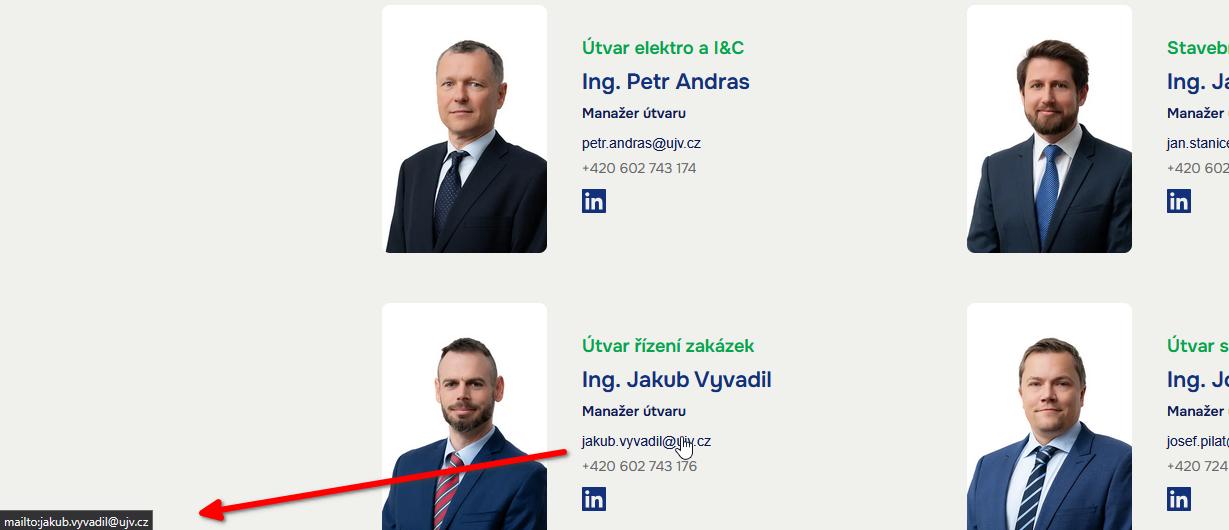
For your other concerns, we will review them shortly.0 -
How can I implement this code into the Phone field? Can I duplicate it in the code and rename it?
0 -
Hi Simon,
We’ve placed the image, title, and button inside an inner column, and the Service URL is now applied to that column. Could you please check if this setup works on your end?
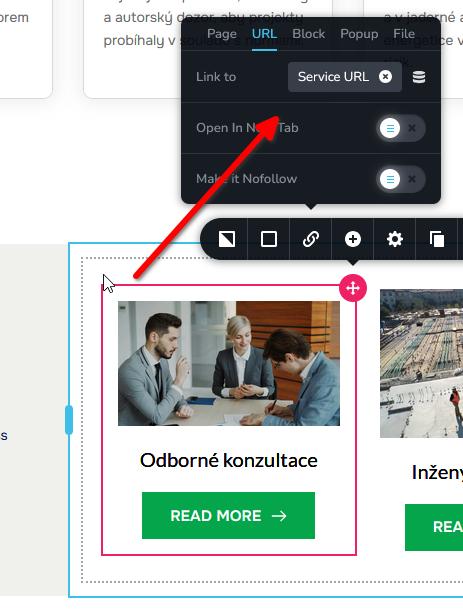
Going back to the email links, we’ve made a few adjustments. For email addresses inside a grid, please use the CSS class staff_email. For email addresses in individual profiles, please use the CSS ID staff_email_2.
Best regards,
Ariel H.0 -
Hi Ariel,
thanks for you patience.
Ad e-mails: Understood. I keep it that way.
Ad hover effect: sadly, it doesn't work. Howeaver as you can see, I worked it out above, assigning the effect to grid column and URLs to individual elements inside it. As there is not too much "empty" space, it works...
Ad phones: Can I replicat the code for phone? Will it work?
Thanks again, you saved the day with e-mails issues... Simon
0 -
Hi Simon,
For the phone numbers, the setup works the same way as the emails. For numbers inside a grid, please use the class call, and for individual profile pages, use the CSS ID call_2. We’ve already added the script for this.
Best regards,
Ariel H.0 -
Oh, thank you!
I understand, I can use this setup in other project, right? Inject the code, change styling etc. Is that right?
Simon
0 -
Hi Simon,
Yes, you can definitely reuse the CSS and JS in another project—inject the code, adjust the styling, or make any other changes as needed.
Also, I’ve reposted this issue to our developers, so you shouldn’t have to do this manually in the future.
Best regards,
Ariel H.0 -
Sorry to bother you again. I can't access the collaboration module? Is it down? Or only my issue?
0 -
Hi Simon,
No problem at all! I checked the link on my end, and it’s working fine.
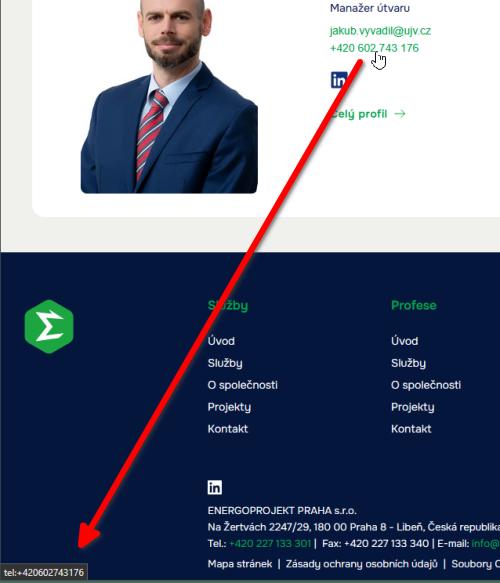
Could you try accessing it using another browser? Also, try the collaboration module in that browser and see if it makes any difference.Best regards,
Ariel H.0 -
Thanks, phone + e-mails works just fine!
Collaborative mode doesn't work for me. I work in Chrome, tried Safari. Same result. Black screen, logo moving. That's all...
Chrome works overall better, so I think the browser is not the issue...
0 -
Hi Simon,
I’ve also tried this in my test environment, and it doesn’t work here either. When I click the Collaborate button on the left bar, it just keeps spinning. Please give us some time to look into this issue.
Best regards,
Ariel H.0 -
Hi,
is there any news about broken Collaborate feature on my project? If no, I have to arrange comments with client differently... Thanks.
Simon
0 -
Hi Simon,
Thank you for checking in.
We’ve forwarded the issue to our developers, but unfortunately it may take us a bit more time to address it. We’re sorry for the inconvenience this is causing, and we appreciate your patience while we work on a fix.
Best regards,
Ariel H.0 -
Rgr...
0
Please sign in to leave a comment.
Comments
20 comments