Site crashes multiple times for short time

Hi there!
A site for my client keeps crashing for about 30 minutes then goes back to normal, this has happened a lot of times lately and I have no idea why it happens. Could you check if is has something to do with the Brizy plugin?
I've sent you the login details in a previous thread: https://support.brizy.io/hc/en-us/community/posts/20924190755474-Menu-on-sticky-header-disapear
Thank you!
-

Hi Kristoffer,
Could you please provide us with more details about this issue? Please describe how it crashed, and screenshots demonstrating the issue would be helpful.
Best regards,
Ariel H.0 -
Hi Ariel,
I got this message from my web host:
"The Brizy plugin you are using often makes many requests to external sources, which causes the site to go down. We have now disabled the WAF on the site, which should prevent it from going down in these cases!"
Could this be useful?
Thank you!
0 -
Hi Kristoffer,
Yes, the issue could be connected to WordFence Extended Protection, similar to this ticket that we previously encountered - https://support.brizy.io/hc/en-us/community/posts/21281497557394
Wordfence WAF may interfere with the loading of dynamic content, leading to broken elements or incomplete loading of the page.
Best regards,
Ariel H.0 -
Hi!
I don't have the WordFence plugin installed, does this issue occur when using SolidSecurity Basic too?
0 -
Hi Kristoffer,
Thank you for keeping in touch. This issue could also occur when using Solid Security.
Best regards,
Ariel H.0 -
Okay, thank you for identifying the problem!
What can I do about this? I have multiple clients with this web host, also using solid security or wordfence combined with brizy. Their sites haven't crashed yet but I don't want this for any of my sites.
0 -
Hi Kristoffer,
Thank you for the update.
This issue can be fixed by setting Wordfence to learning mode. During this mode, Wordfence identifies and automatically whitelists safe actions, such as interactions with Brizy. This prevents Wordfence from mistaking normal activity for malicious behavior. After the learning period (usually a few days), Wordfence will automatically switch back to Enabled and Protecting mode. At that point, it will start blocking suspicious or harmful activity while allowing legitimate traffic it has learned about during the learning phase.
I am not sure if Solid Security has this feature; otherwise, you may need to tweak the settings to allow Brizy to work properly.
Best regards,
Ariel H.0 -
Hi again,
The site crashed again now after 2 months of working correctly. At this moment it's so slow I can't navigate between pages.
Last time I switched from Solid Security to Wordfence set on learning mode.0 -
Hi Kristoffer,
Thank you for the update.
Is this the same website that had the WooCommerce issue?
If not, could you please provide us with temporary access to this website so we can investigate? You can send your credentials to communitysupport@brizy.io and include this reference number in the subject line: 22040222974738.
If possible, please also include the steps to replicate the issue you're experiencing on this site.
I look forward to your response.
Best regards,
Ariel H.0 -
Hi again!
We're still experiencing these freezes on our site and I've been told by my webhost provider Loopia to reach out to you again. This issue can't continue as the webshop have active users all the time, we need to fix this!
Ive sent login credentials to communitysupport@brizy.io with the subject line as: 22040222974738
0 -
Hi Kristoffer,
Thank you for your cooperation.
I’ve tried to replicate the issue on my end but haven’t been able to do so. It’s possible that I’m testing it differently. To better understand the problem, could you please provide step-by-step instructions on how to reproduce it? Alternatively, a short screencast demonstrating the issue would be very helpful.
Looking forward to your response so we can assist you further.
Best regards,
Ariel H.0 -
The site "crashes" or slows down to the degree that the pages doesn't load and then gets back up again after various amount of time. Im getting the following message from Jetpack:
YOUR SITE APPEARS TO BE DOWN
juridikservice.se [1] did not load when Jetpack Monitor last checked on
it.
WHAT'S HAPPENING?
Your site may be experiencing interruptions or responding very slowly.
This could indicate an issue with your server’s configuration,
resources, or traffic load. Jetpack Monitor alerts you when downtime
occurs, but it does not provide details on the exact cause because we
don’t have access to your site’s web hosting server
Error reference: 236626302/intermittent
WHAT SHOULD YOU DO NOW?
Visit your site [1] to check if your site is currently loading. If
it’s just a temporary glitch, the issue may already be resolved.
If your site is still down, check your host’s control panel or
contact your host’s support team. They should be able to provide
detailed logs to pinpoint what happened during the downtime. Be sure to
share the error code mentioned above with them.
Learn more here: What to do if your site is down [2]
Learn more [3]
Control and monitor these alerts in your Jetpack Monitor settings [4].
Automattic, Inc.
60 29th St. #343, San Francisco, CA 94110, USA [5]-------
I've contacted my webhost a couple of times and gotten the following answers over the course of 4 months:"I have now replaced approximately 200 references to http and www in your database to prevent redirects! I have also enabled debug mode and a custom error log on the site. If or when the issue occurs again, we should receive more detailed error information to investigate further."
"I’ve been on the site, clicking around and refreshing, and everything seems to be working for me.
I’ve also cleared your cache to see if that was the issue and tested the database speed. Check if it works better now—if not, let me know, and we’ll take a closer look."
“The Brizy plugin you’re using often makes a large number of requests to external sources, which is causing the site to go down. We have now disabled WAF on the site, which should prevent it from crashing in these situations!”
Today they also told me to contact you if there Is an available update, which possibly could resolve the issue. If that would be the case It would be great but because this issue has been occurring for so long I feel like there is probably something else causing this issue.
My client who owns the website is getting very frustrated and we really need to solve this problem for good. Thank you in advance!
0 -
Hi Kristoffer,
Thank you for providing the details.
From what I can see, everything appears to be functioning as expected when editing the page. However, the site "crashing" or slowing down seems to be more related to how it is being served, which is typically influenced by the hosting environment. If Brizy is making a high number of external requests, it could be due to factors such as large images or dynamic content. That said, Brizy itself does not directly control server performance, so hosting limits and server resources may still play a role in this issue.
Since you mentioned that this has been ongoing for quite some time, it might be helpful to test it in a staging environment. If possible, setting up a staging version of the site on a different server could help determine whether the issue persists under a different hosting setup.
Please let me know how it goes or if there’s anything else I can assist you with.
Best regards,
Ariel H.0 -
Hi again,
Okay, I understand. The last time I contacted you about this issue, the solution was to switch from Solid Security to Wordfence, which was a fix outside my web host’s scope.
That’s why I’m wondering if the problem could have a similar solution this time as well. Right now, the most important thing is to identify exactly what is causing the site to crash so we can prevent it from happening over and over again.
Is there anything you can do to pinpoint the issue?
0 -
Hi Kristoffer,
I understand how important it is to identify the exact reason why the site keeps going down. Keep in mind that Jetpack Monitor can sometimes report temporary connectivity issues, even if the site is only briefly unreachable. For a more accurate uptime check, I recommend using UpTimeRobot, which provides a clearer view of when and how often the site experiences downtime.
If the issue continues, it could be due to server limitations, particularly if the hosting plan has restrictions on traffic or resource usage—something that is common in shared hosting environments. In such cases, upgrading to a higher-tier hosting plan or moving the site to a VPS can help improve performance and stability.
It may also be helpful to check with your web host (if applicable) to see if the site is reaching any limits on speed, memory, or traffic. Setting up UpTimeRobot can give you more detailed reports on when and how long the site is down. Additionally, reviewing error messages or logs from your hosting provider may offer insights into the root cause of the issue.
If you have any further questions, please let us know.
Best regards,
Ariel H.0 -
Hi Ariel,
I was informed by my web host that Jetpack could be the reason for the crashes so I installed UptimeRobot for monitoring and since the site has still crashed 4 times, once as 502 bad gateway and the rest connection timeout. After some investigation by my web host they told me that following error code is seen in the log multiple times:
[26-Feb-2025 09:34:57 UTC] Error when renewing scheduled event for action hook brizy-cloud-synchronize. Error code: invalid_schedule, error message: Missing event schedule., data: {“schedule”:“5minute”,“args”:[],“interval”:300}
They told me to contact you about this, what is this about?0 -
Hi Kristoffer,
Please try adding the following directive to the 'wp-config.php' file to modify the cron lock timeout and check if it improves the issue:
define('WP_CRON_LOCK_TIMEOUT', 600);Let me know if you need any further assistance.
Best regards,
Ariel H.0 -
Hi again,
The sites has been down 3 times for about 11 minutes each since we added the code. The site is also very slow and I can no longer monitor the response time from UpTimeRobot.
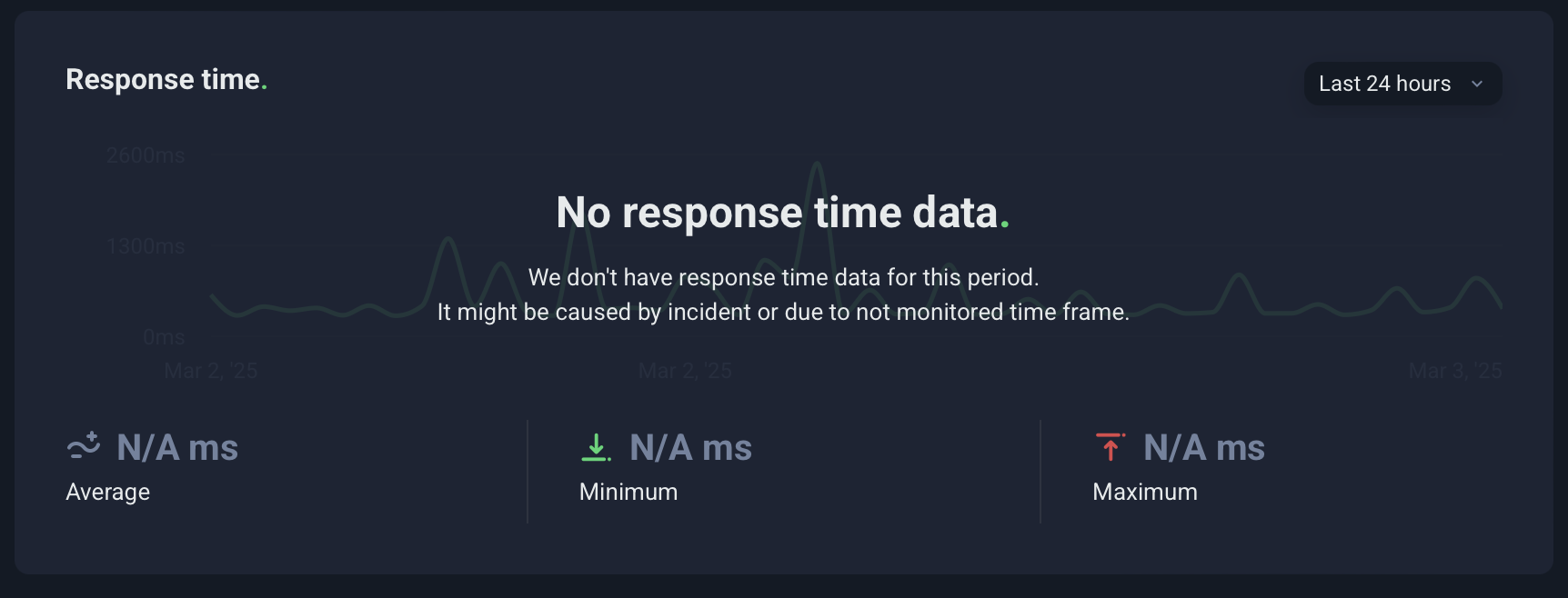
I need this to be resolved immediately because my client is advertising and can't afford their customers to be locked out of the site.
0 -
Hi Kristoffer,
Thank you for keeping in touch.
Since this issue has been happening for some time, we recommend testing your site with a different hosting provider. The problem appears to be related to certain limits on your current server, which may be affecting performance.
Unfortunately, we can't provide support for server-related issues, so trying a different hosting provider could help determine if the issue is hosting-related. If possible, consider setting up a staging site on another server to see if the problem persists.
Best regards,
Ariel H.0 -
Hi Ariel,
Thank you for your recommendations, I've contacted our host.
First time we encountered this issue the resolution was to switch from Solid Security to Wordfence with learning mode activated. This time, after an intermission from this issue, it started happening again after installing the woocommerce shop part of the website - which could be a reason for the slow response time.
I wonder if you have any tips for page speed?
0 -
Hi Kristoffer,
WooCommerce can be resource-intensive, especially with a large product catalog or multiple plugins. To improve page speed, try optimizing images by using WebP format and compression tools like Smush or ShortPixel. Enabling caching with a plugin like WP Rocket or W3 Total Cache can also help. Reducing the number of active plugins and optimizing your database with WP-Optimize may further improve performance. A CDN like Cloudflare can speed up loading times, and if the issue persists, checking your server resources or upgrading your hosting plan might be necessary.
Best regards,
Ariel H.0
Please sign in to leave a comment.
Comments
21 comments