Building Team Portfolio

Hi I want to build a team portfolio like the link and screenshot below
I want to have the info and key areas and the button to view the profile further.
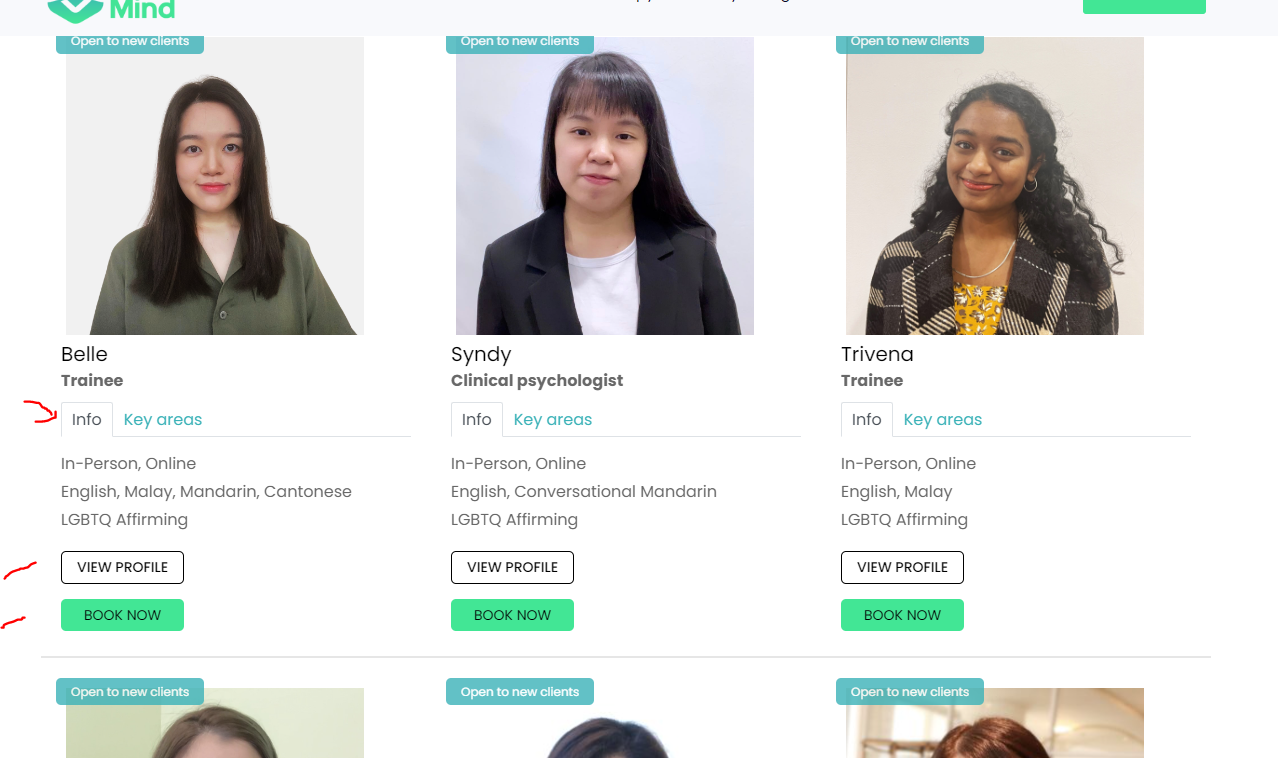
how can I do it?
Also do you have a booking appointment system in place?
-

Hi Janet,
Thank you for contacting us.
To create a similar layout, first create a column and include all the details you need, such as the picture and name, using the text element. To separate the "info" and "key" areas, you can use the tab element. In the tab element, you can drag and drop the image, text elements, and others to complete your content.
For booking and appointments, you can create a button and link it to the Calendly element.
For the view profile button, you can also link it to a popup.
I have a similar example in this screen recording for a previous user who needed a similar layout. This screen recording will show you exactly how to build this layout: https://youtu.be/b_xxNJW9lfQ
If you have any further questions, please let us know.
Best regards,
Ariel H.0
Please sign in to leave a comment.
Comments
1 comment