Can't update my site draft or published

I keep getting
"This page needs a refresh. You’ve probably updated this page (or another page) in a different tab or browser."
This has been reoccurring for a week now, tried all I could using a different browser, etc, but all remains the same. This is the most frustrating experience I have had working with this WordPress app.
After further investigation, I discovered this is very pressing and happens when I have applied an effect or animation or trying to copy an attribute from one element to another, or if I use any of my saved blocks.
Please help look into this. Keeps my work slow and frustrating.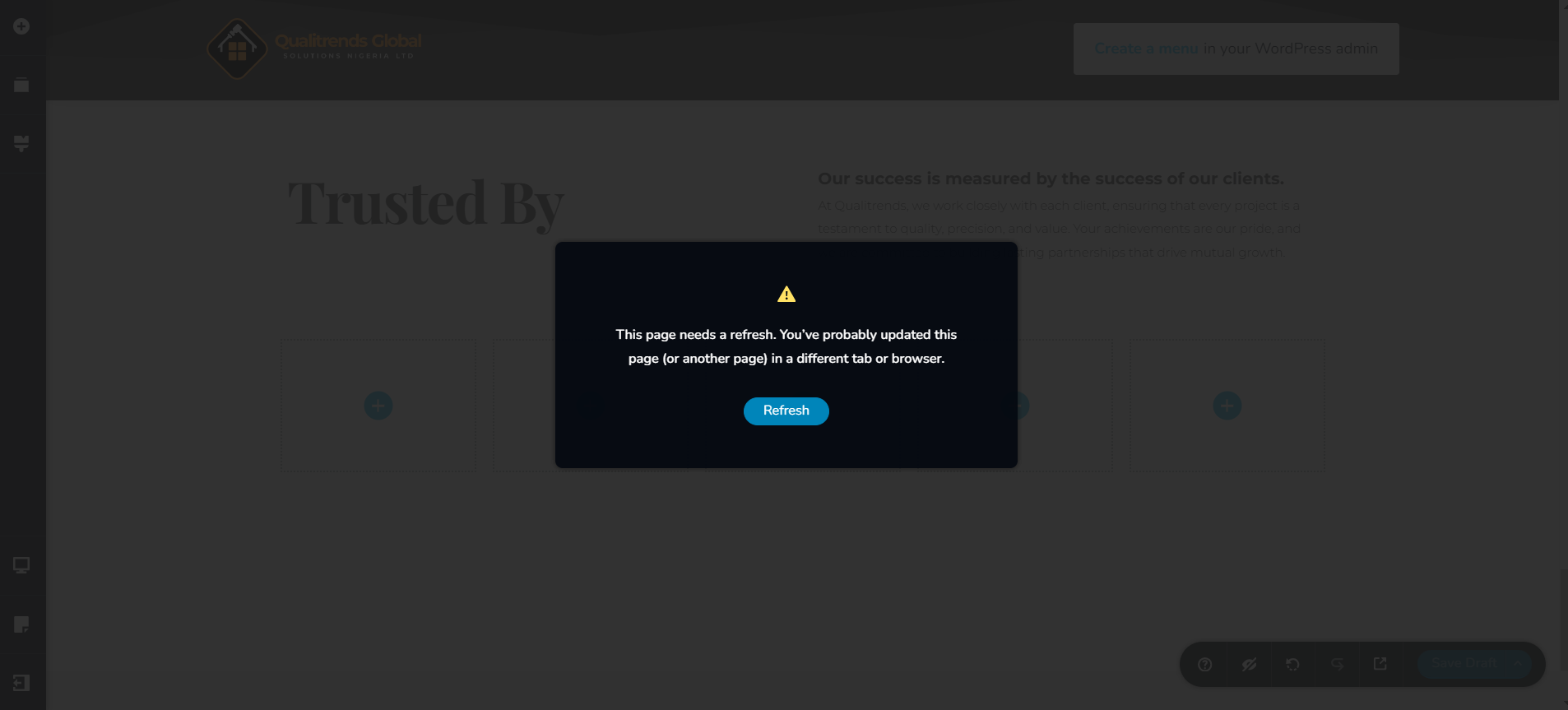
Project is qualitrendsng.com
-

Hi Toluwase,
Thank you for reaching out to us.
Could you also please provide us with temporary access to your WP Admin page so we can look into this issue? Kindly add us as an Admin user to your WordPress Dashboard and send the following details to communitysupport@brizy.io:
Community Post link: https://support.brizy.io/hc/en-us/community/posts/22003550042642
WordPress Admin URL:
Username:
Password:Please make a full backup of your site as a precaution.
Best regards,
Ariel H.0 -
Hi Toluwase,
Thank you for your cooperation.
Unfortunately, I am unable to replicate the issue. Could you please create a short screencast to demonstrate the issue so we can replicate it on your website?
Best regards,
Ariel H.0 -
Hi Toluwase,
Thank you for your cooperation.
The issue seems to occur only when the page has a large number of elements. It doesn't happen with fewer elements.
Could you please try increasing the PHP Time Limit to 90 seconds and the Max Input Time to 180 seconds?
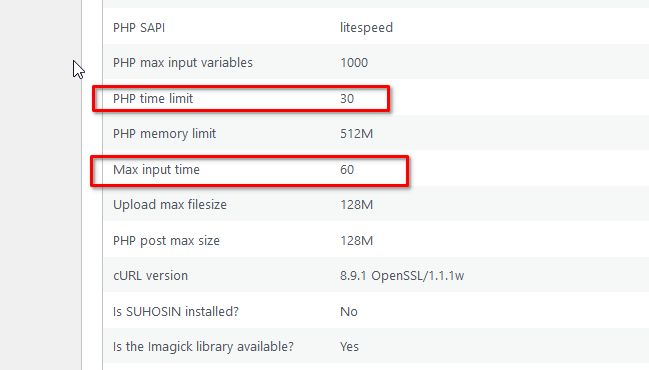
If this doesn't help, please also temporarily disable ModSecurity to further troubleshoot the issue.
You may need to contact your hosting provider for assistance with these updates.
Best regards,
Ariel H.0 -
Okay On It, I will be right back.
0 -
I have done what you requested.
Mod_S > Off
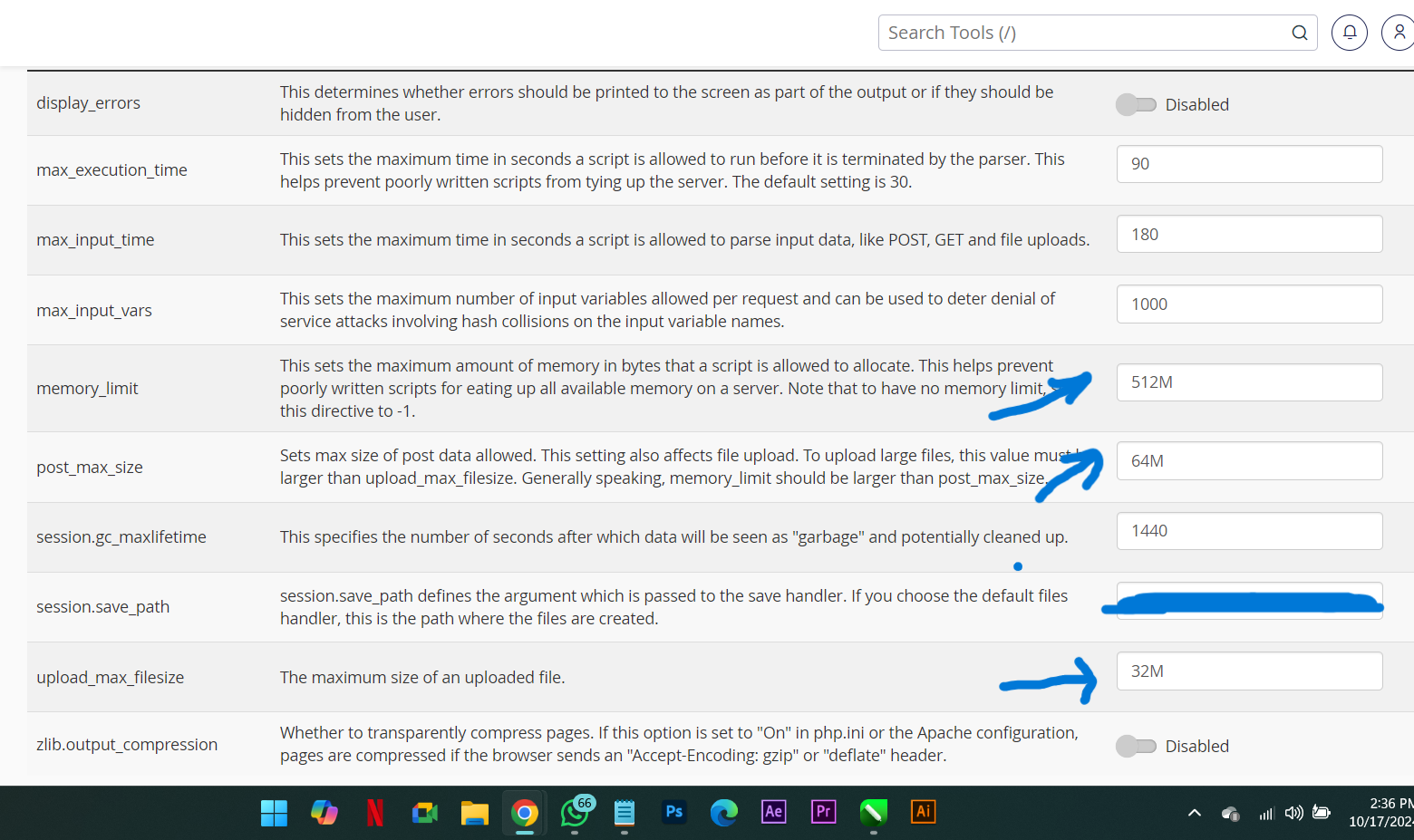
Image to show what I have for PHP Time Limit, Max Input Time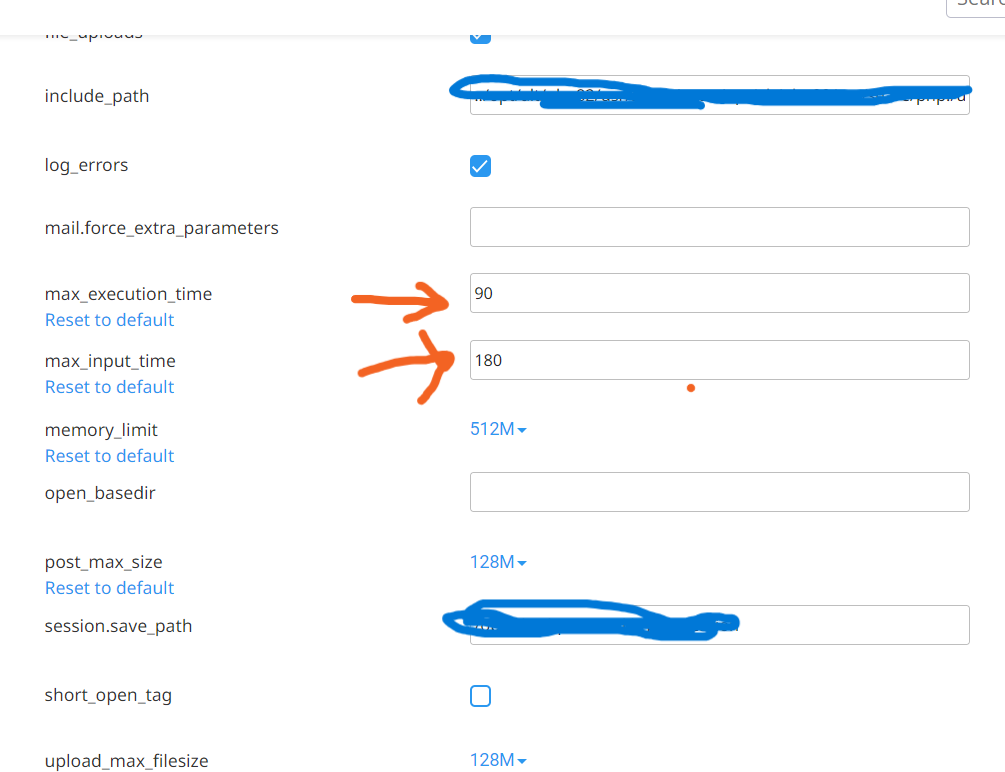 0
0 -
Hi Toluwase,
Thank you for your cooperation.
We tried uninstalling and reinstalling Brizy and Brizy Pro, but the upload limit is low. Could you please update the Upload max filesize to 32M, the PHP post max size to 64M, and the PHP Memory limit to 512M if possible?
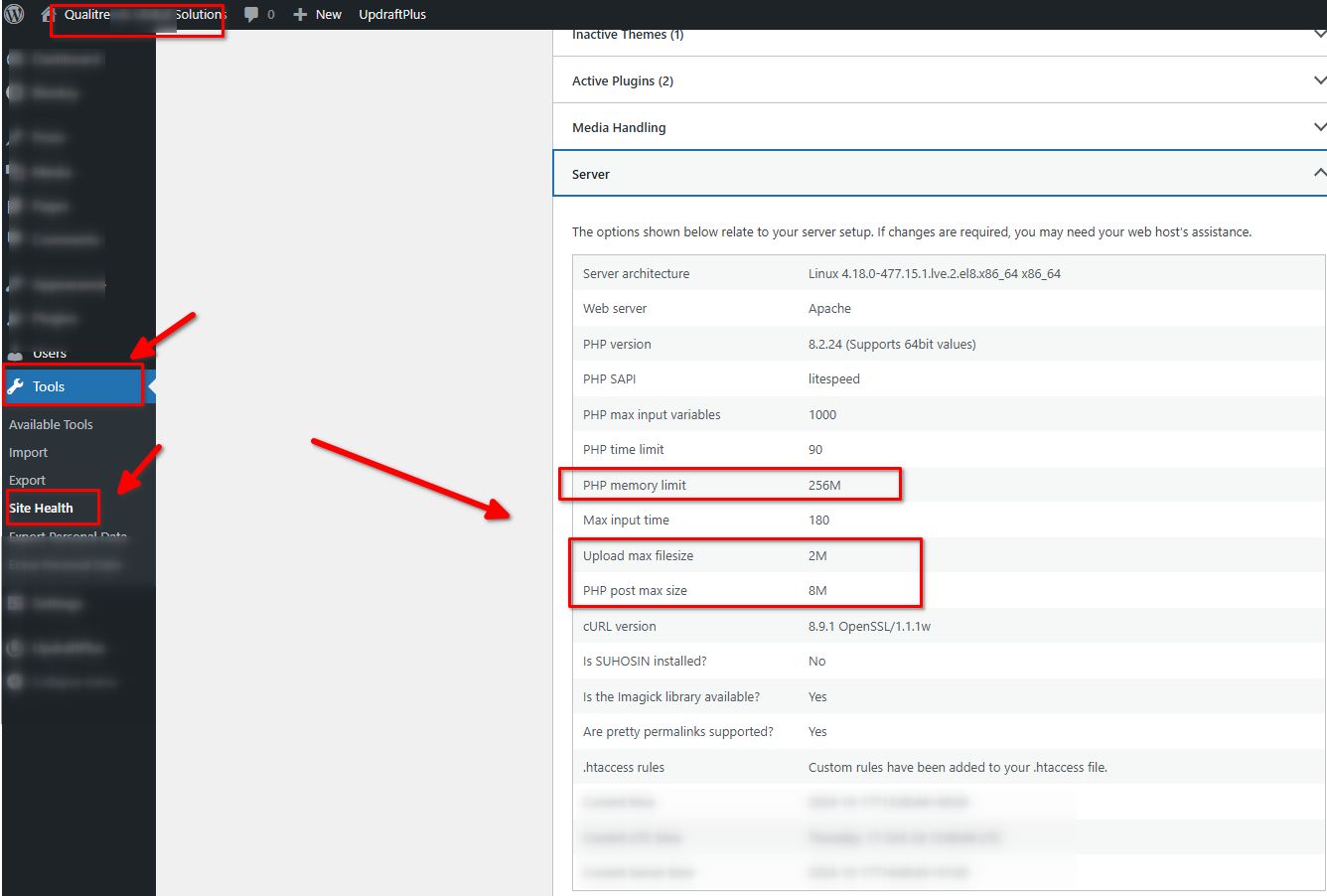
It looks like the other settings in your PHP Options don't match your site's system information.
Best regards,
Ariel H.1 -
It worked some minutes ago, but I only got back to the dashboard to discover that you were still troubleshooting.
Right now, the Brizy plugins are not available in the dashboard and I can't do anything. Let me know when it is safe to work from my end.
Thanks.1 -
Hi Toluwase,
Sorry about that, could you please update your server so we can test it again.
0 -
How do I update my server?
1 -
Hi Toluwase,
Would you be able to provide us with access to your cPanel so we can have direct access to your server settings and website files? If this is possible, please send the credentials to communitysupport@brizy.io. Please include this reference number 22003550042642 in the subject line.
Best regards,
Ariel H.0 -
Done.
Plugins - are back.
What do I do next, or I should wait?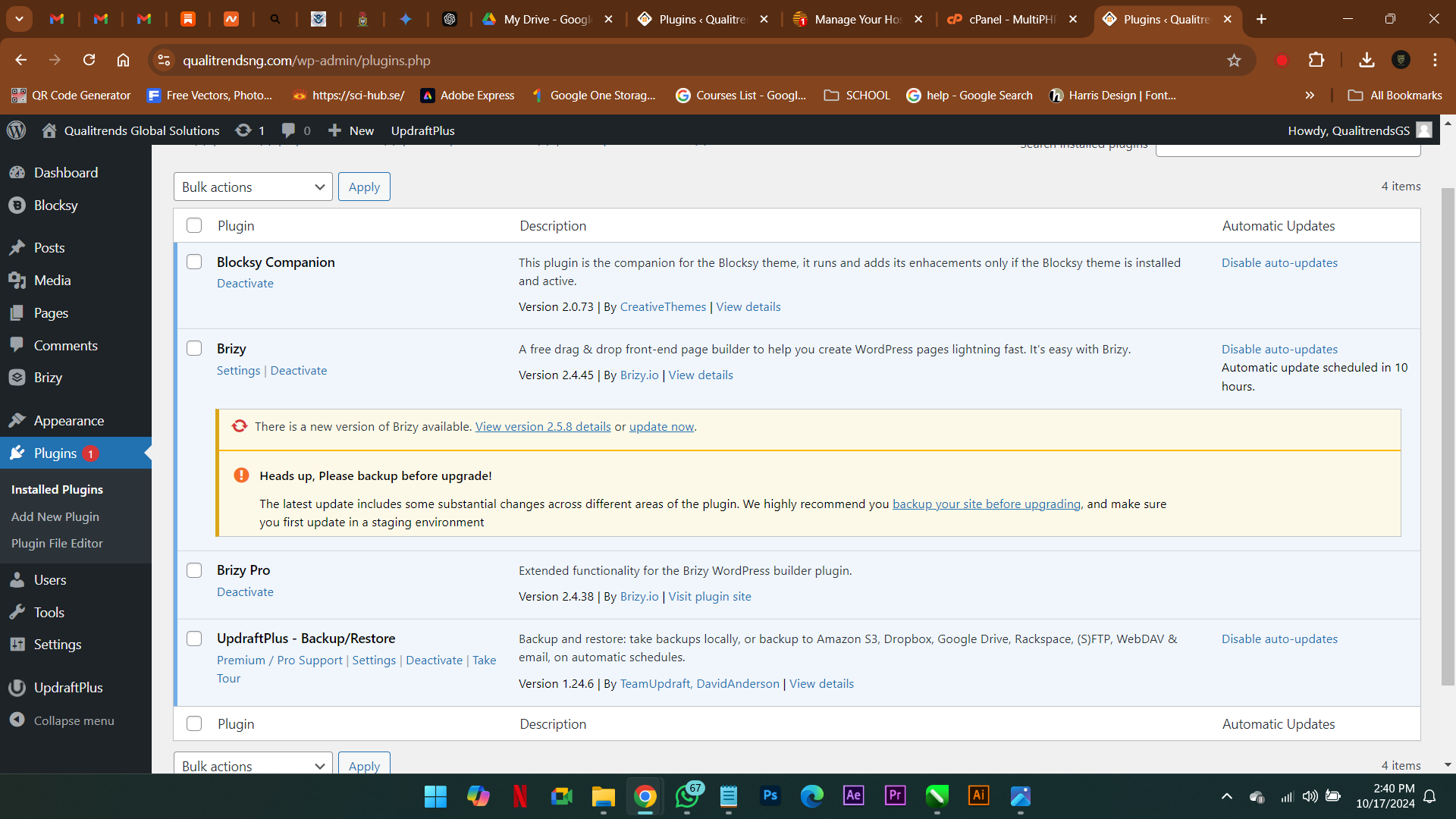
 0
0 -
Hi Toluwase,
Thank you for waiting. This issue seems to occur when a header block is present. Without the header block, there's no problem copying styles and updating the page. I'll need to escalate this issue to our next level of support so they can further investigate it. I will get back to you as soon as I have an update.
Kind regards,
Ariel H.0 -
Thank You - Waiting!
I am not done working on the header, in the meantime can I continue working, if I can?0 -
Hi Toluwase,
You can continue and work on the rest of your pages. If you're having issues saving or updating a page, temporarily remove the header. The header block is in the saved blocks, and you can retrieve it there if needed.
0 -
Okay, THANKS
0
Please sign in to leave a comment.
Comments
16 comments