contact form not sending email

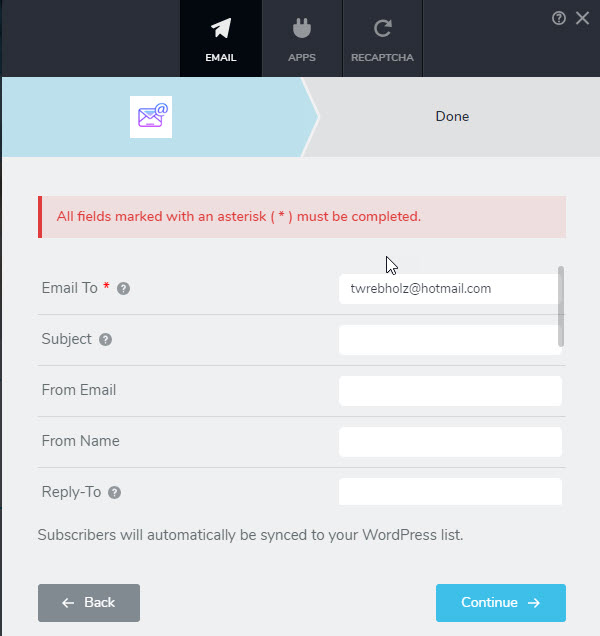
I can't get any of the three options (WP, SMTP, or Gmail) to send any data from the contact form. Attached is the error message I get from SMTP and what the customer sees. How do I fix this issue?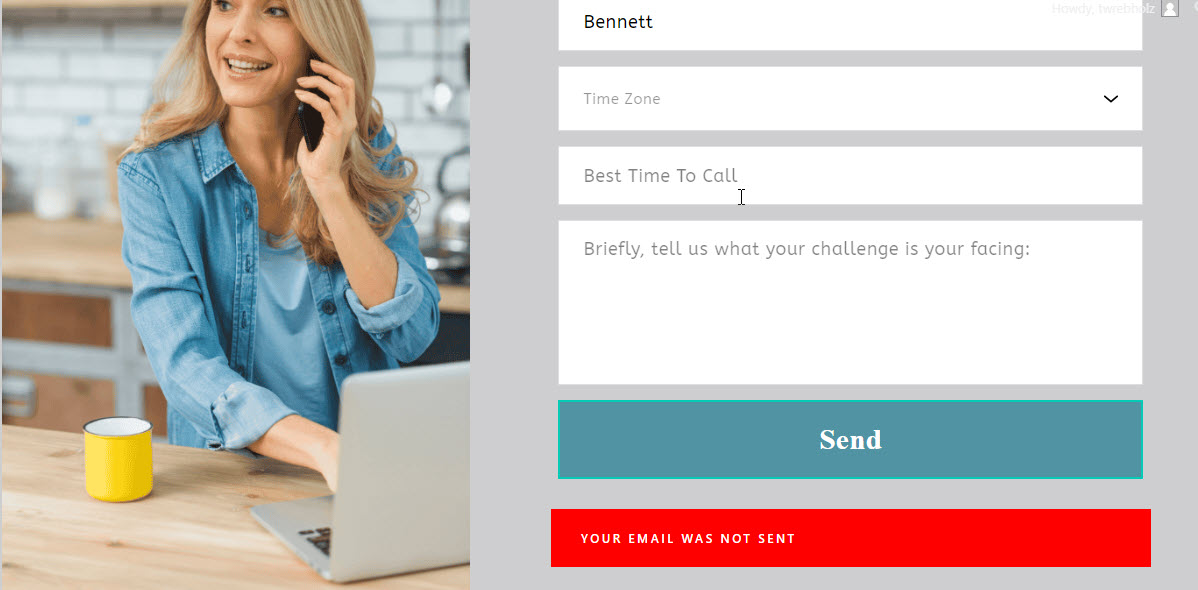
-

Hello Thomas,
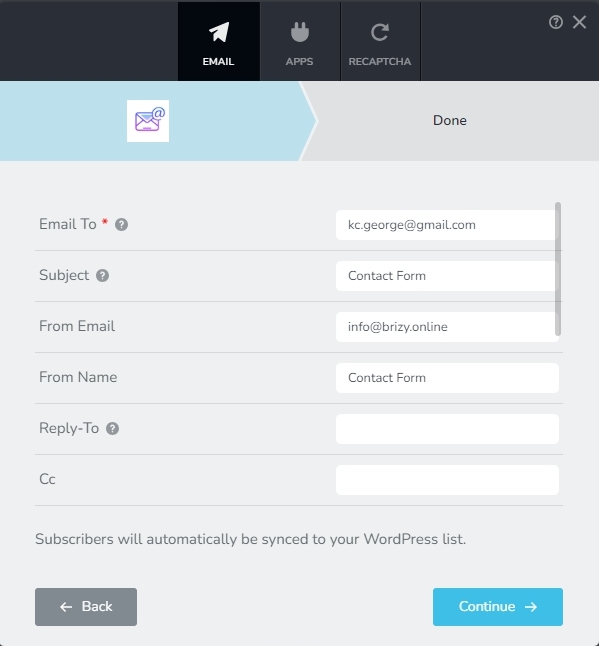
You must fill up these details in the Brizy form to ensure deliverability of your notification email.
- Email To: The address where you want the email notification to be sent
- Subject: Specify a subject for the notification email. Emails without a subject can be rejected by mails servers as SPAM
- From Email: Emails without a "From Email" address is likely to be rejected by most mail servers. This field must be filled up. Your SMTP server usually has a list of email addresses from which it can send out emails. Ensure that the email address you add here is in the Sender List of your SMTP server.
-
From Name: All emails usually have a "From Name". Your email notification must also have a From Name. Kindly fill up this field
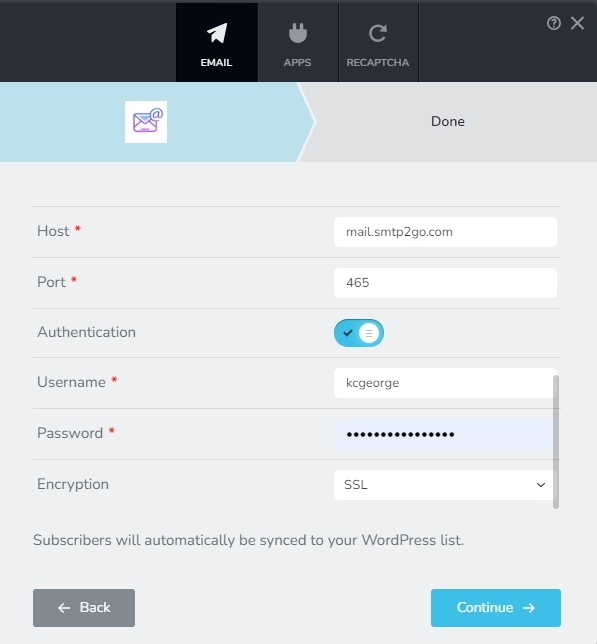
- Host: This is the URL of your SMTP server. This field must be filled up
- Port: Kindly fill up the port number of your SMTP server
- Authentication: SMTP servers usually send emails only after authenticating a user. This option must be enabled for most SMTP servers.
- Username: The username to send out emails through your SMTP server
- Password: Password to send out emails through the SMTP server
-
Encryption: Encryption method used by your SMTP server
You might also want to use the web tool available at https://www.gmass.co/smtp-test to test your SMTP server configuration. Use a different set of settings if you see errors in the SMTP test results that are highlighted using red text. Please use those parameters in the Brizy form when there are no errors.
After following all of the above, if you are unable to make the SMTP work, kindly get back to us with the URL of your page. We will take a look
0
Please sign in to leave a comment.
Comments
1 comment