Upgrading

I'm having trouble upgrading my Brizy plan. I'm currently subscribed to the Personal Plan, and I want to upgrade to the Freelancer Plan because I need to create another site. However, I'm getting a message that says I can't purchase it because I already have a subscription to the Personal Plan. Is there a way to upgrade to the Freelancer Plan?
-

Hi Takefumi,
Thank you for reaching out to us.
In order to upgrade to the Freelancer Plan , please follow these instructions:
1. Log into your Brizy account, using the login page https://www.brizy.io/account/login
2. Navigate to Account >> Billing tab - https://jmp.sh/fHDasvRG
3. Click on the Upgrade Plan button - https://jmp.sh/aEYVWDzh
4. Choose the plan you want to upgrade to - https://jmp.sh/mMzJUfrw.
5. Scroll down and click on Continue Button
6. Confirm your new updates.
Please try this and let me know how it goes.
Best regards,
Ariel H.0 -
Thank you for your reply.
When I click on the Billing tab, it doesn't take me to the upgrade page.
I have another issue as well. My Personal Plan subscription has been duplicated.
I would like to cancel the Personal Plan that was renewed in January 2024.
I want to upgrade the Personal WordPress Plan I subscribed to in August 2024 to the Freelancer Plan.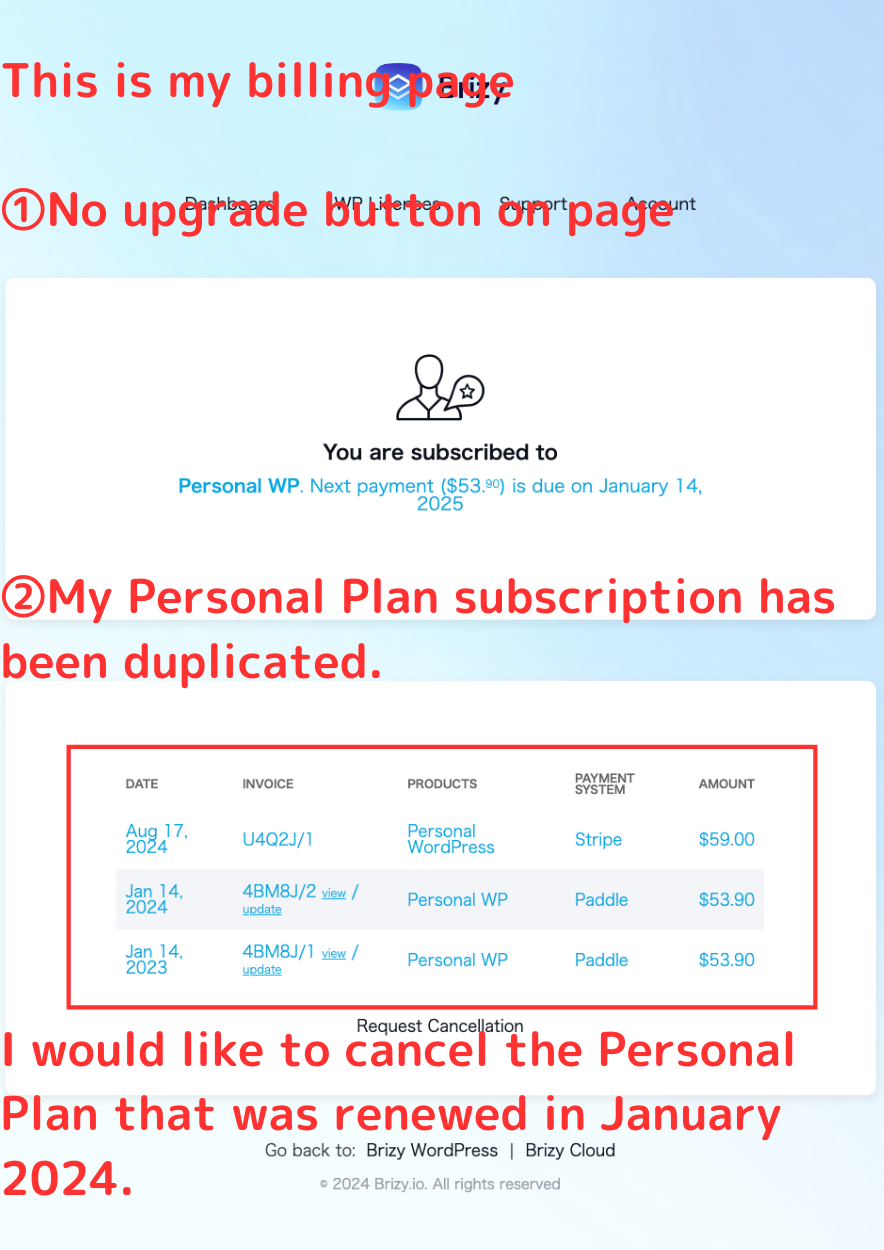 0
0 -

Hello Takefumi,
We have cancelled your Personal WP plan and it is scheduled to expire on January 14, 2025. Kindly try the "Billing" option under the "Account" menu again. This time, it will give you a Stripe page where you can update your plan.
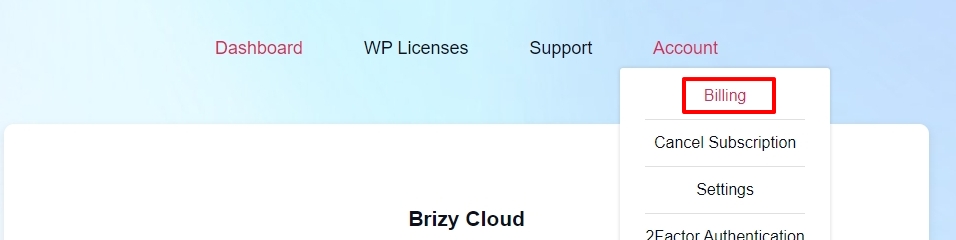
Kindly follow the steps Ariel had suggested above to update your plan
0
Please sign in to leave a comment.
Comments
3 comments