Page Getting broken automatically

We have created many pages using Brizy Editor. Initially, page creation works fine but all of a sudden, after day or two, the page gets broken and their UI starts looking distorted. When we want to edit those page again with Brizy, it does not load and the page gets blank
This has happened several times and we resolved it by creating new pages which is time consuming and temporary solution, It is hampering our production website
One example link of a page with this issue
https://www.jifflenow.com/resources-the-ultimate-guide-to-scheduling-customer-meetings-at-your-events/
Kindly provide a solution on this.
Thanks
-

Hi Traci,
Thank you for reaching out to us.
If you encounter pages with broken layouts on the front-end, please try making minor changes by adjusting the padding. Add 1 pixel of padding to the global header, or any affected block, hit "Update," and then preview your page to see if this fixes the issue.
Please try this and let me know if this helps.
Best regards,
Ariel H.0 -
Hi Ariel H,
Thanks for the response.
So as soon as page gets distorted and we try to edit page with Brizy, Brizy loads the blank canvas and whole page gets vanish , So above mentioned solution does not work for us.
Thanks0 -
Hi Traci,
Thank you for the update.
Please provide us with temporary access to your WP Admin page so we can look into this issue. Kindly add us as an Admin user to your WordPress Dashboard and send the following details to communitysupport@brizy.io:
Community Post link: https://support.brizy.io/hc/en-us/community/posts/21845221513234
WordPress Admin URL:
Username:
Password:Please make a full backup of your site as a precaution.
Best regards,
Ariel H.0 -
Hi Ariel,
Since this issue is on production , Is there anything that you can guide me to check as we have good amount of traffic on these website and i am not confident making direct changes on production.
Thanks0 -
Hi Traci,
Thank you so much for the update.
If you’re uncomfortable sharing your site's credentials, I completely understand. In that case, I recommend creating a staging site where we can replicate the issue. This way, we can troubleshoot without affecting your live site. Once you’ve set up the staging site, kindly share its credentials with us. You can follow the steps in this article to create the staging environment: https://www.wpbeginner.com/wp-tutorials/how-to-create-staging-environment-for-a-wordpress-site/
I look forward to your response.
Best regards,
Ariel H.0 -
Hi Gurleen,
Thank you for your cooperation.
Upon checking, there are multiple copies of this page. It appears that you may have duplicated this page with the 'Duplicate this' link, which broke the layout.
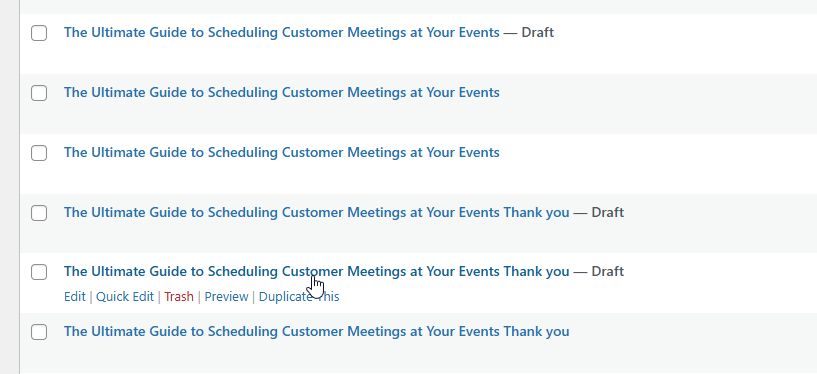
Unfortunately, we don't recommend this approach of duplicating pages due to potential compatibility issues as it could lead to layout issues, broken elements, corrupt the page or unexpected behavior on the site, which can be difficult to troubleshoot.
Unfortunately, there's not much we can do on this page, our best recommendation is to rebuild it. Sorry for the inconvenience.
To duplicate an existing page in Brizy, we recommend using Sync - https://youtu.be/iid5ZagYpuE
Best regards,
Ariel H.0 -
Hey Ariel,
Thanks for your response,
This issue has occurred multiple times and we have created new pages from scratch as we were unable to recover the layout of those older pages (one with this issue). The issue then occurred on the newly created pages again.
You see these multiple pages because we didn’t delete the older ones and created new, after that redirects were added to the new pages from older ones.
We have raised this concern when we saw the same issue occurring multiple times on the production environment even when we are creating new pages from scratch.Kindly look into this issue again and recommend some solution.
Thanks!
0 -
Hi Traci,
Thank you for the update.
We attempted to replicate the issue in the staging environment you created, but we encountered this error message.
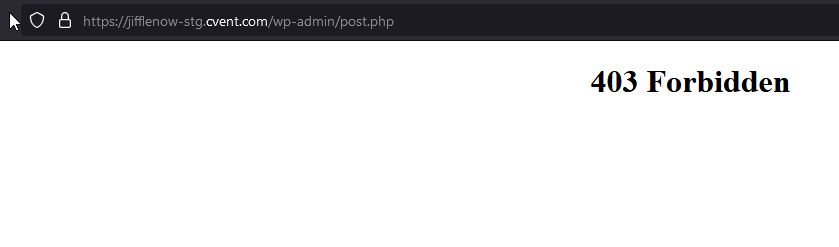
If you can resolve the error, could you please try replicating the issue with all other plugins disabled except for Brizy and Brizy Pro?
Best regards,
Ariel H.0 -
Hi Ariel,
We sometimes get the 403 Forbidden error when we open several edit pages simultaneously, if you will edit one page at a time, you won't get this issue.
How did you land up to this error ?
Further, on checking this page, I see that no content is getting shown now, where previously there was content with broken layout. Now, the page has no content.
No changes were made from our side, but you see that we have lost the content of the page.We can't replicate the issue now as we have lost the page's content until the issue occurs again, and that is random. that is why we raised this request initially because we were unable to replicate the issue and it was occurring on several pages randomly.
We are looking for some solution to this random occurring issue.
Kind Regards,
Gurleen Kaur0 -
Hi Gurleen,
The issue occurs as soon as I try to edit a page. Could you please deactivate all third-party plugins on your Multisite, except for Brizy and Brizy Pro, and check if the issue persists? It could be caused by a conflict with one or more third-party plugins on the site.
Best regards,
Ariel H.0 -
Hi Ariel,
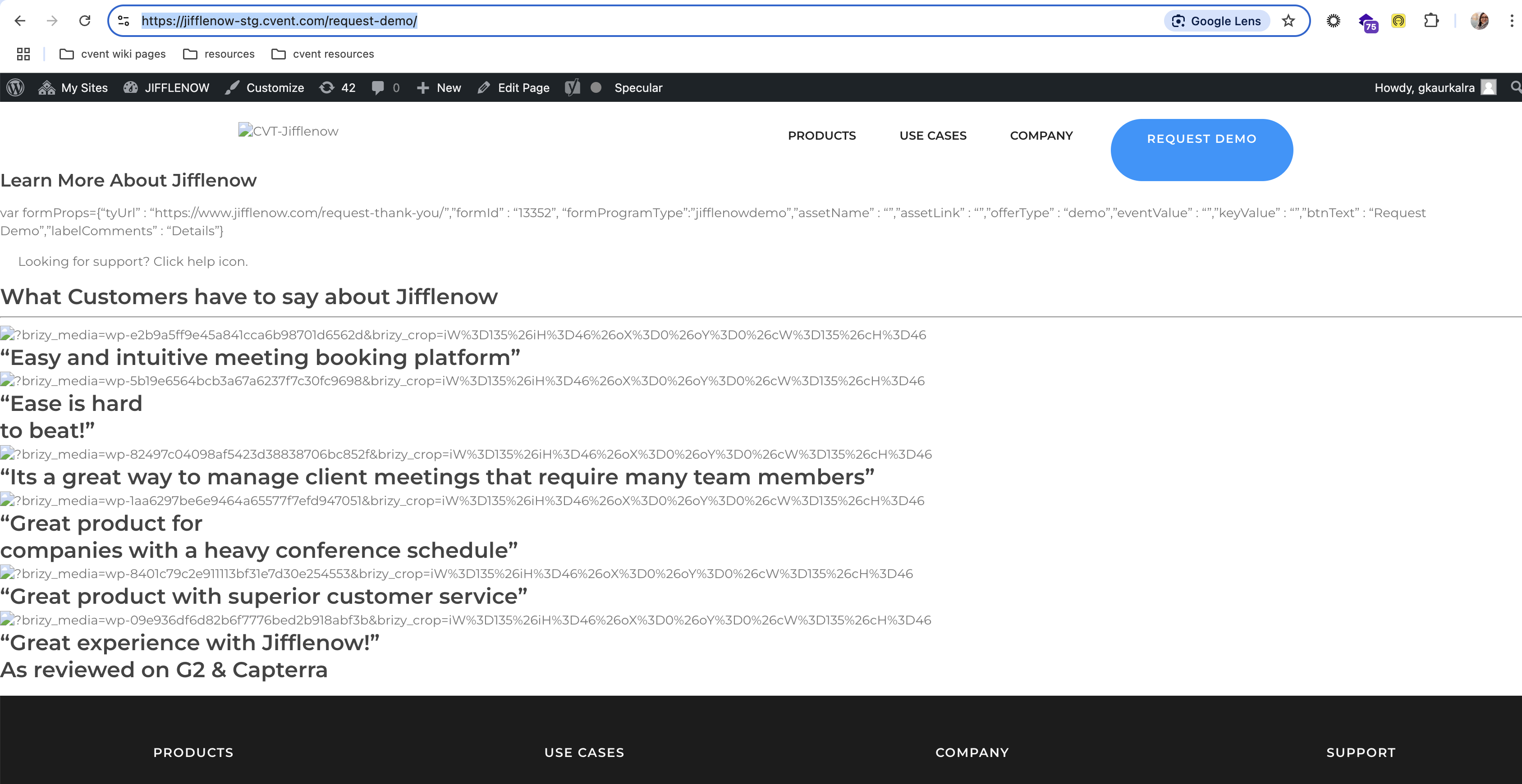
We have again encountered same issue again on production environment that with multiple pages, the layout of the pages got broke and the text is only visible.
interestingly the same pages are broken on test environment that is created for you to test
These are the URLs -
1. https://jifflenow-stg.cvent.com/standardize-meeting-automation-across-thousands-of-your-companys-events/
2. https://jifflenow-stg.cvent.com/request-demo/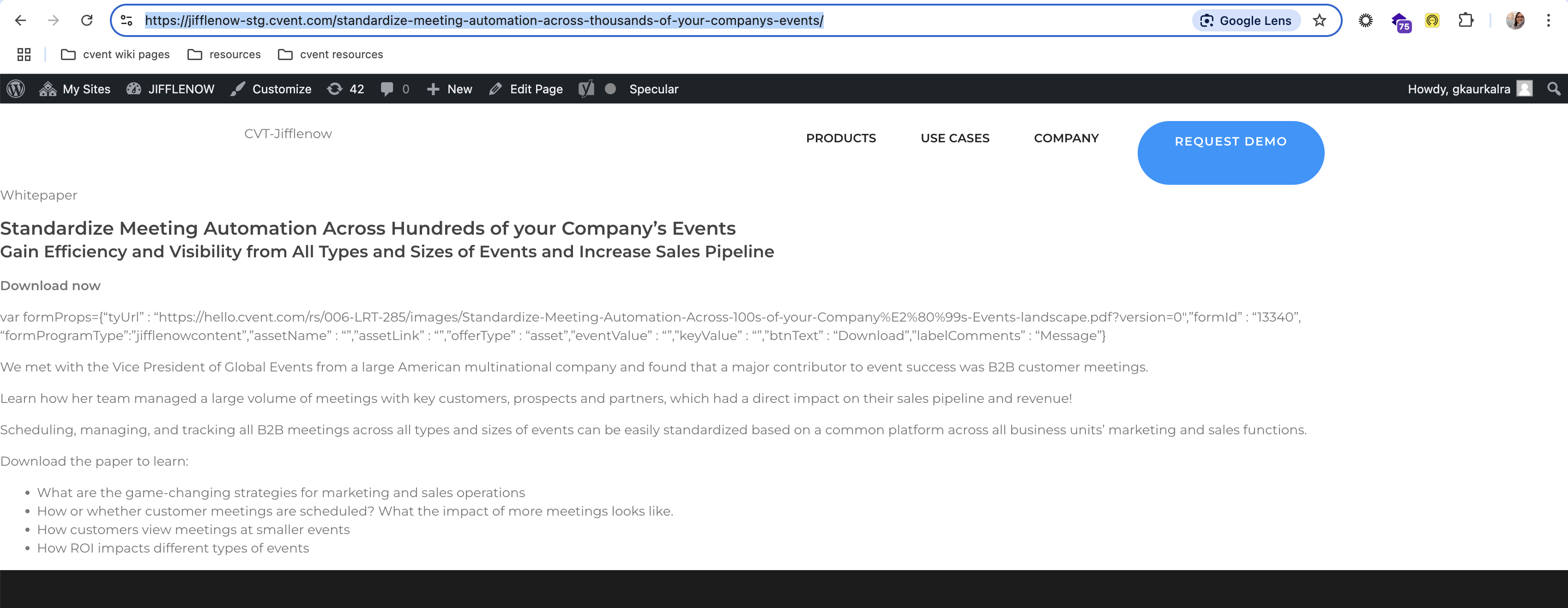
I did deactivated the plugins, Kindly use the same credentials that are shared with you and check these broken pages.
If you want to deactivate something that I haven't please let me know or you also have super admin rights for this environment, Please deactivate them.Kindly look through the issue and provide some solution, as it is very frustrating to create new pages again & again and this issue has occurred twice in a month for multiple pages.
Thanks
Gurleen0 -
Hi Gurleen,
Thank you for the update.
We attempted to troubleshoot by disabling some plugins, but this resulted in a "too many redirects" error, and we can no longer access your site. Could you please disable all plugins on your end and let us know when it’s done so we can check again? I also noticed that on the affected pages, the content appears empty as soon as they’re edited with Brizy. I tried restoring previous versions through the revision history, but it didn’t work, and the page became corrupted, as you mentioned.
Best regards,
Ariel H.0
Please sign in to leave a comment.
Comments
12 comments