Header and Footer not displaying | builder error

Hello! I recently noticed that the header, footer and another section are not displaying. I have all pages on my website created with Brizy and all three sections are set to display globally. I have no idea how to deal with that problem... Especially since they are displayed when I go to 'edit with brizy' option on any page.
Another problem I have is that everytime I want to make a change to any page, it tells me that the page needs a refresh because I probably edited it in another window, or something like that. Which is not true. First I thought I took too long to make the changes but the refresh error shows up everytime, even after 30 second of editing...
What can be the problem? What can I do? My pro subscription is active.
-

Hi Aleksandra,
Thank you for reaching out to us.
To fix the header issue, try making a minor change to the global header (e.g., increase padding by 1 pixel). Then, hit the update button to save your changes and preview your site to see if this fixes the issue. You can revert your changes if necessary and hit update again.
If you're having trouble saving or updating your pages, we've observed that this often occurs on websites with WordFence installed. To resolve this issue, please set WordFence to Learning mode by following the steps below:
1. In the WordFence plugin settings, navigate to Firewall.
2. Enable Learning Mode and set it to automatically switch back to "Enabled Protecting" in 2 days. This will allow WordFence to learn the actions from the Brizy editor.
3. Save your WordFence changes.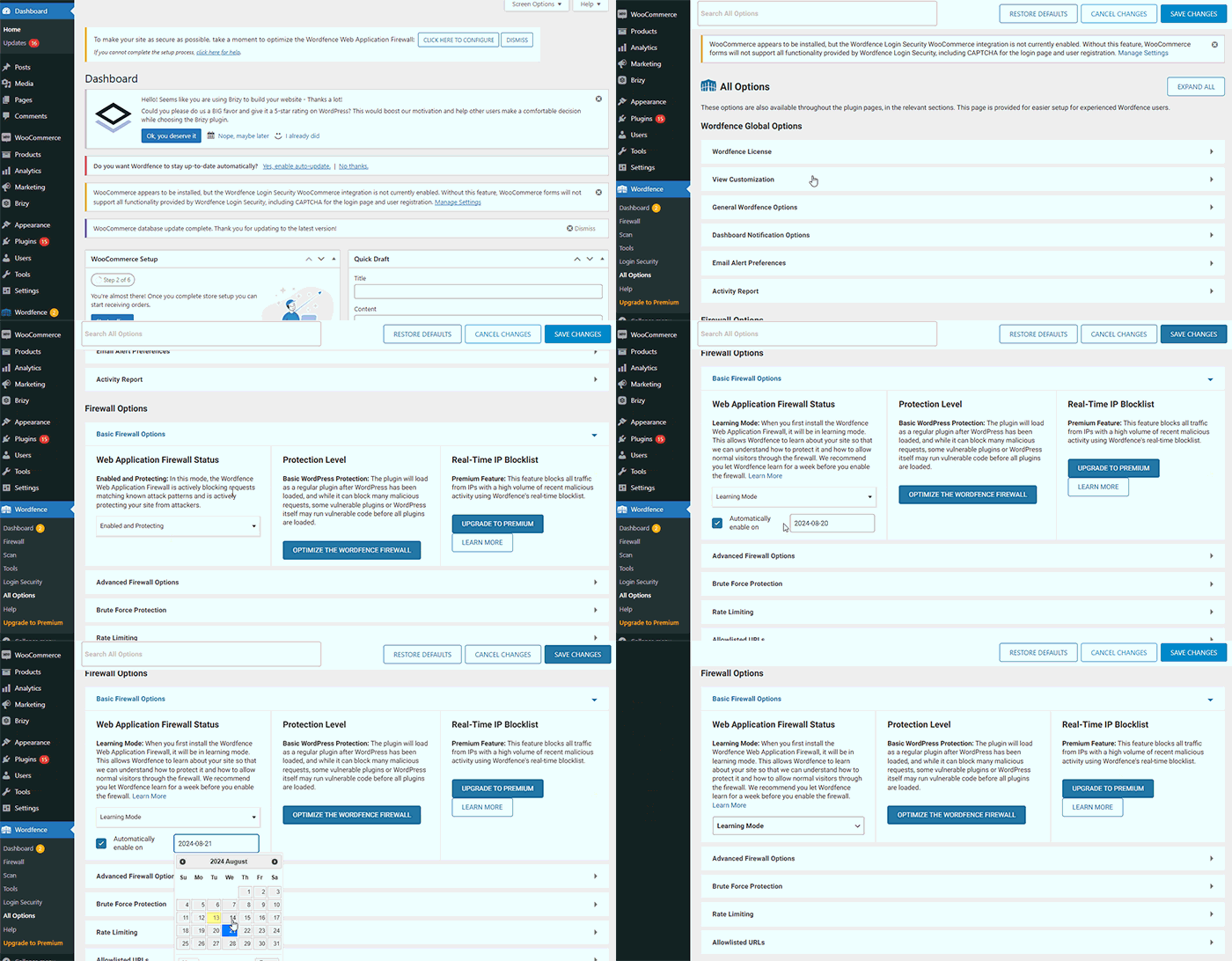
Please try this and let me know how it goes.
Best regards,
Ariel H.0 -
Thank you very much, both tips worked flawlessly!
0
Please sign in to leave a comment.
Comments
2 comments