Menu is not showing and has an error message, can't update pages also

Recently I saw on another support post about a Brizy upgrade that was causing problems for people with Apache web servers, which my site is. I followed instructions to put my old version of Brizy back on my website and that seemed to work...at first.
Now My menu is not showing up properly and it says "{{menu_loop menuId="05a537c1bf69ab99a00922d65e0314b8"}} {{menu_loop recursive="1"}}{{ end_menu_loop }}{{ end_menu_loop_submenu }}"
Also I can not update pages once again. It gives me an error message about refreshing. I'll attaching screenshots of the error messages.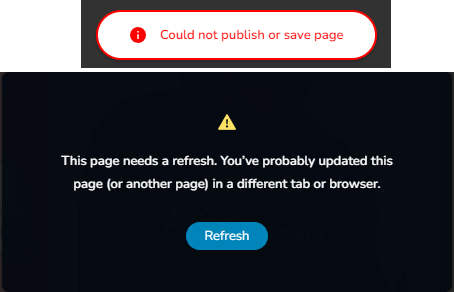
What can I do to get my website functioning again please?
-

Hello Kiersten,
Please confirm if you have downgraded Brizy to these versions
- Brizy 2.4.45
- Brizy Pro 2.4.38
If not, kindly use the following ZIP files to downgrade
- Brizy 2.4.45 https://jmp.sh/6w60BmCr
- Brizy Pro 2.4.38 https://jmp.sh/eEwWoJGK
Follow these steps
- Deactivate and delete Brizy Pro
- Deactivate and delete Brizy
- Download Brizy 2.4.45 and in your WordPress Dashboard under Plugins - Add New - Upload Plugin, upload Brizy
- Download Brizy Pro 2.4.38 and under Plugins - Add New - Upload Plugin, upload Brizy Pro
If you have already downgraded to the above versions, we would like to take a look at your WordPress Dashboard to fix this issue. Please add a new user to your WordPress Dashboard and send the following details to our email: communitysupport@brizy.io
- Support Forum link: https://support.brizy.io/hc/en-us/community/posts/21791358996882
- WordPress Admin URL:
- Username
- Password
Kindly let us know in this forum when you send us the email.
0 -
have attempted the downgrading as suggested, and it works temporarily but then the next day my website is once again having issues with the menu and not letting my update pages.
I have created the new user and sent the information to the email provided above.
Thank you for your assistance!
0 -

Hi Kiersten,
Thank you for keeping in touch.
It appears that automatic updates were enabled and Brizy was updated to the latest version. We deleted Brizy v2.5.8 and re-installed v2.4.45, and now the menu and update button are working.
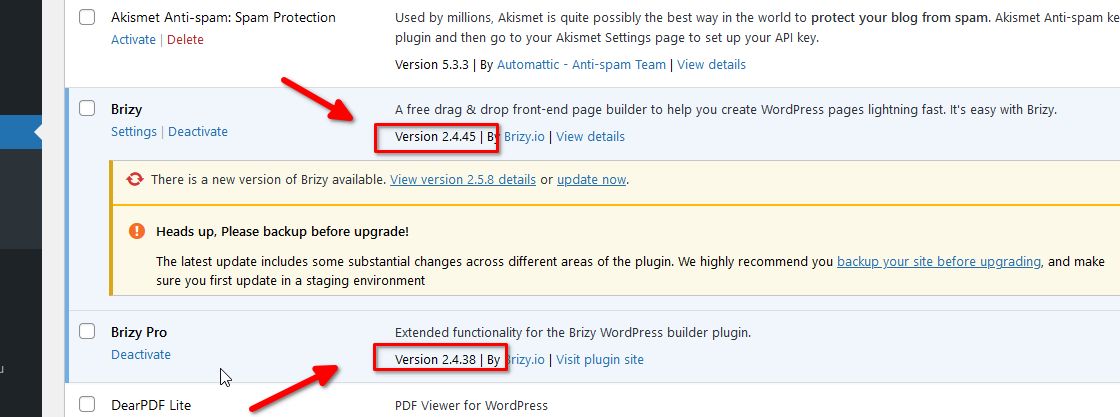
Please try this at your end to confirm.
Best regards,
Ariel H.0 -
Hi Ariel,
I did not think I had auto updates turned on. And I had downgraded the version and it did work temporarily. When I would go to the plugins it would tell me there was an update to install so I did not think they were doing it automatically. I'll keep an eye on it.
Will the next Brizy update being addressing this issue so users can upgrade without breaking their site?
Thanks for all the help!0 -
Hi Kiersten,
Sorry that you had to go through this trouble. Our developers are working to address this issue, and hopefully they will be able to roll out a fix soon. We will keep you posted on this support thread.
Best regards,
Ariel H.0 -
Hi Ariel,
I just refreshed my website and the menu problem is back...I can see in my plugins that Brizy is now Version 2.5.8 but Brizy pro is still Version 2.4.38. I don't have auto updates enabled so I don't know why it keeps auto updating. Thanks for continued assistance.
Kiersten
0 -
Hi Kiersten,
You can disable automatic updates by following the steps outlined in this link: https://www.wpbeginner.com/wp-tutorials/how-to-disable-automatic-updates-in-wordpress/#method-2-disabling-automatic-wordpress-updates-plugin
In the meantime, I have installed WP Rollback on your website. This will allow you to roll back to Brizy 2.4.45 in case this issue occurs again.
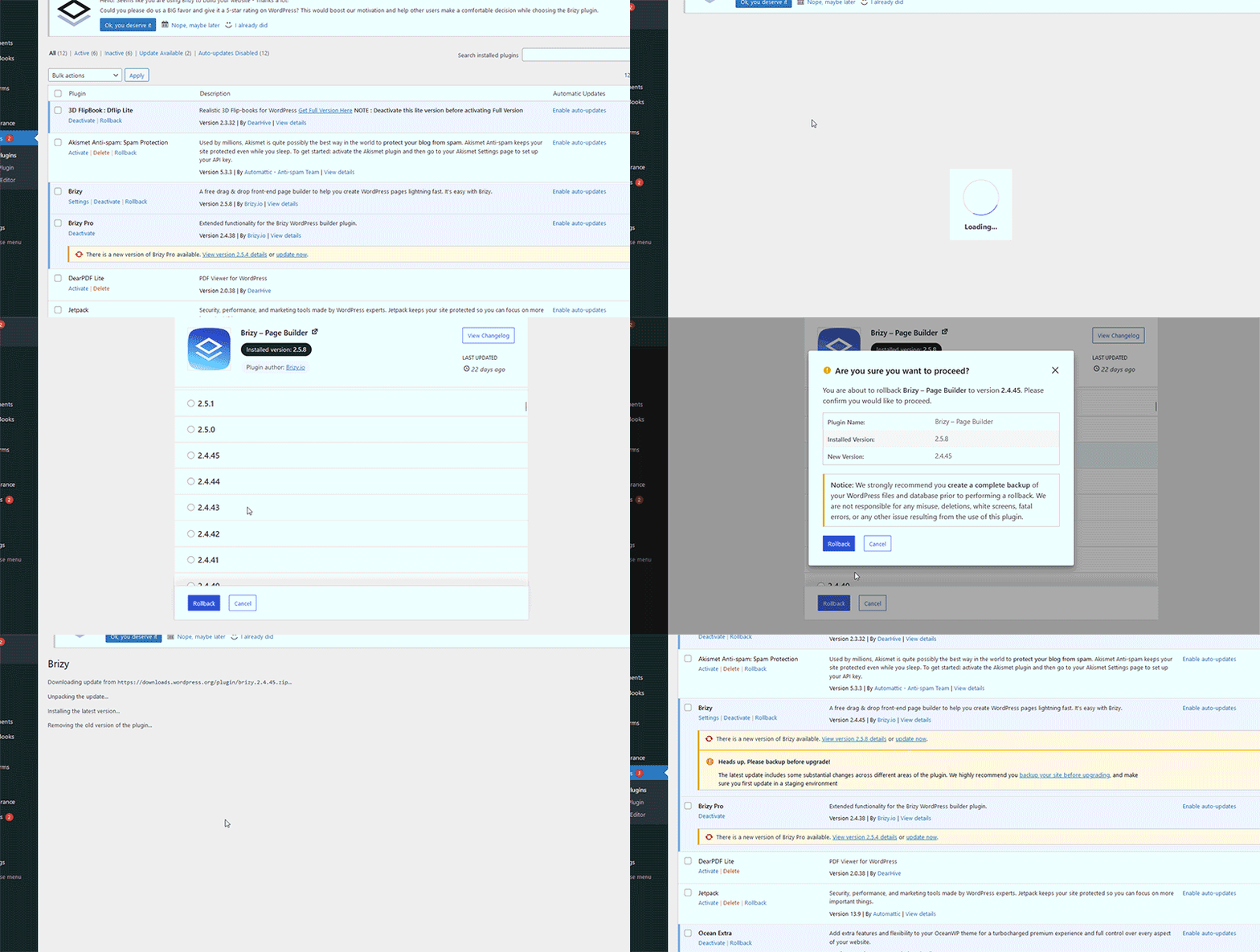
Best regards,
Ariel H.0 -
Thanks Ariel! I'm guessing I may need to do this with any of my other websites that use Brizy, yes?
0 -
Hi Kiersten,
The most recent versions of Brizy are incompatible with the Apache web server. Websites hosted on Nginx and Litespeed webservers should be unaffected. Kindly repeat the same process for websites hosted on Apache. You may find out which webserver hosts your website by following the procedure at https://jmp.sh/2UeqSoEE.
0 -
I have installed the WP update manager. I've switched everything so it should not auto update and yet some how it keeps auto updating Brizy to the latest and each time is breaks my menu. I don't know what else to do! I can't check my website each day to hit "rollback"
0 -
Hi Kiersten,
Thank you for keeping in touch.
Please try using the approach suggested on this link to disable automatic updates.
https://duplicator.com/disable-wordpress-auto-updates/
I hope this helps.
Best regards,
Ariel H0 -
Hello again! It's been 5 months. I had to turn off updates through the backend of all my sites. I was hoping since it's been 4months perhaps there has been a fix for this issue and I can start updating my sites again. Look forward to hearing from someone :)
Kiersten
0 -
Hi Kiersten,
Thank you for the update.
This issue has been fixed in the last few updates. You should be able to update your sites without any problems. However, to ensure everything works smoothly, we always recommend testing updates on a staging site first before applying them to your live site.
Best regards,
Ariel H.0 -
Hi Ariel,
Hate to have to bring this back but it seems my site is still doing this. I updated to latest Brizy and I'm now getting the same error.Is there any new information or can I get together with someone in support to help me solve this problem?
Thanks, Kiersten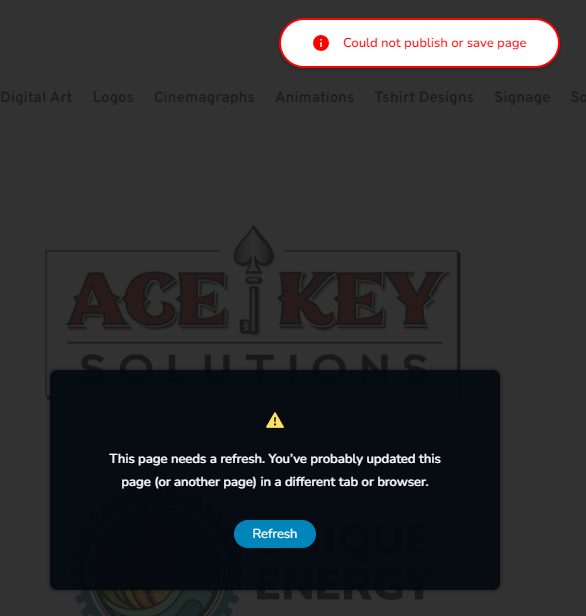 0
0 -
Hi Kiersten,
We're sorry to hear you're having this issue with Brizy.
Please provide us with temporary access to your WP Admin page so we can take a look. Please add us as an Admin user to your WordPress Dashboard and send the following details to communitysupport@brizy.io.
Community Post link: https://support.brizy.io/hc/en-us/community/posts/21791358996882
WordPress Admin URL:
Username:
Password:Additionally, we will also need temporary access to cPanel:
cPanel host address:
Username:
Password:Best regards,
Ariel H.0
Please sign in to leave a comment.
Comments
15 comments