The sticky header not showing

Hi, i dont know what happened but the sticky header is not showing when srolling, time ago i had the same issue and with some adjustmens in the cache options i fixed but now the trouble is back, what can i do ?
Kind Regards
0
-

Hi Isaac,
Kindly follow these troubleshooting steps to identify the cause behind this issue.
- Temporarily deactivate the "W3 Total Cache" plugin and check if the sticky header would start working.
- If the sticky header started working after deactivating the caching plugin, a certain configuration in the W3 Total Cache plugin could be conflicting with Brizy. Reactivate the cache plugin and go the "Minify" section under "Settings"
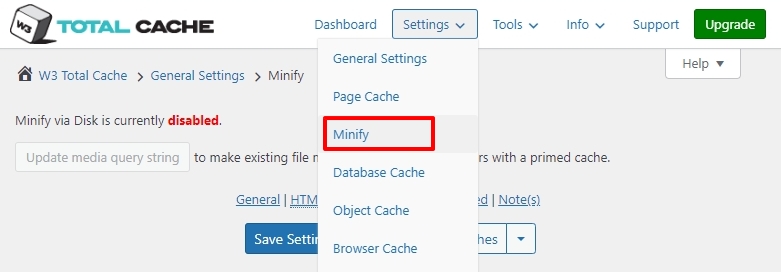
- Disable HTML, CSS and JS Minification options one by one and check if the sticky header starts working
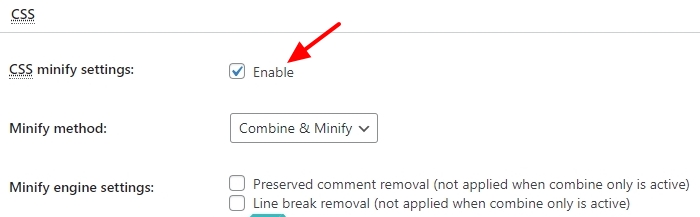
- If you could confirm that JS Minify was causing the conflict, reenable JS Minify and disable sub options within the JS Minify one by one and identify the specific option that conflicts with Brizy.
If you need help with troubleshooting, kindly give us access to your project.
0
Please sign in to leave a comment.
Comments
1 comment