Download an html site from envato

Hi there,
I have searched and couldn't find the answer. I have a membership to Envato Elements which includes music, images, videos, and website downloads. Could walk me through how to get the html, css, and js files into brizy cloud so that the downloaded design all works as its intended? Is there a video walkthrough on how to do this?
-

Hi Jason,
Thank you for reaching out to us.
Not all HTML, CSS, and JS files work with Brizy as intended, so we would need to review the code first to see if integration is possible. Could you please provide a link to the files so we can take a look?
You can also try embedding the code by following these steps:
1. Click on the CMS icon.
2. Select "Project Settings."
3. Go to the "Code" tab.
4. Insert your CSS in "Custom CSS."
5. Insert your JS code in "Code Injection > Header."
6. Insert your JS code in "Code Injection > Footer."
7. Save your changes.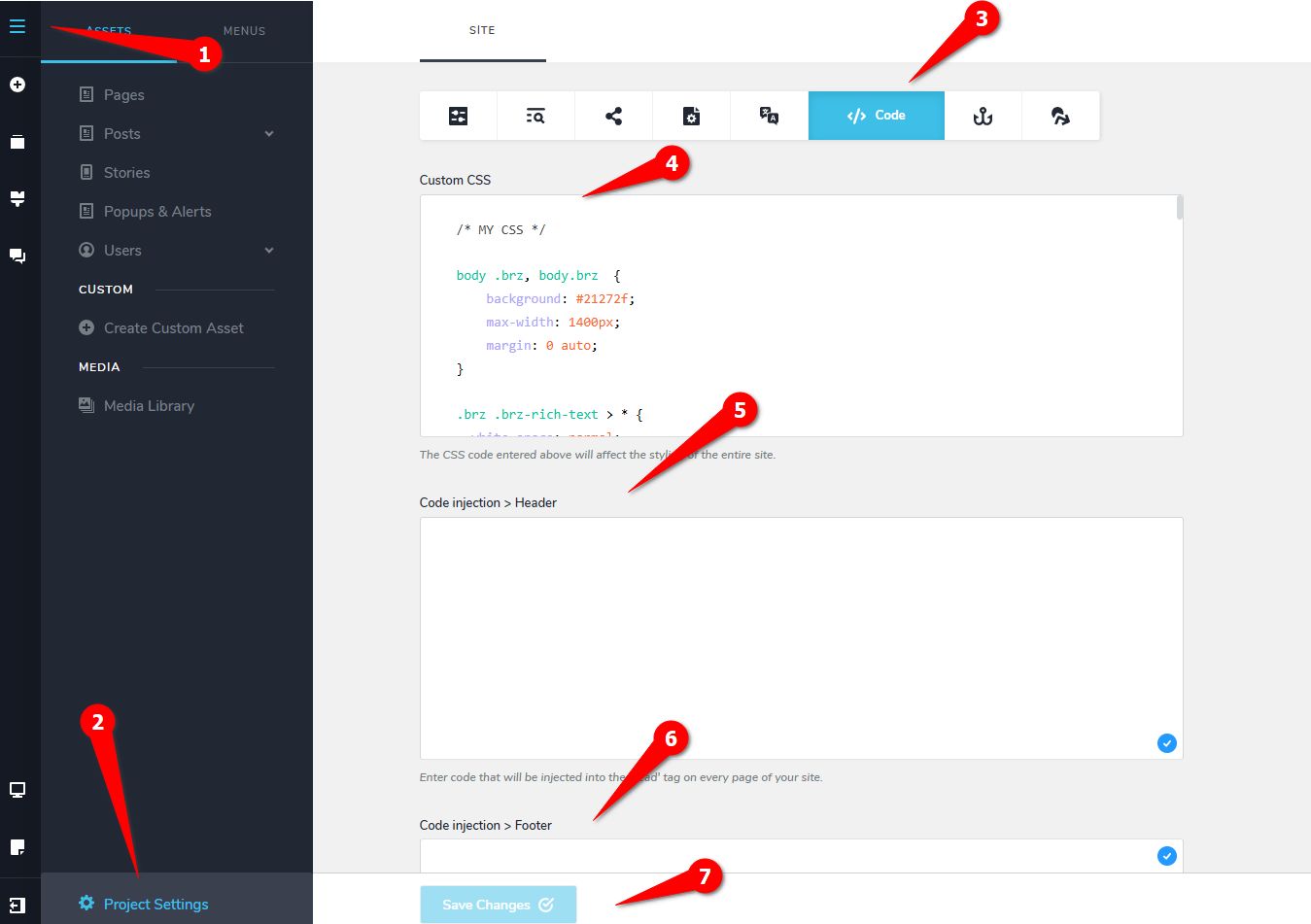
8. To insert HTML into a page, create a new page and use the Embed element.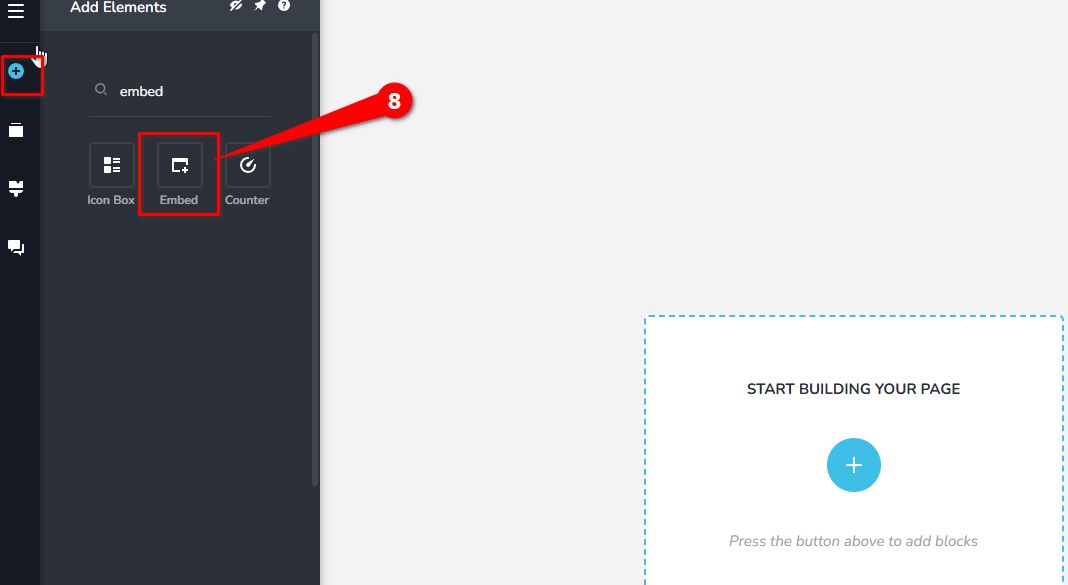
Best regards,
Ariel H.0
Please sign in to leave a comment.
Comments
1 comment