Product description and everything else broken after migrate

I've migrated a website using duplicator. Everything that was made with brizy is broken. I have to go and edit it again and that isn't nice. 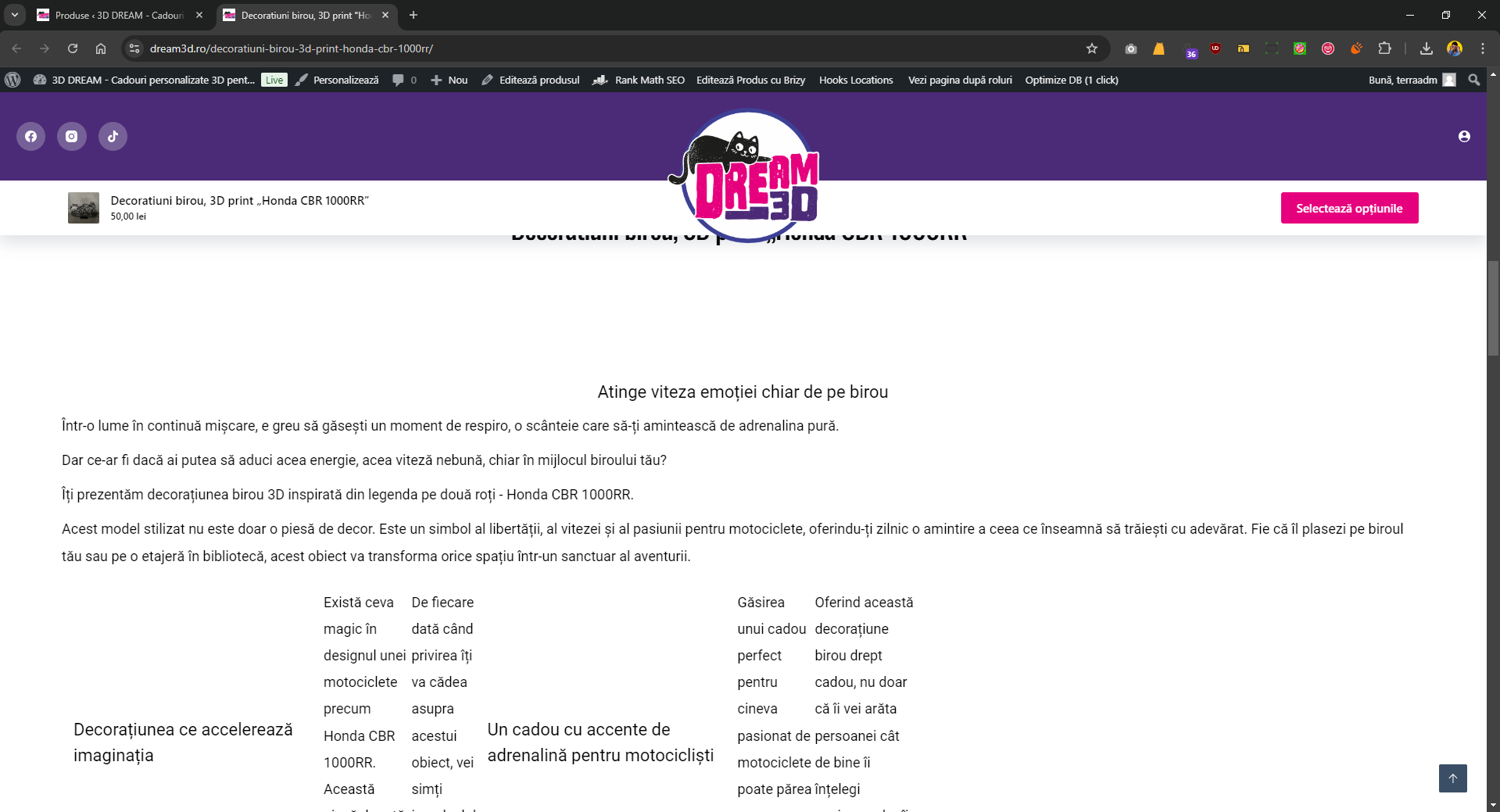
-

Hi,
Thank you for reaching out to us. We're sorry to hear you're having this issue with Brizy.
This is something we need to inspect from your WP Admin page. Please add us as an Admin user to your WordPress Dashboard and send the following details to: communitysupport@brizy.io
Community Post link: https://support.brizy.io/hc/en-us/community/posts/21750762253970
WordPress Admin URL:
Username:
Password:Please make a full backup of your site as a precaution.
Best regards,
Ariel H.0 -
Hi Alin,
Thank you for your cooperation.
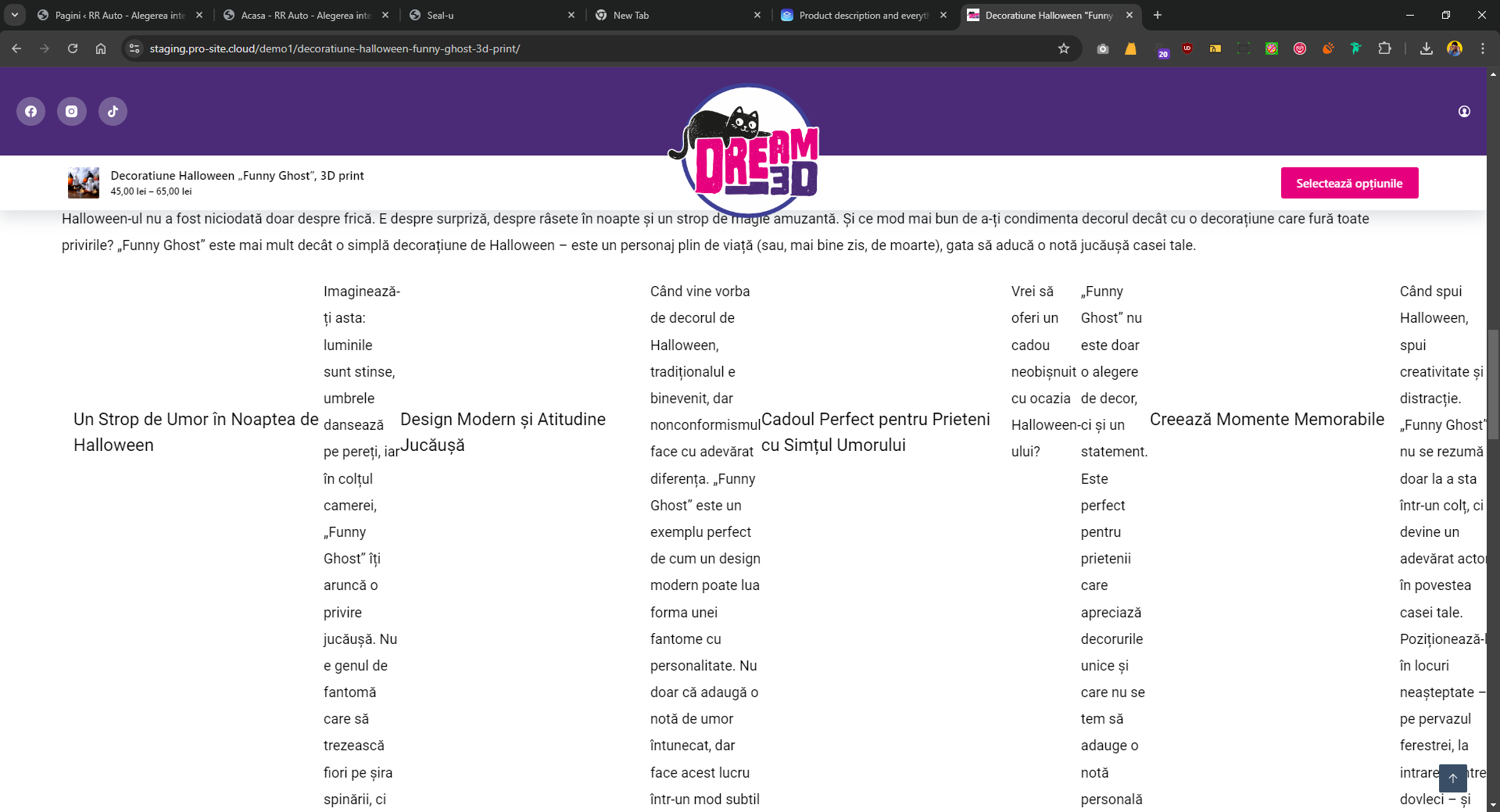
We've downloaded the backup file you attached to your email and restored it on this URL: https://staging.pro-site.cloud/demo1/
Could you please check this staging site and see if you can replicate the issue you reported?
Best regards,
Ariel H.0 -
Take a look at the product descrption after migrate.
 0
0 -

Hi Terra,
I see the designs at https://jmp.sh/4c3TosmJ when visiting the product URLs https://dream3d.ro/decoratiuni-birou-3d-print-honda-cbr-1000rr/ and https://dream3d.ro/decoratiune-halloween-funny-ghost-3d-print/ How do I see the issue you are facing with the product description?
0 -
If you edit the product with brizy again, put a space somewhere, and save it .... change everything back to normal.
but without that ... the description is broken after migrate.
In that case I had only 50 products to edit again ... but if i have 400 ...0 -
Hi Terra,
Thank you for the update.
Upon checking, it seems each individual product on your website was directly edited with Brizy. Unfortunately, you'll need to update each product page individually to fix the layout issue.
Our recommended approach for easier updates would be to use a dynamic template for your WooCommerce products. This makes management much simpler, as you only need to make changes to the dynamic template, and it will automatically fix broken layout issues on individual product pages.
Unfortunately, we don't have a quick solution for this issue. As a workaround, we can send you the versions of Brizy and Brizy Pro where the layout didn't break. Please let us know if you prefer to use the older versions.
Best regards,
Ariel H.0 -
can you send me a video for that template?
0 -
Hi Terra,
Thank you for the update, please refer to this link: https://youtu.be/U3tBa4AL5mM
Best regards,
Ariel H.0 -
Ok. But I don't want to use header and footer from brizy. I want to use theme header and footer.
if I design that template for all products can I use the theme header and footer?0 -
Hi Terra,
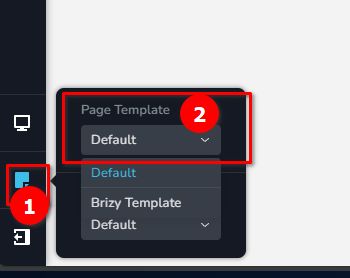
If you prefer to use your current theme's header and footer, please set the page template to "default."
Best regards,
Ariel H.0
Please sign in to leave a comment.
Comments
10 comments