client's site is not displaying as it should.

I updated Brizy WP Pro this morning, and my client's site is not displaying as it should. The mobile hamburger menu is no longer active.
Here's just one of the pages that displays incorrectly https://mmarecruitment.com/about-mma/
There are no optimization plugins enabled such as JetPack, or something similar.
Any suggestions?
-
Also, the logo no longer displays on mobile
0 -

Hi Stewart,
My apologies for the inconvenience.
We've received similar reports recently and have already reported the issue to our Dev Team for further investigation. We'll update you as soon as we have more information.
In the meantime, you might try rolling back to previous versions of Brizy to see if that resolves the issue. Please make sure to take a full backup of your website first, then download the following versions:
- Brizy 2.5.2: https://jmp.sh/2bXHLvAZ
- Brizy Pro 2.5.1: https://jmp.sh/s29vW87tTo roll back, follow these steps:
1. Deactivate and delete Brizy Pro.
2. Deactivate and delete Brizy.
3. In your WordPress Dashboard, go to Plugins → Add New → Upload Plugin, and upload Brizy 2.5.2.
4. Repeat the same for Brizy Pro 2.5.1.If the menu element doesn't work, try making a minor change to the global header (e.g., increase padding by 1 pixel). Then, hit the update button to save your changes and preview your site to see if this fixes the issue. You can revert your changes if necessary and hit update again. This should also apply to blocks with broken layouts after the update.
Best regards,
Ariel H.0 -
I rolled it back, made small changes, updated but the problem is still there
0 -
Hi Stewart,
Thank you for contacting us.
Please provide us with temporary access to your WP Admin page so we can take a closer look at this issue. Please add us as an Admin user to your WordPress Dashboard and send the following details to communitysupport@brizy.io:
Community Post link: https://support.brizy.io/hc/en-us/community/posts/21716080029202
WordPress Admin URL:
Username:
Password:Please make a full backup of your site as a precaution.
Best regards,
Ariel H.0 -
Hi Stewart,
We received your site's credentials, however, the default WordPress login URL (www.mmarecruitment.com/wp-admin) is throwing a 404 error. Please provide the correct login URL.
Best regards,
Ariel H.0 -
I've sent you the updated login details. Check your email. Thanks
0 -
Hi Stewart,
Thank you for the update.
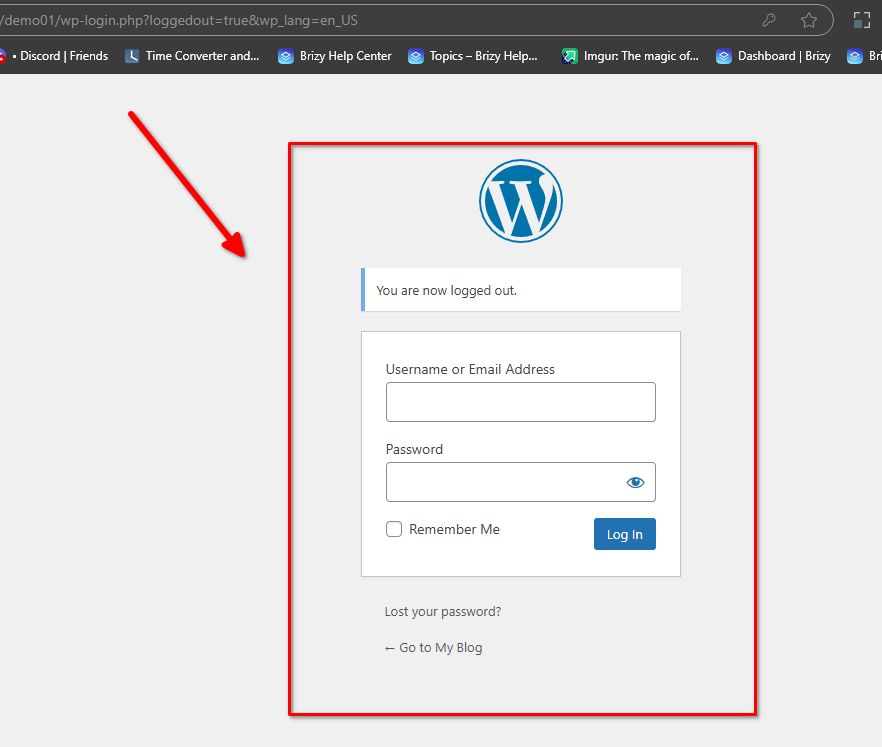
We already have your login details; however, the login URL, or the default WordPress login link, is not working, as demonstrated in this screencast: https://youtu.be/ed2lKpyeTE0.
You may have changed this or customized the login URL using a third-party plugin or a security plugin.
Please provide the correct login URL so we can inspect your site.
I look forward to your response.
Kind regards,
Ariel H.0 -
Check the support email, I sent an updated link. I'm not putting it here as its a private link.
-1 -
Hi Stewart,
We last received an email from you with your site's Username and Password about 22 hours ago. Could you confirm if you've sent a new message since then? We're currently looking for the link to your site's login page, which wasn't included in your previous email.
Thank you!
0 -
If you replied from the community email address, then it would be far easier; I hit reply and sent the login detail. Now, after checking, I see you sent a reply from a noreply@brizy.zendesk.com email address, so my reply has not got through.
I sent another email to communitysupport@brizy.io ... so please check.
0 -
Hi Stewart,
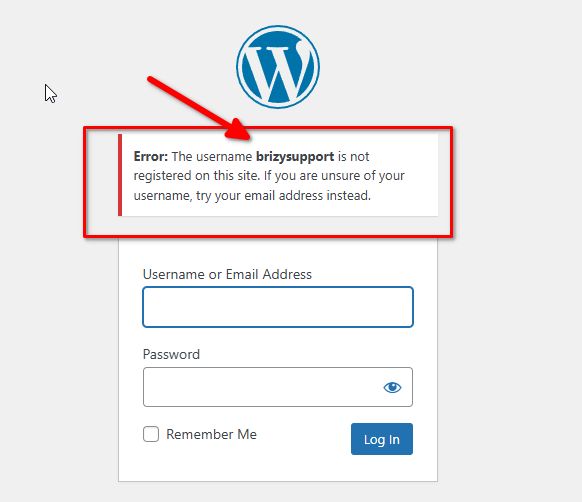
We now have access to the login page. Please also check that this user account is correct; it doesn't seem to recognize it.
 0
0 -
Try the same details again
0 -
Hi Stewart,
Thank you for your cooperation.
Upon checking, the issue seems to stem from the optimizations made by Speed Optimizer and Seraphinite Accelerator (Full, Premium). Disabling both plugins has resolved the layout and hamburger menu issue, as shown in this screenshot.
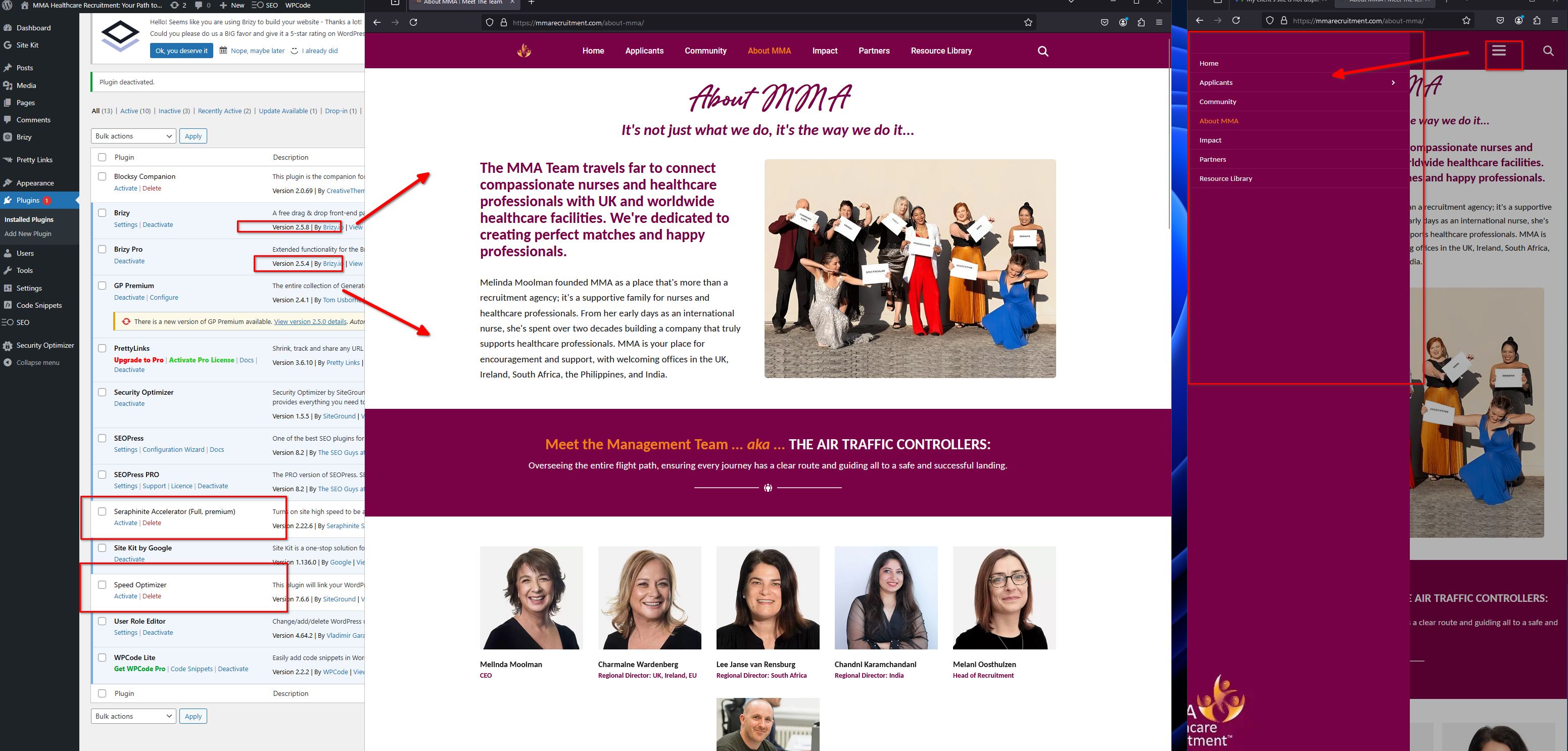
You may need to tweak the settings of both plugins to determine which ones are causing your site’s layout to break. Using Speed Optimizer and Seraphinite Accelerator together can cause conflicts, as they handle similar tasks like caching and optimization, which may slow down your site or cause issues. It’s best to use just one.
If you have any further questions, please let us know.
Best regards,
Ariel H.0 -
I have been using those two plugins without issue for over a year. This issue started with the latest update I installed this morning. Don't you find that odd?
I have spent 50 hours programming the Accelerator plugin, so it is not going to be removed and it needs the speed optimizer to work correctly, they work hand in hand, not in conflict.
0 -
In your original message at the top of this thread, you said...
"We've received similar reports recently and have already reported the issue to our Dev Team for further investigation. We'll update you as soon as we have more information."
All these issues started when I updated the Brizy this morning. It's not the plugins I have installed causing a conflict, it's whatever issue there is with the latest version I installed.
Rolling the site back has not solved all the issues.
My client is unable to navigate her site with an unresponsive mobilr menu.
How far are the dev team looking into this issue with the latest updates rolled out?
0 -
So here is proof that the issue is with your latest update.
I deactivated and fully restored the site to a date from two weeks ago. Everything worked fine when I refreshed the site.
Then I updated to the latest Brizy Pro and Brizy free, activated them, and once again, the menu was unresponsive.
So, I will now do another full restore so the site is at least functional.
Once you guys have sorted out your buggy release, I'll update, but for now, leave the site alone. Do not install the latest plugin; I will run it on version brizy-pro-2.5.1 and brizt free brizy-pro-2.5.2.
Again, the plugins you mentioned are not the problem. Something has changed within the new update that is causing these issues.
0 -
Hi Stewart,
I’m sorry you had to deal with this issue, but I’m glad that restoring your site from a backup resolved it. Please continue using the previous versions of Brizy and Brizy Pro until we release an update to fix the problem.
Best regards,
Ariel H.0 -
Thank you, Ariel.
Just be mindful of what you recommend changing in the future. If the problem is on Brizy's side, it's not an issue, but to push it back to my side and the plugins I've used for a long time wasn't the best advice. I could've spent days reprogramming the plugins if I hadn't had my wits about myself.
Thanks again. I look forward to the new updates, and have a good one.
0
Please sign in to leave a comment.
Comments
18 comments