Brizy WordPress not syncing with cloud

Same issue as other users, I'm unable to sync my layout/block library from WordPress to cloud.
I've already tried disconnecting and reconnecting Brizy, deactivating all other plugins, etc.
Please help.
-

Hi Pablo,
Thanks for reaching out to us.
To troubleshoot the issue, could you try logging into your account dashboard in one browser tab, then open your website in a separate tab and try syncing again?
If the problem persists, and you're currently using PHP 7.xx, please try updating your PHP version to PHP v8.0 or higher and see if that resolves the issue.
Let me know how it goes.
Best regards,
Ariel H.0 -
PHP 8.0, tried what you suggested, no luck. Tried several times, same result, "Unsuccessful sync".
0 -
Hi Pablo,
Sorry about that. Please log in to your account dashboard and try changing your password.
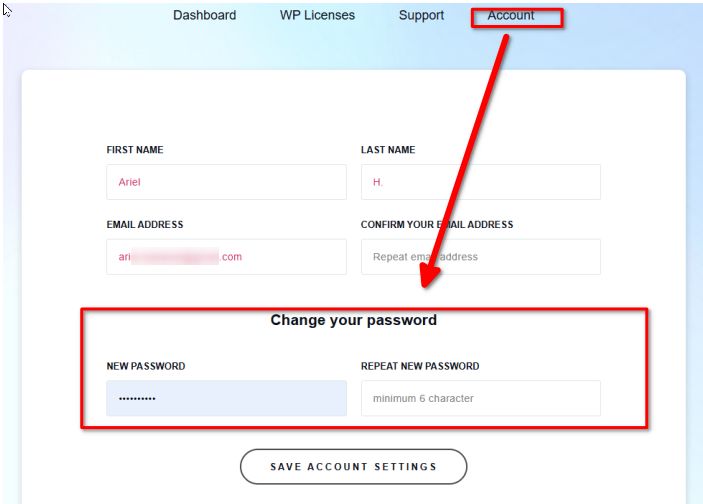
After doing so, please go back to Brizy WP and try syncing it again.
Best regards,
Ariel H.0 -
Done, no luck, same result. Please help!
0 -

Hello Pablo,
The saved blocks library in my WordPress project appears syncing with the Cloud. https://jmp.sh/dXzNTE5R If this does not work at your end, kindly consider downloading the saved blocks/layouts by clicking on the "Download" icon at the bottom right corner on hover. This will download the block/layout as a ZIP file.
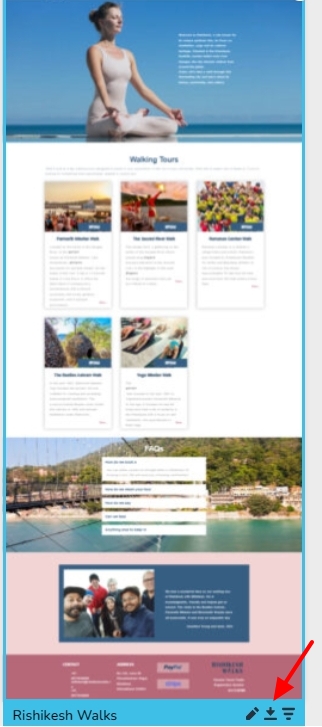
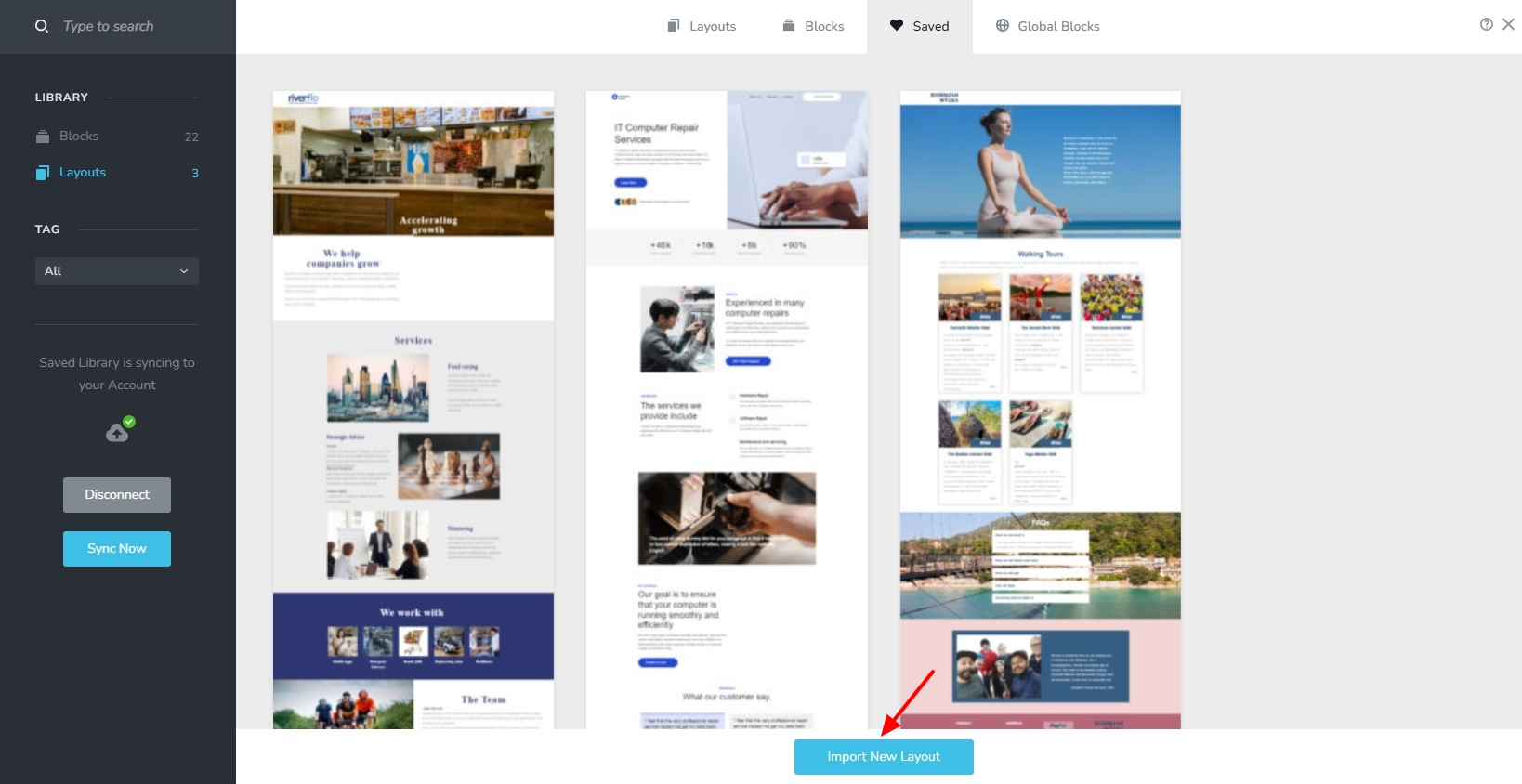
You can then import the saved block/layout to another project by clicking on the "Import New Layout" button at the bottom of the Saved layouts/blocks library.
 0
0
Please sign in to leave a comment.
Comments
5 comments