SMTP form not working on localhost

Hi there,
I'm building a wordpress site on localhost and testing a contact form.
SMTP settings are set.
The form is not sent and error message is "Your email was not sent".
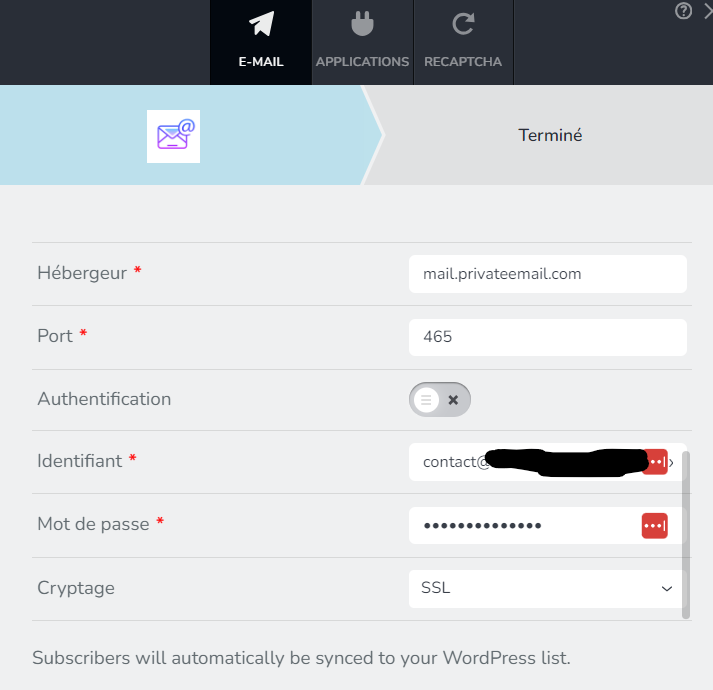
Is it possible to test the form while building on localhost ?
Thanks.
-

Hi Alexis,
Thank you for reaching out to us.
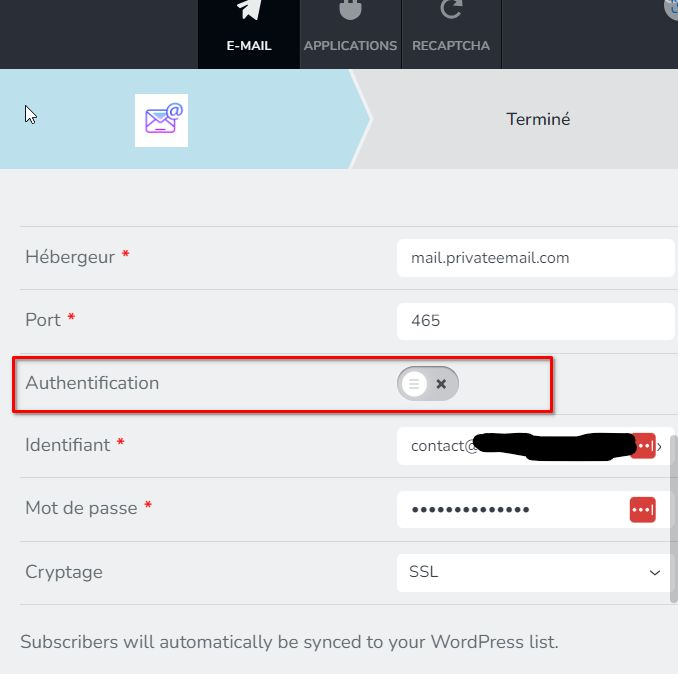
Please ensure that your SMTP details are correct and that you have enabled Authentication.
Best regards,
Ariel H.0 -
Hi Ariel,
Ok I just enabled "authentification" but still not working.
I work on local server (localhost) and domain name is not connected yet. Could this be the reason ?
Thanks.
0 -

Hi Alexis,
Please use the SMTP testing tool at https://www.gmass.co/smtp-test and check if there are errors. Errors are highlighted in red color.
Kindly also ensure that the "From Email" address you are using in your Brizy form is whitelisted in your SMTP server by adding it to the Allowlists. Follow the procedure at https://privateemail.com/appsuite/help/l10n/en_GB/ox.appsuite.user.sect.security.whitelist.html
0 -
Hi,
Thank you for the update.
In addition, to what KC mentioned, there are three possible reasons why it didn't work at your end:
1. Authentication: Please ensure that you have the correct SMTP details.
2. Incorrect Port Number: If it doesn't work on port 465, try using Port 587 and set the Encryption to TLS.
3. Your Local LAMP stack does not support SMTP.I've replicated this issue using XAMP for Windows, please see screencast on this link: https://youtu.be/2tXYpFO3Flg
With the correct settings, the form sends the email successfully, although it was directed to the Spam folder as the site is running from Localhost and the domain is not verified. Please ensure that you meet the above requirements for the form to work on your local testing environment.
Best regards,
Ariel H.0 -
Hi guys,
Thank you so much.
It works now. I didn't set the FROM EMAIL.
All the best,
0
Please sign in to leave a comment.
Comments
5 comments