Paypal payment working but invisible on Brizy Page editor

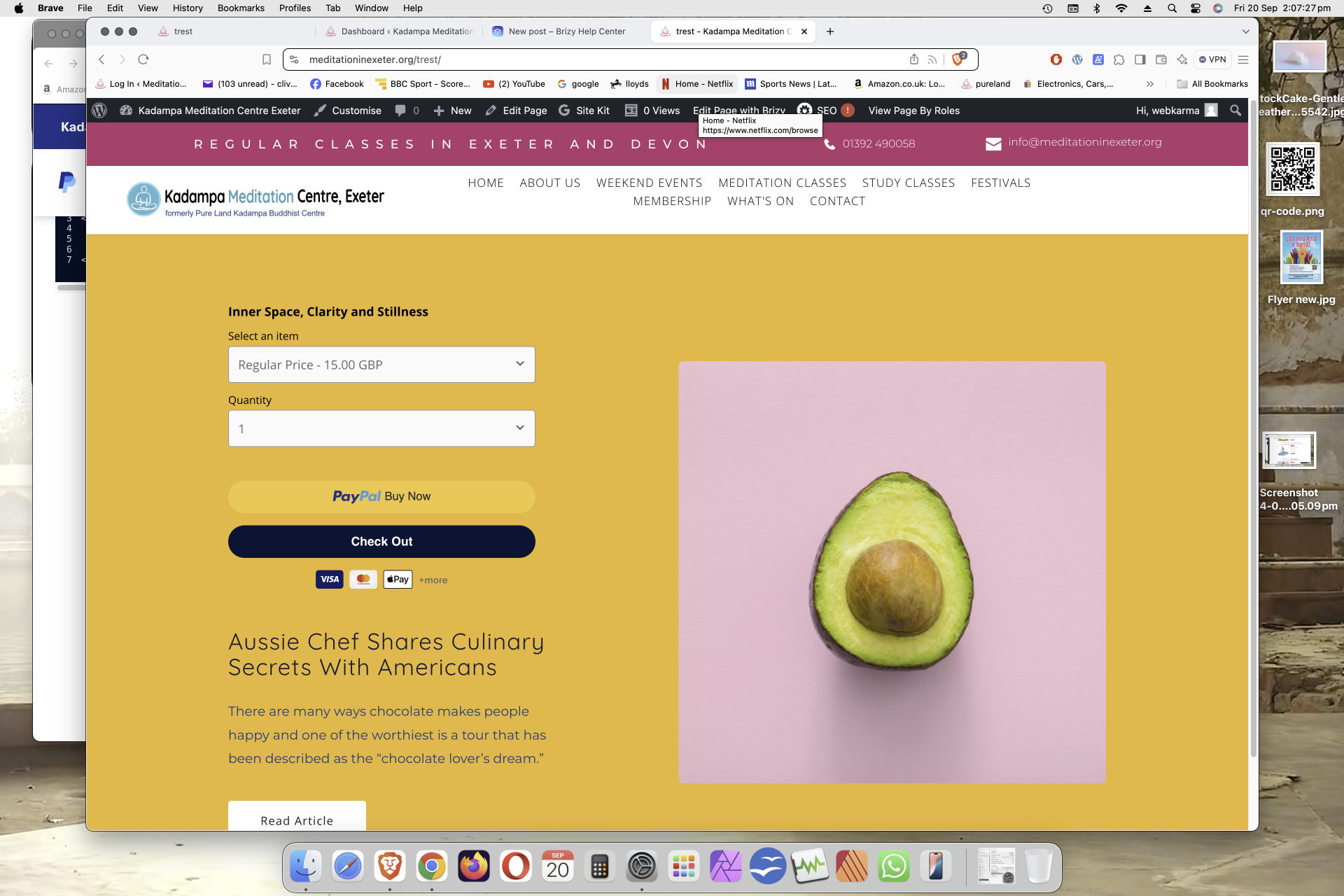
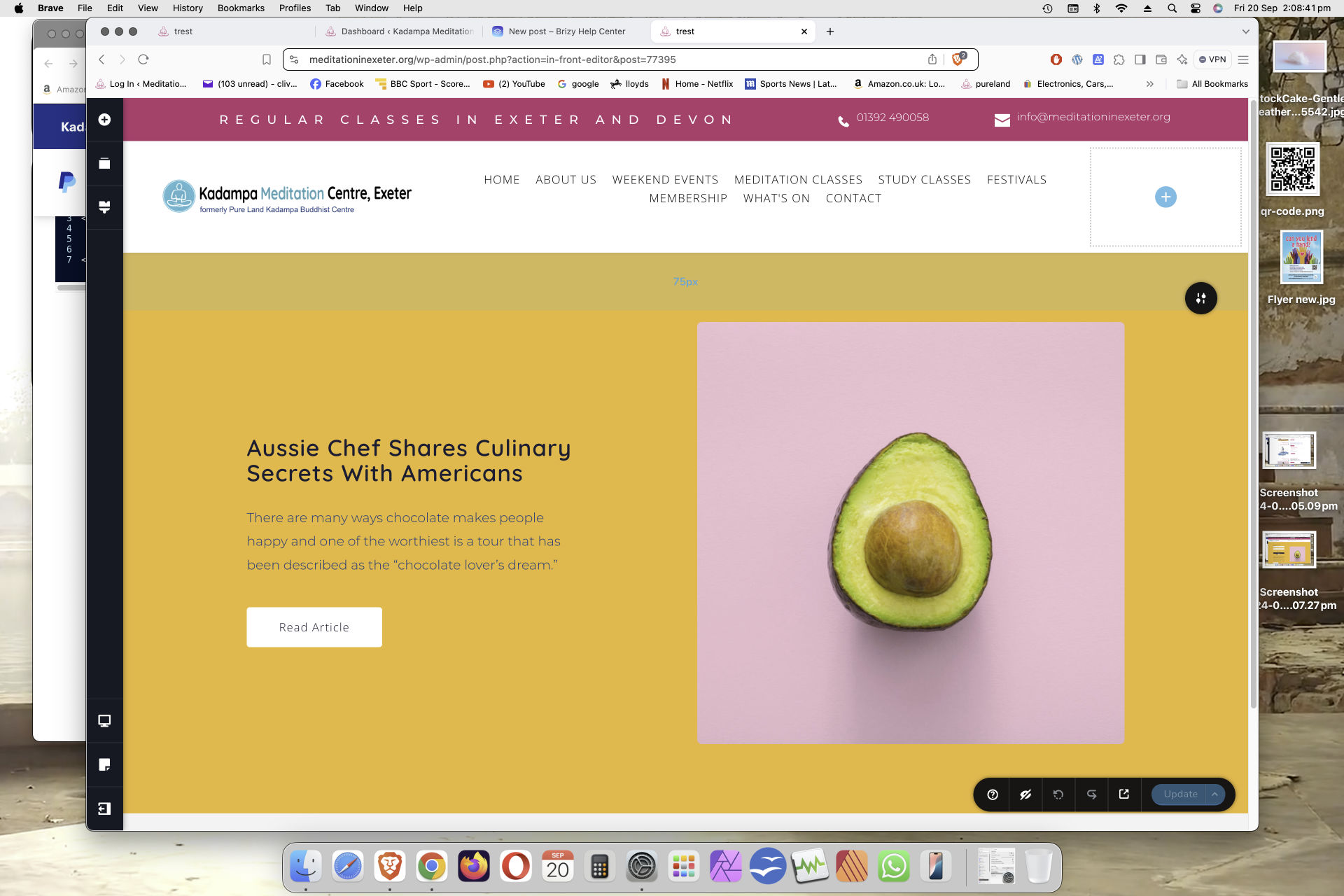
I have been using the Paypal button code that I create by pasting it into my pages via the Embed function (see image) and it works fine. Recently I attempted to embed a new style from Paypal, (see image), but, although working when viewed, it cannot be seen in the page edit (see image). It does not exist at all. 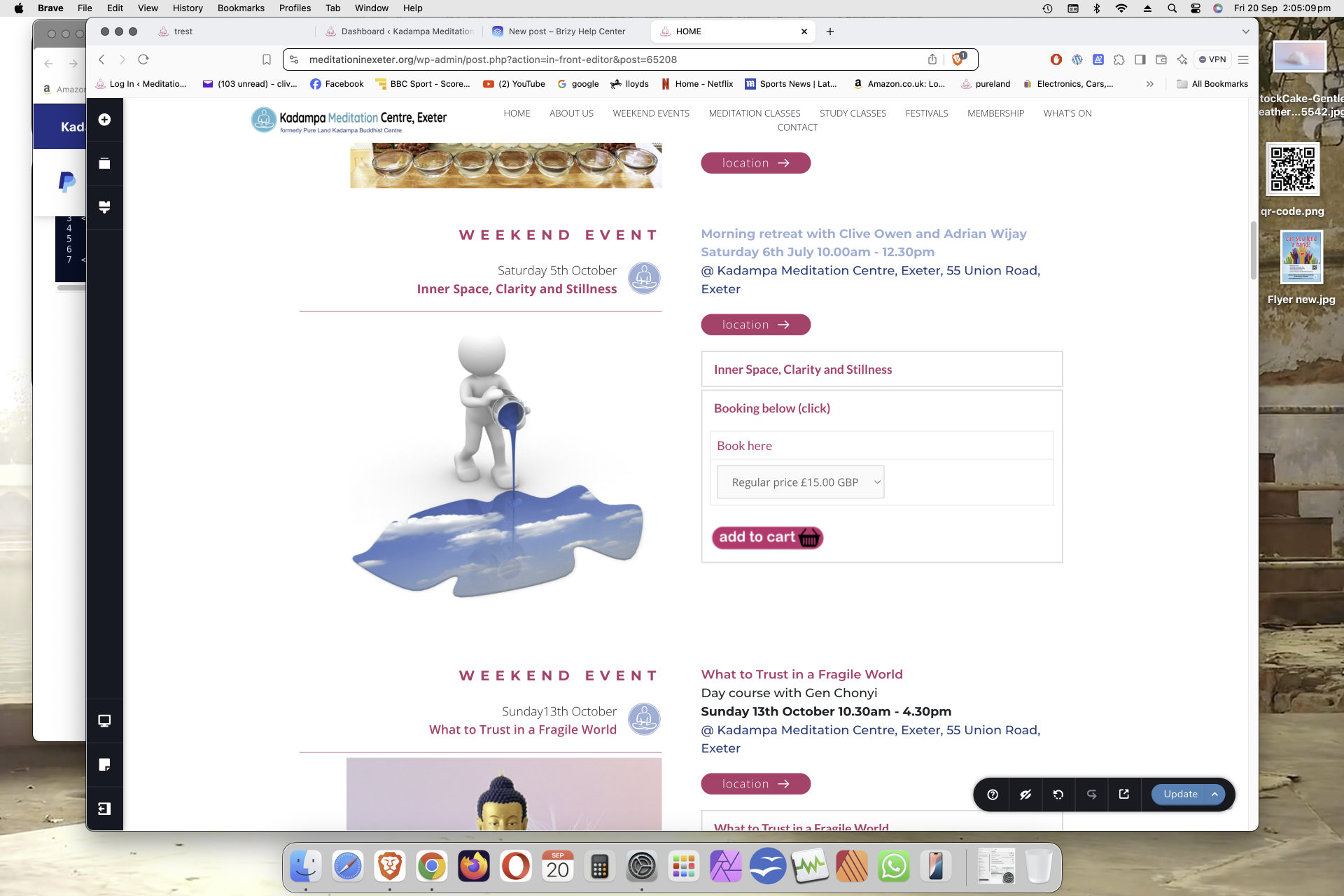
-

Hi Clive,
Thank you for getting in touch.
Could you please share the code you're using so we can attempt to replicate the issue on our end?
In the meantime, you might want to try our new PayPal button by following these steps:
1. From the sidebar, drag and drop the PayPal element onto your page.
2. Select the PayPal button to begin setup.
3. Click the PayPal icon.
4. Connect your PayPal account by clicking the plug icon.
5. Enter your PayPal business email address.
6. Click "Connect."
7. To set the amount, navigate to the "Amount" tab.
8. Choose your preferred currency and complete the remaining fields.
9. Click outside the button element to close the PayPal dialog box.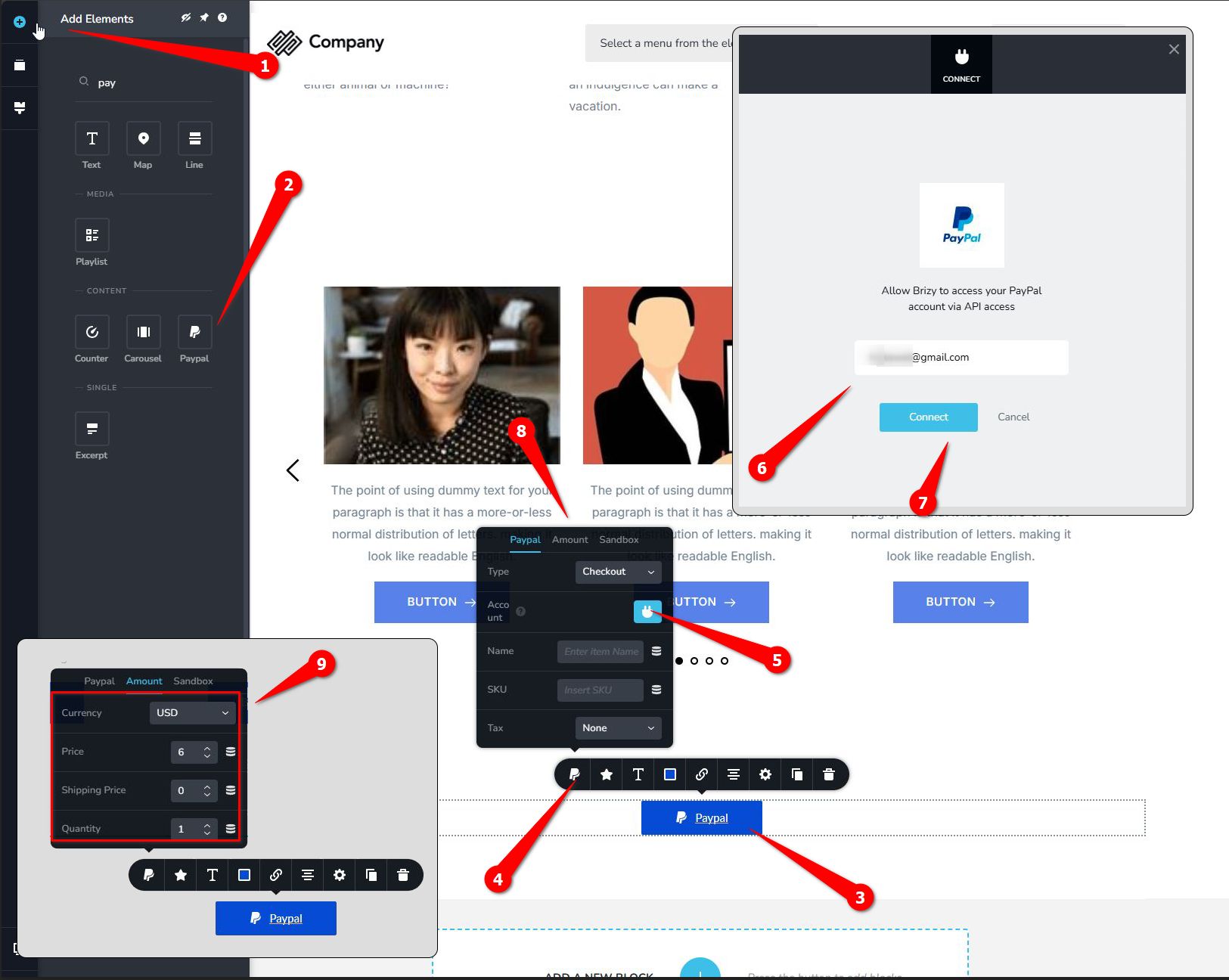
Once you've completed these steps, preview the page and give it a try.
Best regards,
Ariel H.0 -
Hi Clive,
Thank you for the update.
We have looked into this on our end, but unfortunately, we were unable to reproduce the issue.

The code works on my test environment - https://staging.pro-site.cloud/test01/test2/
This suggests that it may be specific to your website, possibly related to a conflict with a plugin or theme you are using.
Have you attempted to isolate the issue by disabling all other plugins except for Brizy and Brizy Pro? Have you tried switching to a different theme to see if the issue persists?
Also, please ensure that you have the following versions installed:

Best regards,
Ariel H.0 -
Thank you Ariel, are you saying that when you add this code to you're site it is visible in the editor?. MIne also is viewable on the web, can you show me what is visible in the editor?
regards,
Clive
0 -
Hi Clive,
My apologies, I didn't fully understand your concern.
Unfortunately, some embedded scripts are not rendered in the editor, they are only visible in the front-end. This is by design.
Best regards,
Ariel H.0 -
Thank you Ariel, why is this by design, it makes it difficult to work with?.
regards,
Clive
0 -
Hi Clive,
Rendering scripts in the editor may impact its performance or pose security risks, as they could potentially run unwanted or harmful code in the editing environment.
Thank you for your understanding.
Best regards,
Ariel H.0 -
OK
0
Please sign in to leave a comment.
Comments
7 comments