Mobile menu not clickable after latest update

Menu on mobile photos is not working any more after today's update - https://pochivki-turcia.bg/
-

Hi Ivo,
Thank you for waiting. Please update Brizy and Brizy Pro to the latest versions to resolve this issue.

If you have any caching plugins installed, please also purge the cache before previewing your site.
Best regards,
Ariel H.0 -
Issue is still not resolved even after latest update.
0 -

Hi Ivo,
In your WordPress Dashboard under Settings - WP Rocket - File Optimization, kindly disable the "Minify CSS files" option and check if that helps to resolve the issue with the hamburger menu
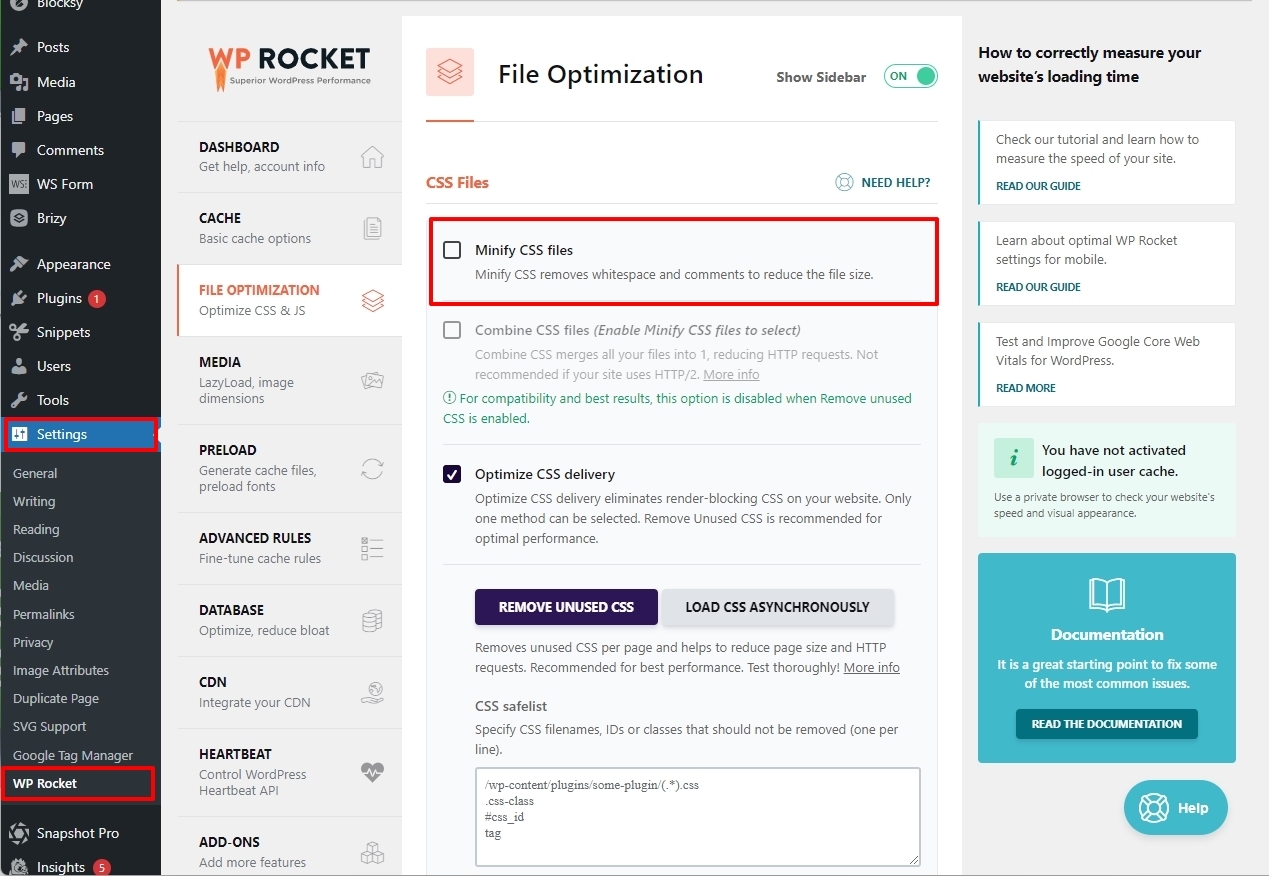 0
0 -
Hi, it doesnt work. The whole plugin is disabled, and still the menu is not clickable.
0 -
Hello Ivo,
As Ariel mentioned to you in a different thread, we are looking into your WordPress Dashboard now. We will get back to you when we have an update.
0
Please sign in to leave a comment.
Comments
5 comments