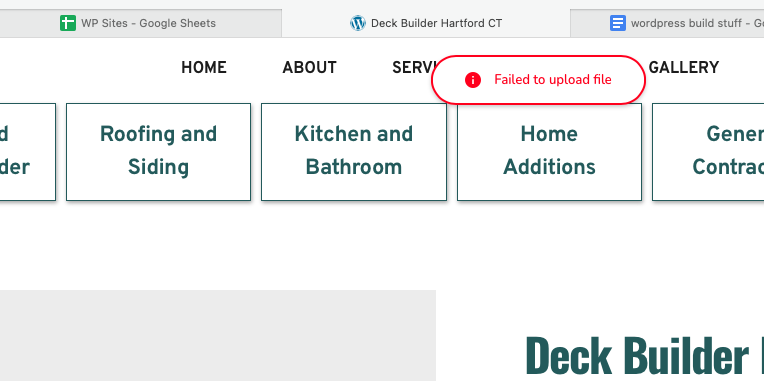
cannot add an image to the page

I updated brizy and brizy pro to the latest versions and not I cannot add an image to the page. I go in click to select an image, and then it just said "Can't upload a file".
I went ahead and downloaded pro version 2.5.1 and it is still not working.
the site is https://hemlockcontractingco.com/
-
Official comment

Hello Greenberg ,
I am Basharat from the Brizy support team.
Thank you for contacting us. We sincerely apologize for the inconvenience you experienced. A hotfix has been released, and we kindly ask you to log in to your website and update the Brizy free plugin, which should resolve the issue.
Should you have any further questions, please feel free to reach out.
Best regards, Basharat
Brizy support team. -
it worked, but now the problem is that I cannot use a vertical image and adjust it in a way that is can be cropped to a square like before. it used to have a setting where you can adjust hight and width and now it is just size and that is not the best
0 -

Hi Tatsiana,
Thank you for the update.
Could you please send us some screenshots demonstrating the issue you are facing?
Best regards,
Ariel H.0 -
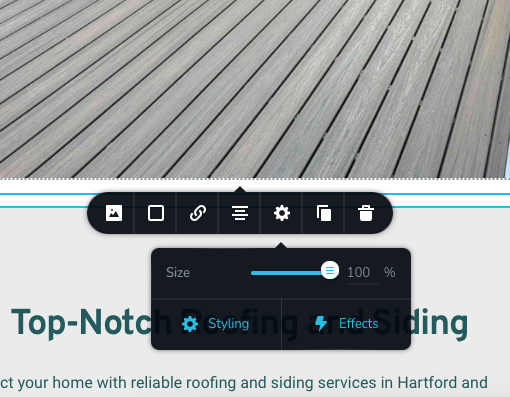 this image you can see when I click on the image and try to edit its size the only option I have is size. this is the new update.
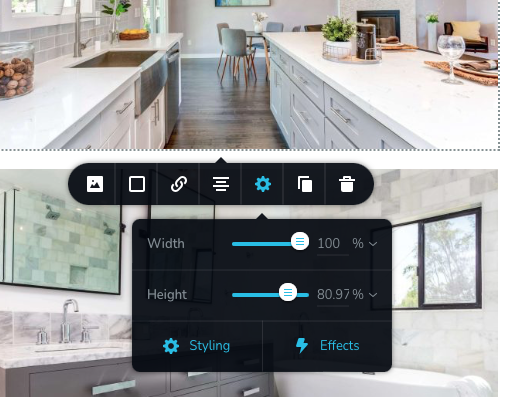
and this next image (I took this screenshot from a site with an older version of brizy) you can adjust it hight and width which is very helpful when you want to manipulate an image to fit next to the text box for example.
 0
0 -
Hi Tatsiana,
Thank you for the update.
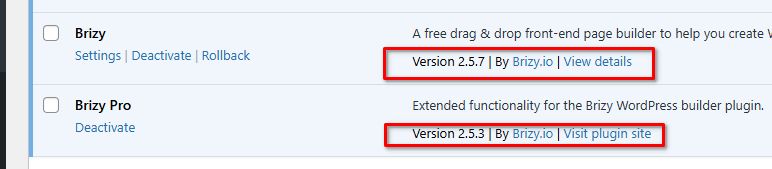
That is interesting. I tried to reproduce the issue, but it doesn't occur on my test environment with the most recent versions of Brizy and Brizy Pro.
Please ensure that you are using these versions.
If the issue continues, it appears to be originating from a conflict. Have you tried isolating this issue by temporarily disabling all other plugins besides Brizy and Brizy Pro to see if you can reproduce the issue? If you haven't tried this yet, please do so and let us know how it goes.
Best regards,
Ariel H.0 -
thats the versions I have and it is only giving me an option for sizing and now height and width
 0
0 -
Hi Tatsiana,
Thank you for the update.
This is something we need to inspect from your WP Admin page. Please add us as an Admin user to your WordPress Dashboard and send the following details to: communitysupport@brizy.io
Community Post link: https://support.brizy.io/hc/en-us/community/posts/21431977040530
WordPress Admin URL:
Username:
Password:Please make a full backup of your site as a precaution.
Best regards,
Ariel H.0 -
sent
0 -
Hi Tatsiana,
Thank you for the update. Unfortunately, the credentials don't work -
I copied the password exactly as it is, making sure that there are no extra spaces on or before the password.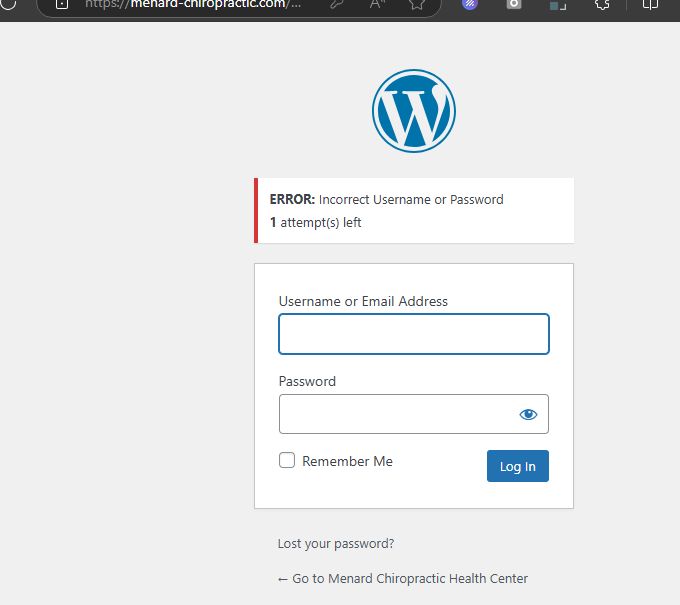
Please revise the user account credentials and send them again.
Best regards,
Ariel H.0 -
Hi Tatsiana,
Thank you for your cooperation.
The image is currently set to "Original," so those options won't be displayed. Those options should be available when you set the image to "Custom."
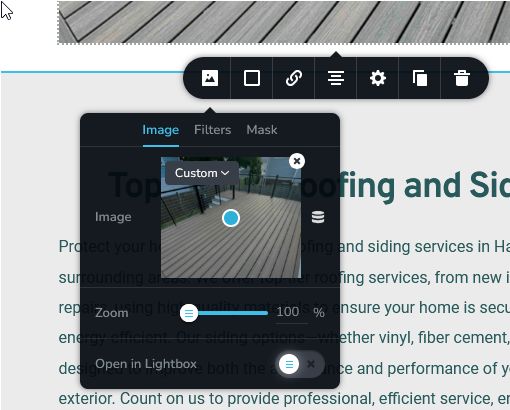
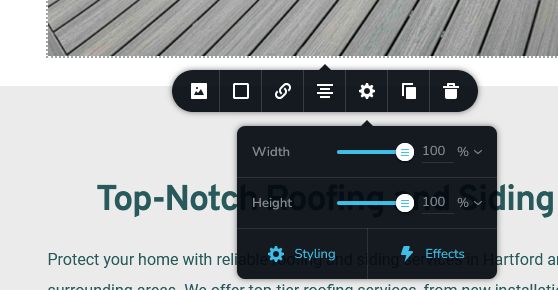
If you have any further questions, please let us know.
Best regards,
Ariel H.0
Please sign in to leave a comment.
Comments
10 comments