Brizy editing isBrizy editing is not activated on the site homepage. not activated on the site homepage.

Brizy editing is not activated on the site homepage.
The top page seems to have lost the editing machine.
It is stuck in a loading state.
WordPress: version 6.6.2
Brizy: version 2.5.3
Brizy pro: version 2.5.1
Can you please check.
-

Hi Wataru,
Most recent Brizy versions do not work well with Apache webserver. Kindly check if your website is hosted on Apache, following the procedure at https://jmp.sh/2UeqSoEE If it is, we recommend reverting to these versions of Brizy and Brizy Pro
- Brizy 2.4.45 https://jmp.sh/6w60BmCr
- Brizy Pro 2.4.38 https://jmp.sh/eEwWoJGK
Please follow the steps below to roll back.
- Deactivate and delete Brizy Pro
- Deactivate and delete Brizy
- Download Brizy 2.4.45 and in your WordPress Dashboard under Plugins - Add New - Upload Plugin, upload Brizy
- Download Brizy Pro 2.4.38 and under Plugins - Add New - Upload Plugin, upload Brizy Pro
0 -
Hi K C GeorgeThanksHello. The web server for my website is LiteSpeed. Is the problem also occurring with LiteSpeed?0
-

Hi Wataru,
Thank you for the update.
LiteSpeed is designed to be compatible with many Apache features, such as `.htaccess` and `mod_rewrite`. Because of this, issues that affect Apache can sometimes also affect LiteSpeed, but LiteSpeed has its own optimizations and behavior.
If you’re experiencing any specific issues, please ensure that you have the following versions, which have resolved the issues you reported:

Best regards,
Ariel H.0 -
Hallo Ariel H.
Ich habe die Version aktualisiert, aber sie scheint immer noch nicht zu funktionieren.
Sie bleibt beim Ladebildschirm stehen und die Benutzeroberfläche startet nicht.
Das passiert nur auf der Startseite, auf anderen statischen Seiten funktioniert sie.
 0
0 -
 PS: Even though it's the top page, it's still created using the same static page.
If there is a difference, the page created using Brizy is set as follows.
Homepage → Does not start
Blog top page → Starts
Other static pages → Starts
.0 -
Hi Wataru,
Thank you for the update.
From my observation, the issue seems to be linked to pages with numerous page revisions.
To address this issue, I recommend trying the steps outlined in this link to see if it resolves the issue:
https://www.elegantthemes.com/blog/wordpress/how-to-manage-wordpress-revisions-to-optimize-site-performanceIn the above article offers a manual method of limiting page revisions using PHPMyAdmin, or you can opt for WP Optimize, which is simpler to operate.
If the issue continues, this is something we need to inspect from your WP Admin page. Please add us as an Admin user to your WordPress Dashboard and send the following details to: communitysupport@brizy.io
Community Post link: https://support.brizy.io/hc/en-us/community/posts/21387400602130
WordPress Admin URL:
Username:
Password:Please make a full backup of your site as a precaution.
Best regards,
Ariel H.0 -
Hi Wataru,
We're currently unable to log into your site. Could you please temporarily disable this:
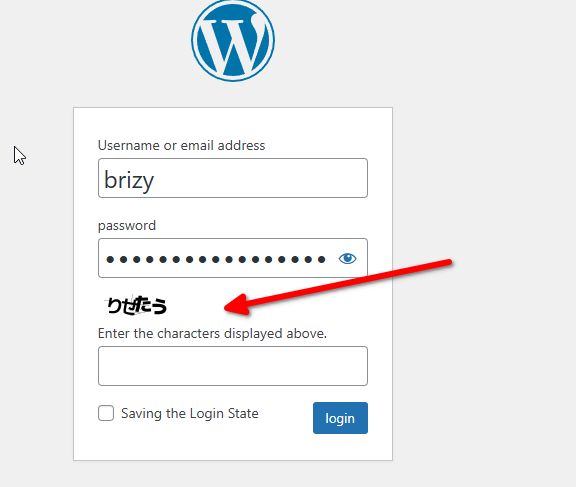
Additionally, please set the WP Admin language to English.
Kind regards,
Ariel H.0 -
Hello.
I was replying to the support...
I haven't heard from you, but have you been able to access the admin screen?
There are security issues, so it would be great if you could check it as soon as possible.0 -
Hi Wataru,
Thank you for the update. Disabling the "Also optimize for logged-in editors/administrators?" option in the Autoptimize settings appears to have resolved the issue.
Could you test it on your end to confirm?
Best regards,
Ariel H.0 -
Thank you.
It seems to be fixed. I'm grateful.
However, since the site name is visible in the screenshot
in a place where many people will see it, could you please delete it as soon as possible?0
Please sign in to leave a comment.
Comments
10 comments