Editor background color

Hello,
So, I need to apply a background that covers all the page. I'm applying the background directly to the theme's css and even the customize options on wordpress but on the editor it still showing a white background even though the blocks are all set to transparent. I have even tried to add the .brz-ed class with no success.
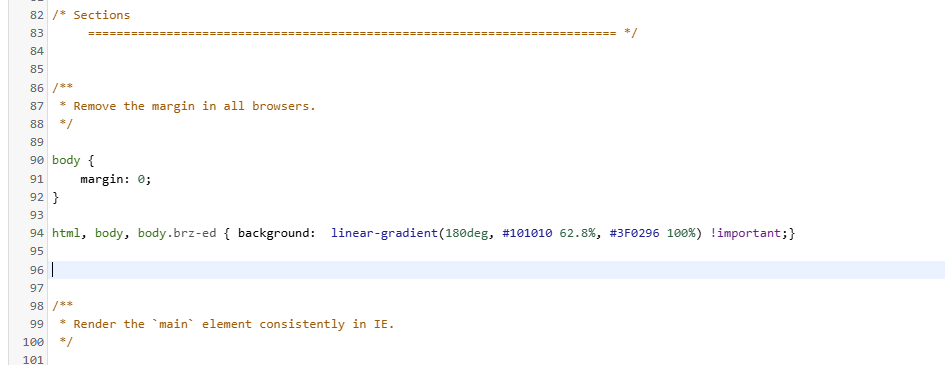

When the page is published it looks ok, but it is almost impossible to work with white text and elements on a white background. It even works on the wordpress customize view, but not on brizy's.
How can I fix/override this?
Thanks,
-

Hi,
Thank you for reaching out to us.
Unfortunately, there's no option to override this at the moment. I apologize for the inconvenience.
I recommend submitting this as a feature request at https://www.brizy.io/ideas-and-roadmap. Our team will thoroughly review all suggestions, and those gaining popularity will be given priority or considered for inclusion in our development roadmap.
Best regards,
Ariel H.0 -
Hello Ariel, thanks for the answer. But I'm just asking for a simple request, is there no way to circumvent the matter, it's only a background color, how is that not possible?
0 -

Hi
What about the option of adding the same background color to all Brizy blocks on your pages? Kindly have a look at https://www.template-preview.site/?url=gymtrainer
0 -
Hi thanks for the answer.
The problem is that I need a continuous gradient background that extends through all the page length, if I put in each block, even if I calculate what color to make the gradient color transition on each block, it will still generate visible "seams" on the layout.
0 -
Hi,
Thank you for the update.
Unfortunately, this is not currently possible. It appears that the white background is dynamically assigned and cannot be changed with CSS alone.
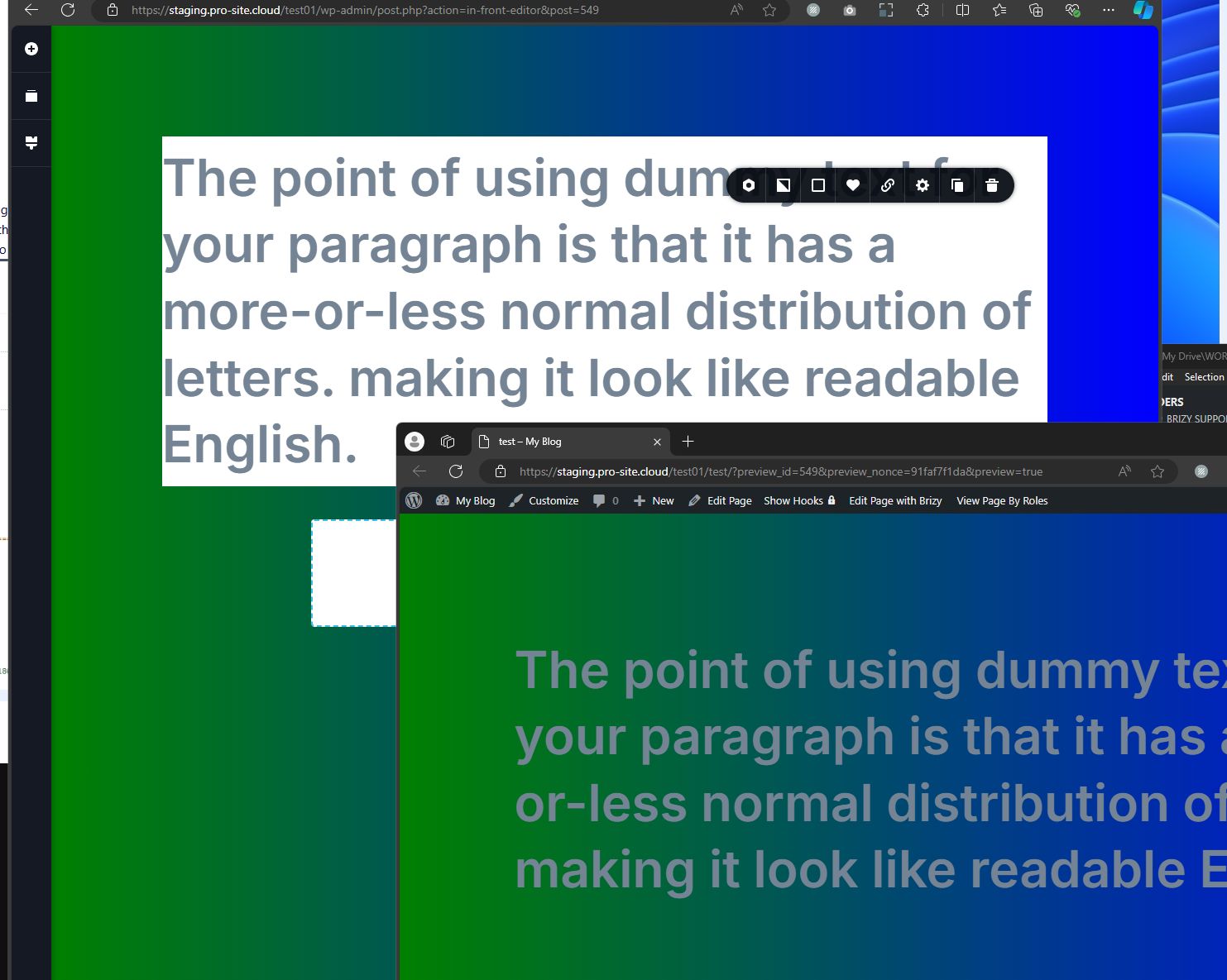
I apologize for the inconvenience, and I appreciate your understanding.
Best regards,
Ariel H.0 -
Hi
If you require a gradient background color, the only solution may be to enter the above CSS code into the Additional CSS and in the Brizy Editor, temporarily apply a background color to all blocks, and design your page. Once you complete the page design, make the background color transparent.
0 -
The problem is that the website is for a client.
I can't tell the client that each time he needs to update the website that he has to assign a color to all the blocks each time it needs modification.
Unfortunately I will have to do it some other way.
0
Please sign in to leave a comment.
Comments
7 comments