Link

Once I'm ready to launch, how do I get the link for the Website I've created to copy and paste for social media?
-

Hi Kevin,
Thank you for contacting us.
You can directly share the custom domain name you've set in your Brizy Cloud project for your website.
If this doesn't fully answer your question, could you please provide more details on what you're looking to accomplish?
Best regards,
Ariel H.0 -
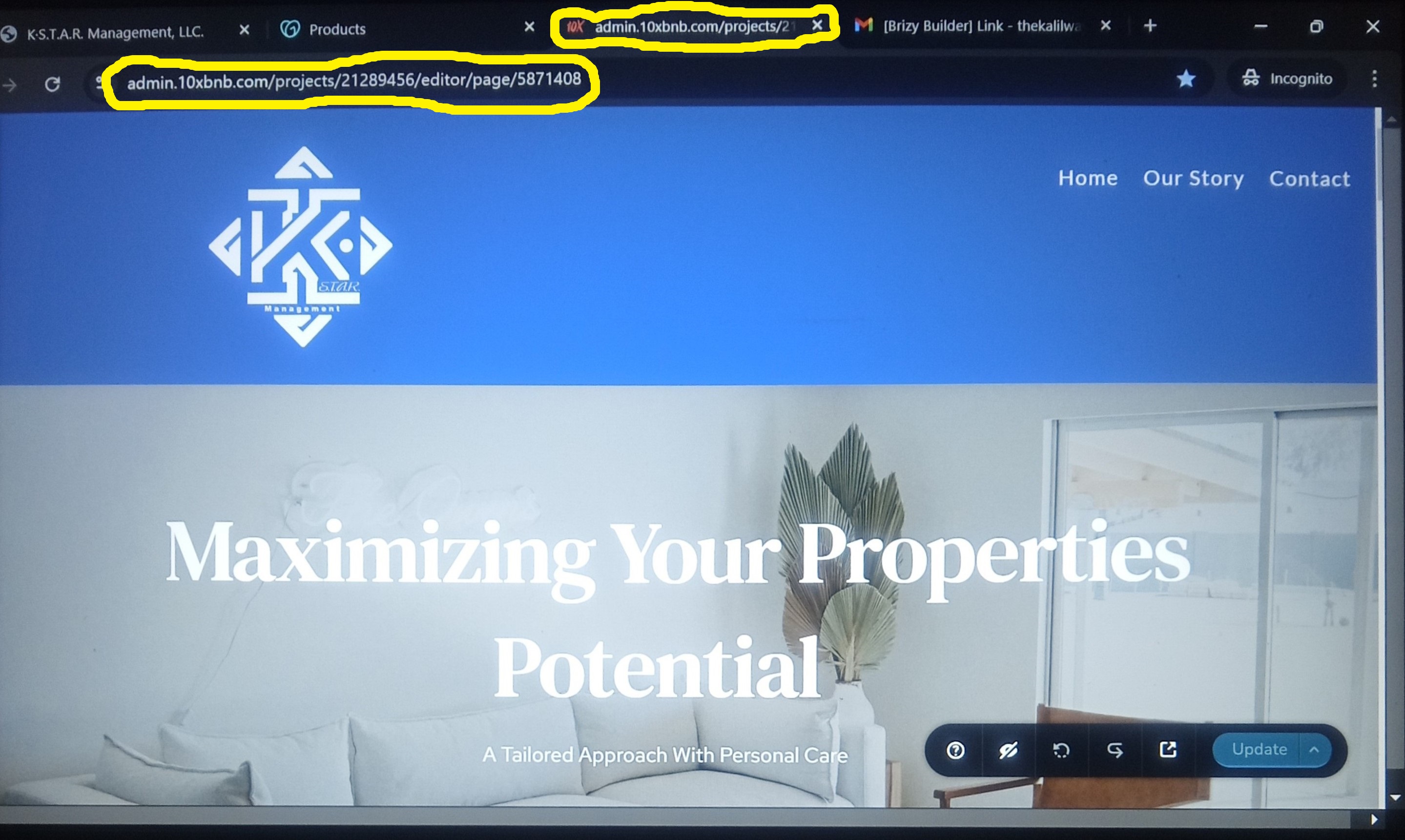
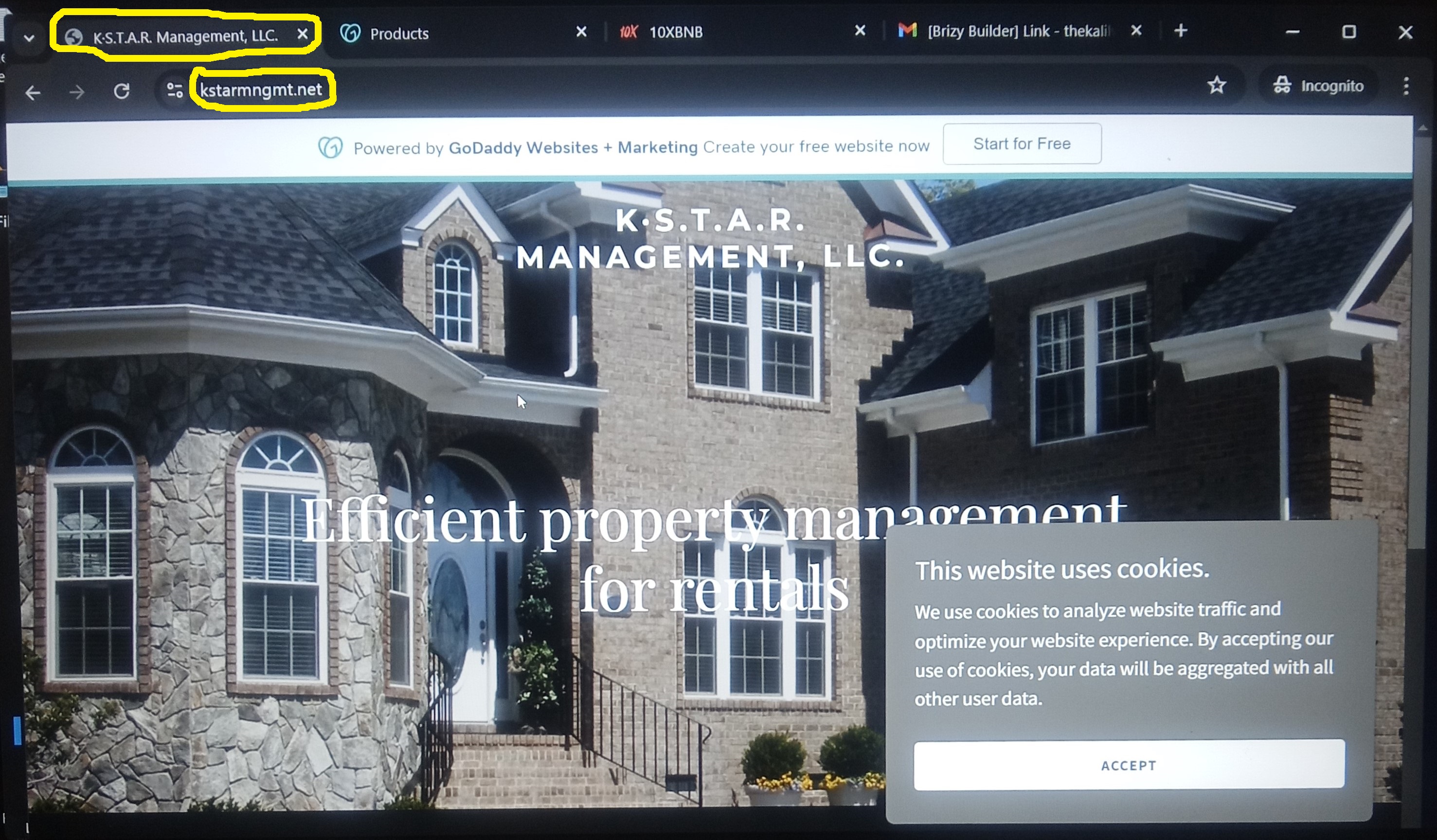
Instead of the domain name (kstarmngmt.net) connecting to the Website I'm creating (Top photo), it connects to a "coming soon" sample web page (Bottom photo) on godaddy.com. What I need is to be able to copy "kstarmngmt.net," and then paste it to social media to create awareness.
 0
0 -

Hi Kevin,
The second screenshot you have included above indicates that GoDaddy has parked your domain. You must unpark your domain name before pointing to your Brizy Cloud website. Kindly follow these steps
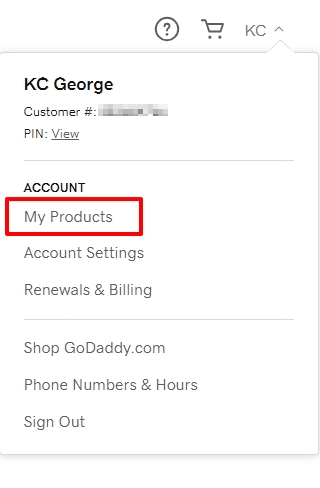
- Sing into your GoDaddy account and click on your profile at the top right corner.
- Select "My Products" option
- Under "All Products and Services", select "Domains" and next to your domain name kstarmngmt.net, select the DNS option
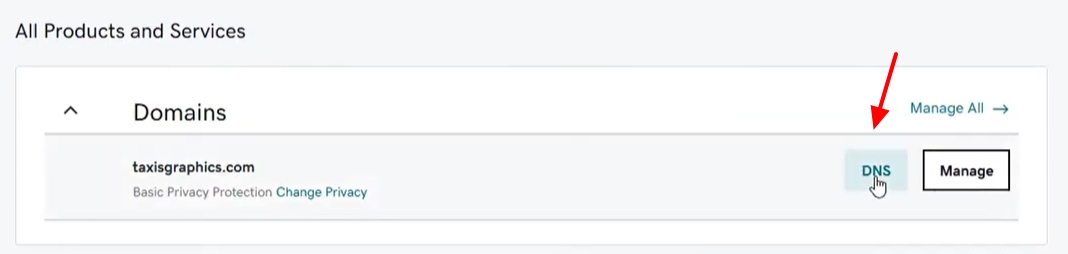
- You will see a list of 'DNS records' associated with your domain. Look for a A Record with data "Parked" and delete it.
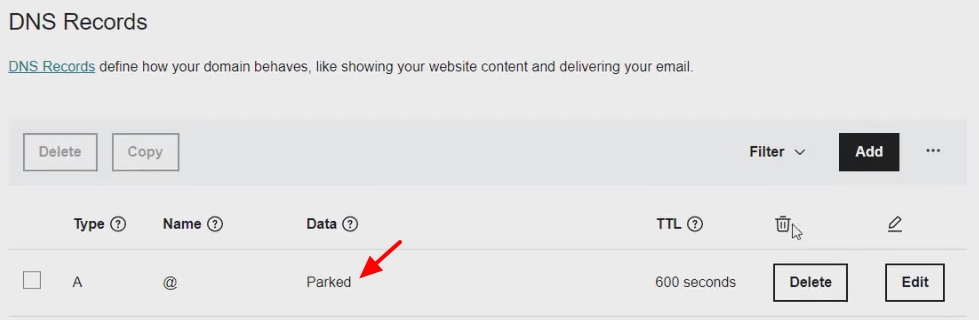
If you are unable to unpark your domain, kindly take the help of GoDaddy Support. Once domain parking is disabled, kindly get back to us and we will install the SSL certificate for your domain.
0
Please sign in to leave a comment.
Comments
3 comments