Wordpress error message instead of 404

Hi!
Im getting "There has been a critical error on your website" instead of the 404 site not found template I juste created.
paved.se
im using blocksy as a theme and all plugins are updated.
-
paveab.se
0 -

Hi Kristoffer,
Please let us know if you have followed the procedure in the screen recording at https://jmp.sh/SbEGB1d8
0 -
Hi again,
Yes that's what I've done.
0 -
Hi Kristoffer,
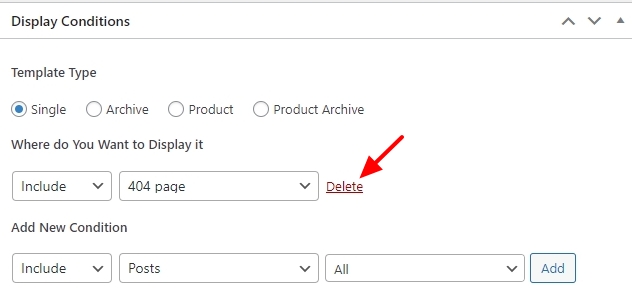
Please ensure that you see "Delete" option next to your Display Condition
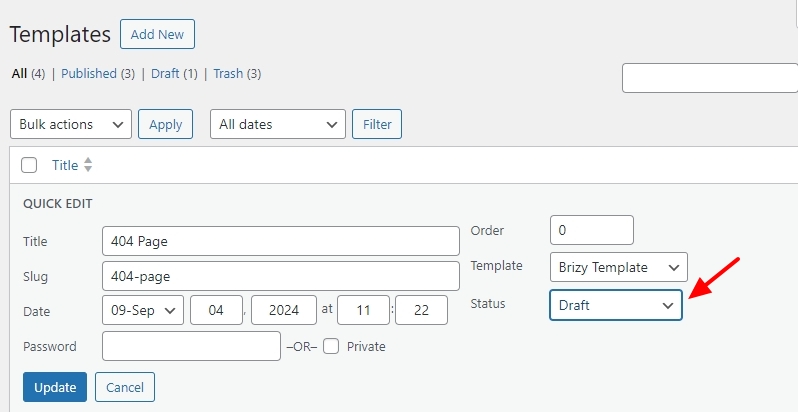
In your WordPress Dashboard, under Brizy - Templates, hover your mouse over the 404 Template and select the "Quick Edit" option and set the template to "Draft" Mode. This will disable your 404 Brizy Template. Now visit a non existent page on your website and check if the 404 theme Page is visible.
 0
0 -
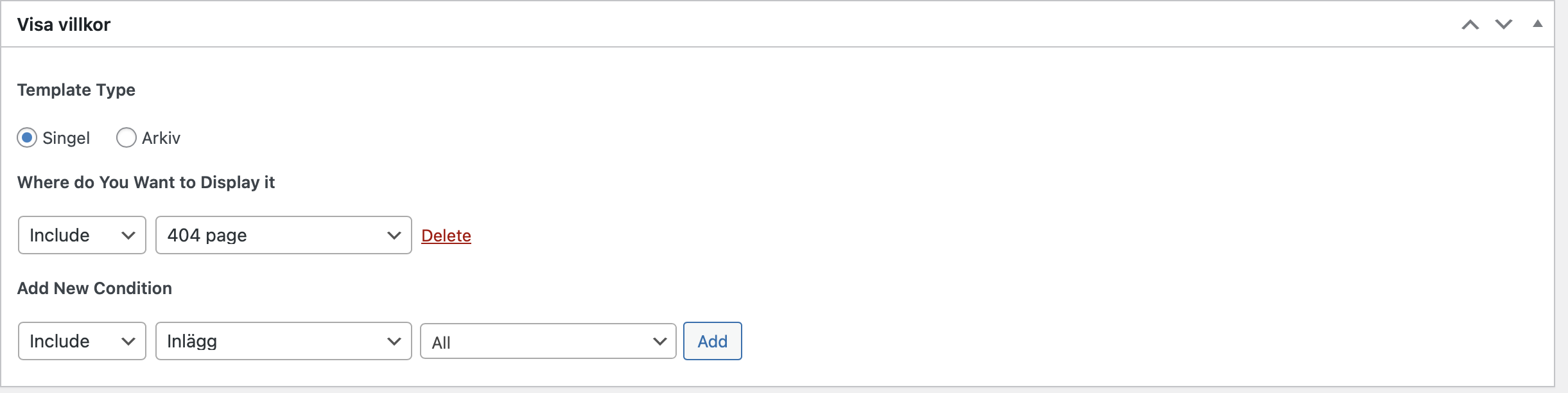
I've set it to draft now.
0 -
And the theme 404 page is showing instead
0 -
Hi Kristoffer,
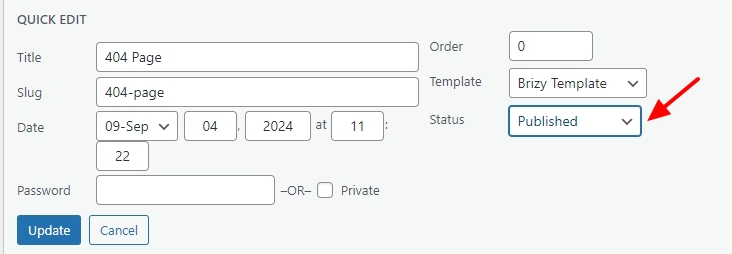
When you enable the Brizy Template by selecting the "Published" option, if you see the error "There has been a critical error on your website", we will take a look at your WordPress Dashboard to fix it.
Kindly add a new user to your WordPress Dashboard and send the following details to our email: communitysupport@brizy.io
- Support Forum link: https://support.brizy.io/hc/en-us/community/posts/21157719646866
- WordPress Admin URL:
- Username
- Password
Please let us know in this forum when you send us the email.
0 -
Thank you. I've sent you the login!
0 -
Hi Kristoffer,
Brizy had a bug with the 404 Template in a previous version of Brizy. This bug has been fixed in the most recent Brizy versions. I have updated Brizy to the latest versions, and now the 404 page works correctly.
Kindly check and let us know if everything works fine.
0
Please sign in to leave a comment.
Comments
9 comments