Cannot Save changes

Hello, every time i want to publish my changes i get an error.
I am not using wordpress right now, because i now there was a problem before. but still its not working.
I need help ASAP because i have deadlines.
myrepairgermany.de
-

Hi Amir,
Do you see an error message when attempting to save your work?
If you are using the Wordfence Security plugin, kindly follow these steps
- In your WordPress Dashboard under WordFence - All Options, navigate to Firewall section
- Enable "Learning Mode" - https://jmp.sh/dXzpSFmk
- Return to your Brizy page, make some minor changes, and check if you can save your changes.
- Set the WordFence Firewall to "Enabled and Protecting" option after a few days
If this does not help, we would like to take a look at your project to troubleshoot this issue. If you want us to take a look, kindly add a new user to your WordPress Dashboard and send the following details to our email: communitysupport@brizy.io
- Support Forum link: https://support.brizy.io/hc/en-us/community/posts/21106589388818
- WordPress Admin URL:
- Username
- Password
Please let us know in this forum when you send us the email.
0 -
i sended you the mail and created a Admin account for you
0 -

Hi Amir,
Thank you for your cooperation.
We have inspected your site, and saving changes appears to be working properly, as demonstrated in this screencast: https://youtu.be/PT3fqwz2B6Y
Does this issue occur on specific pages only?
I look forward to your response.
Best regards,
Ariel H.0 -
Hi,
no i tried it myself and now out of nowhere it works again. I dont no what the problem was because i did not change anything.
Thanks a lot. I will contact if it occours again.BR
Amir0 -
Hi Amir,
Thank you for the update.
Could you please try increasing the PHP Memory limit and see if this will help resolve the issue?
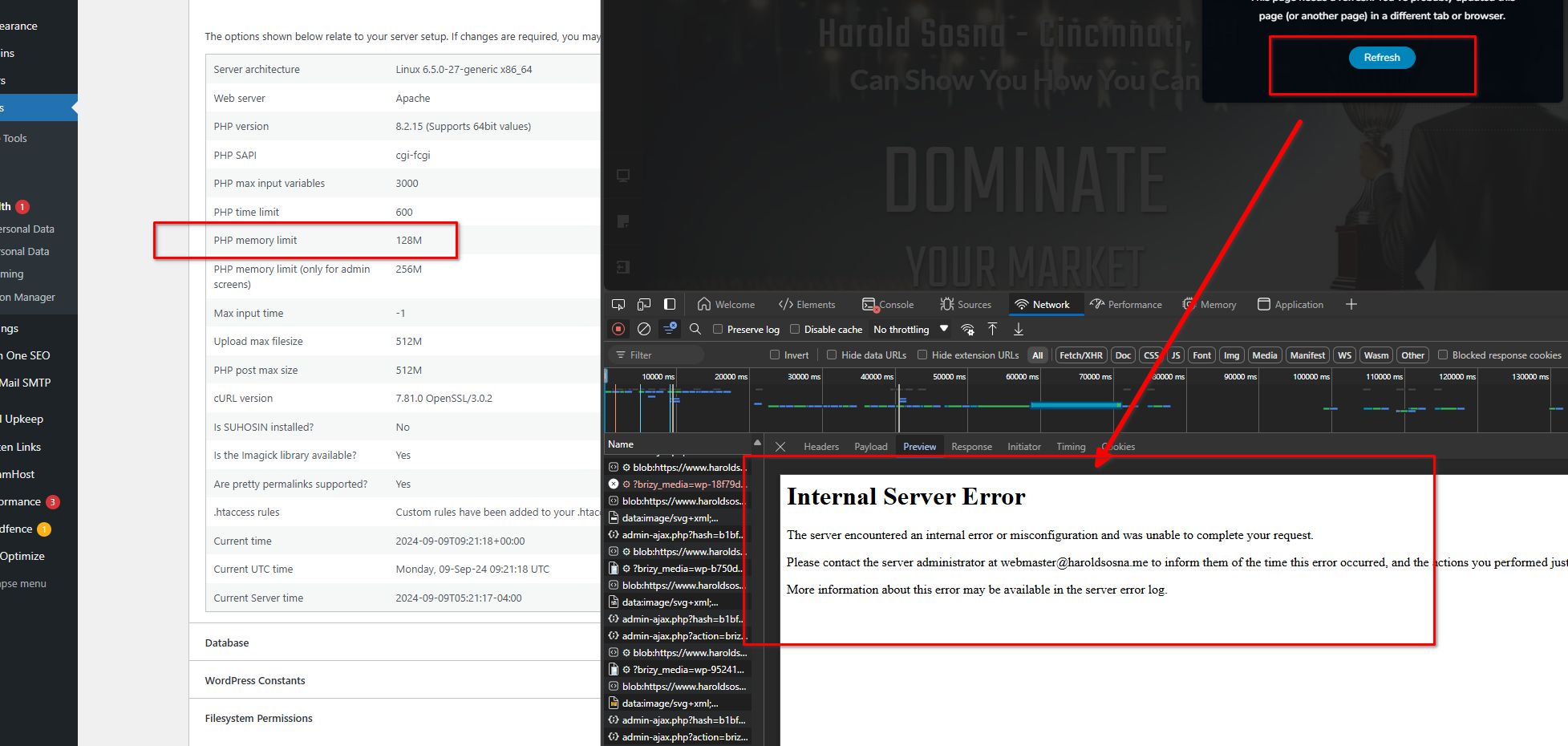
Otherwise, could you please provide us with temporary access to FTP/cPanel so we can further investigate the issue.
Best regards,
Ariel H.0
Please sign in to leave a comment.
Comments
5 comments