search result have {{}}

Hi,
How to get rid of {{ brizy_dc_global_blocks position=’top’ }} in search results? 
-

Hi Hafize,
Can you confirm if you have setup a Brizy Search Template? If you have not, kindly watch the screen recording at https://jmp.sh/Y7uxE8ab for the procedure.
0 -

Hi, I am using a Brizy Search Template and everything is ok with the Brizy search element. But it appears in other search plugins, for example in 'Ajax Search Lite'. And this only with the new Brizy updates.
0 -
Hello Reto
I added the Ajax Search Lite search feature to my Brizy search template at https://brizy.online/?s= This website is on these Brizy versions. The search appears working fine on this website. Some investigation is required to find why it does not work at your end.
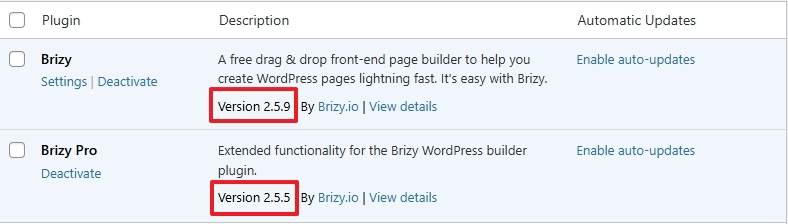 0
0 -
Hi K C, I have the same Brizy-Versions. On my Computer (macOS Sonoma, different Browsers) even your example shows the code.
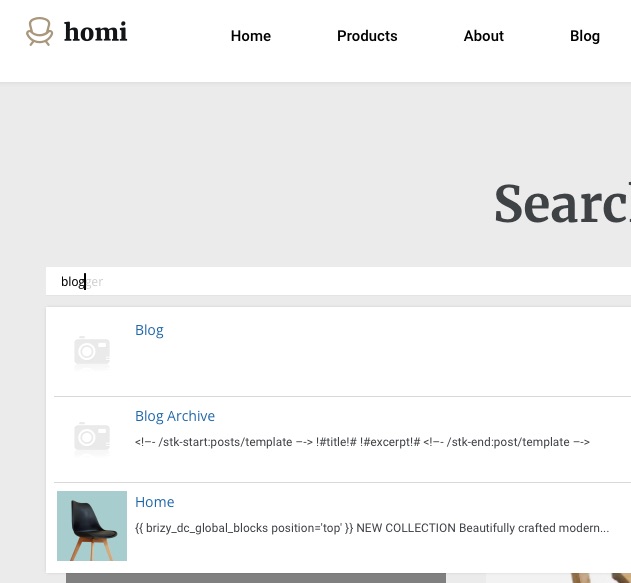 0
0 -
Hello Reto,
Interesting. Visit this link https://jmp.sh/rK6hnDB5 for the way my page shows search results on a Windows laptop using Chrome for the same search term. Which browsers have you used to test my website? Does the same code appear in every browser?
0 -
Hi, this is really strange. All the same results with:
MacOS Sonoma: Safari, Edge, Opera, Chrome, Firefox
And with the 'Responsively App' online.
And with www.browserling.com > Windows10 > Edge0 -
Hello Reto,
Looks like you are seeing these codes in the search suggestions provided within the search box and not in search results. Is that right?
In your WordPress Dashboard under Ajax Search Lite - Ajax Search Lite - General Options - Behavior - you can turn off the option "Trigger search when typing" to hide the suggestions while searching.
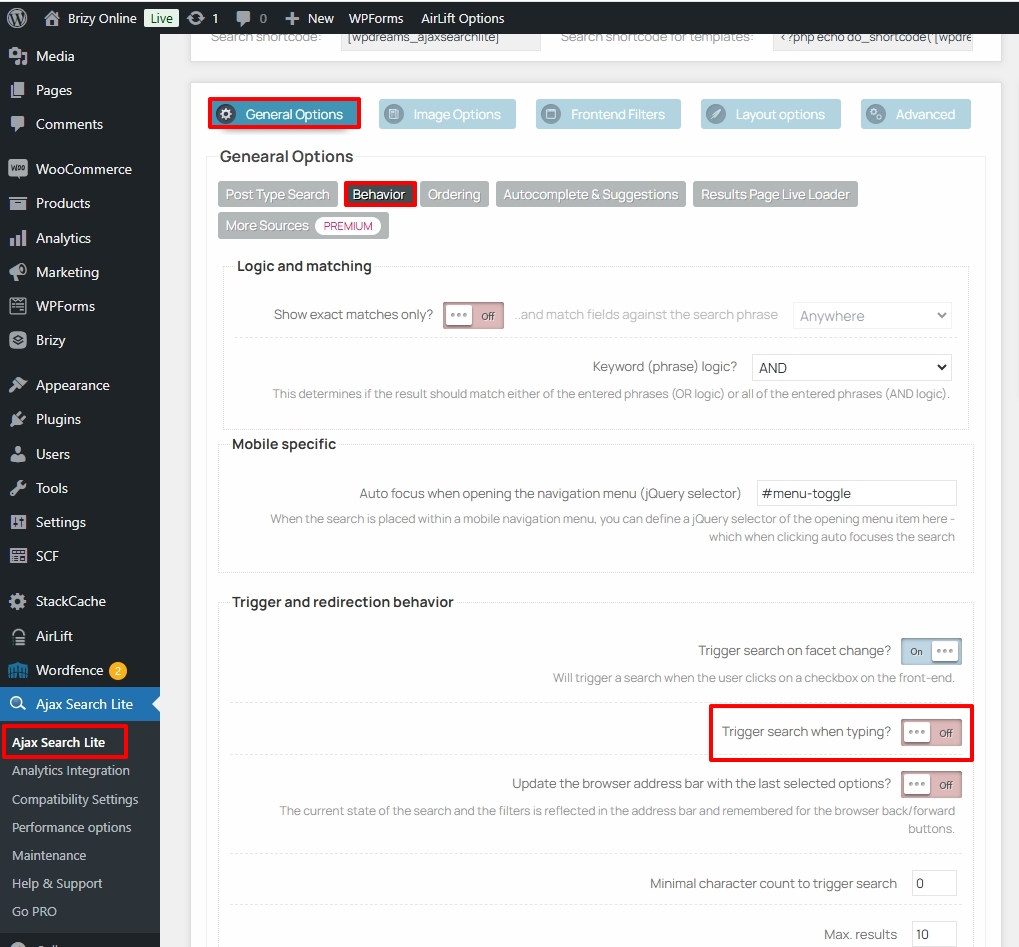 0
0 -
Hello KC, that's right. But this is the special thing with this extension. The results are fine.
Everything works fine with older Brizy-Versions.0 -

Hi Reto,
Thank you for the update.
I tried to replicate the issue in my local test environment but was unable to reproduce it.
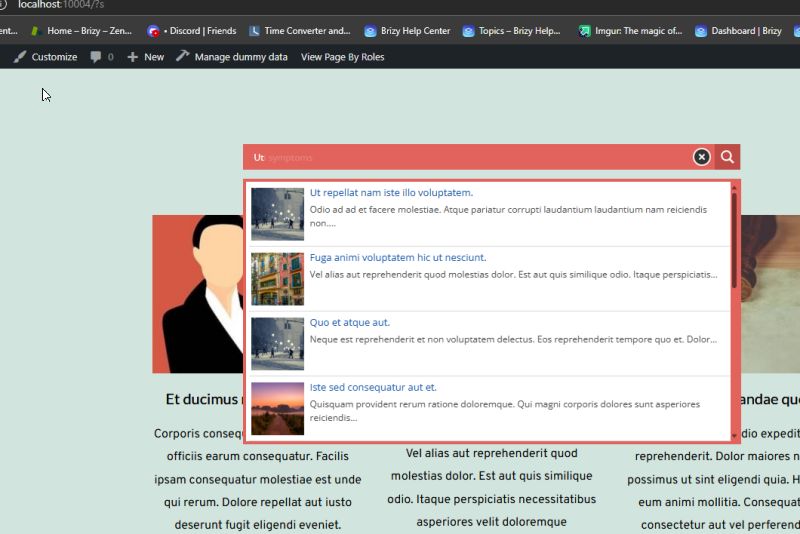
Could you provide us with temporary access to your site’s WP Admin so we can investigate further? Please add communitysupport@brizy.io as an Administrator and confirm by sending an email to the same address. Include this reference number 21099738481170 in the subject line.
As a precaution, please make a full backup of your site to have a restore point.
Kind regards,
Ariel H.0
Please sign in to leave a comment.
Comments
9 comments