Custom Font Uploaded - Delay In Loading Font Each Time Page Refreshes

I have been using the "default system font" on my website for a while now as I wanted to maintain the site as quick as possible. Now I have decided to download a font and upload it to the wordpress site to give the site a nicer appearance.
When the website loads, it seems to load the default system font and 1-2 seconds later it then changes to the custom font.
Could you please help to diagnose this issue.
-

Hi James,
Kindly check the "Default Font" in your Brizy Font Manager. The 'Default Font' is the fallback font that is used when the primary font face is not loaded yet, or is missing glyphs necessary to render page content.
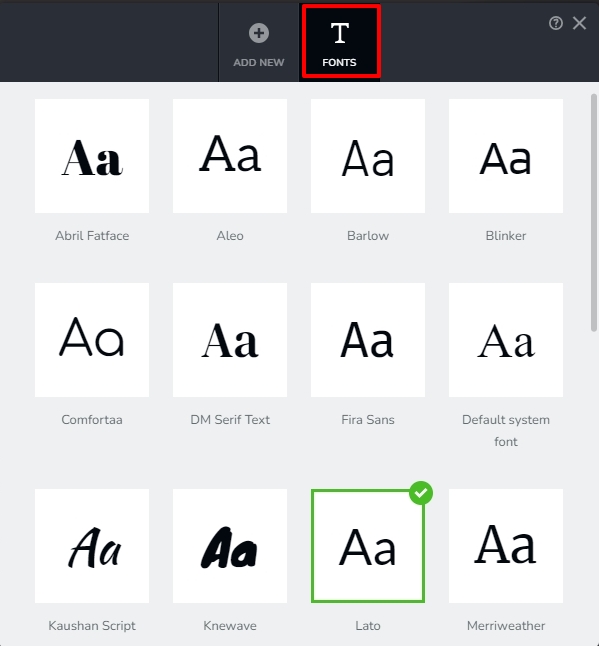
In the "Fonts" tab of the Font Manager, the Default Font is highlighted with a green tick mark on the top right corner. Kindly set the custom font you have added as the "Default Font" and check if the issue resolves. To set a font as Default, click on it.
 0
0 -
Hi K C George,
I have done this, and the green tick appears now, however I still have the issue of the font loading initially as the default system font, then changing after a few seconds. It also seems to happen on multiple pages. I wonder if for some reason the font is lazy loaded or something like that?0 -
Hi James,
Kindly share with us the URL of the webpage where you are experiencing this issue. We will take a look
0 -
Sure. I have tried with other fonts and marking the default font as my preferred but this issue still happens. I have also posted a screen recording of the issue on my website at the following link:
https://farewellcremations.com.au/screen-recording-font-issue/
I really appreciate your help on this issue.0 -
Hi James,
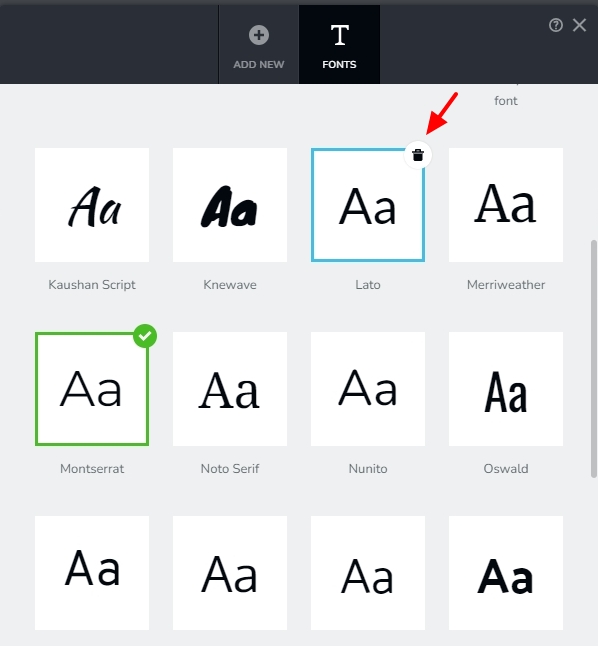
The Lato font is being downloaded as part of the page load. Kindly delete Lato font from the Brizy Font Manager by clicking on the 'Trash' icon at the top right corner and check if this makes a difference.
 0
0
Please sign in to leave a comment.
Comments
5 comments