Unable to edit any Brizy page

I have been unable to edit any of my Brizy pages on one of my sites this week.
I am using the latest Brizy/Brizy Pro plugins, with the latest Blocksy Pro theme. Every time I try to edit the page I get the following error message:
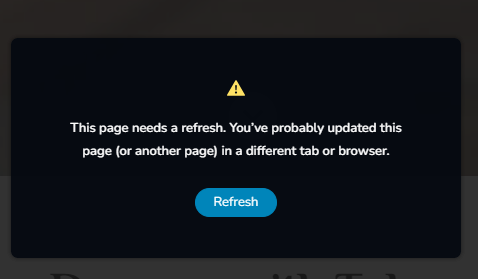
I dont have this page open anywhere else
-

Hi Goldie,
Thank you for contacting us.
We have found that this issue is prevalent among users who have WordFence installed.
To resolve the issue, please set WordFence to Learning mode by following the steps below:
A. In the WordFence plugin settings, navigate to Firewall;
B. Enable Learning Mode and set it to automatically switch back to "Enabled Protecting" in 2 days; this will allow WordFence to learn the actions from the Brizy editor.
C. Save your WordFence changes.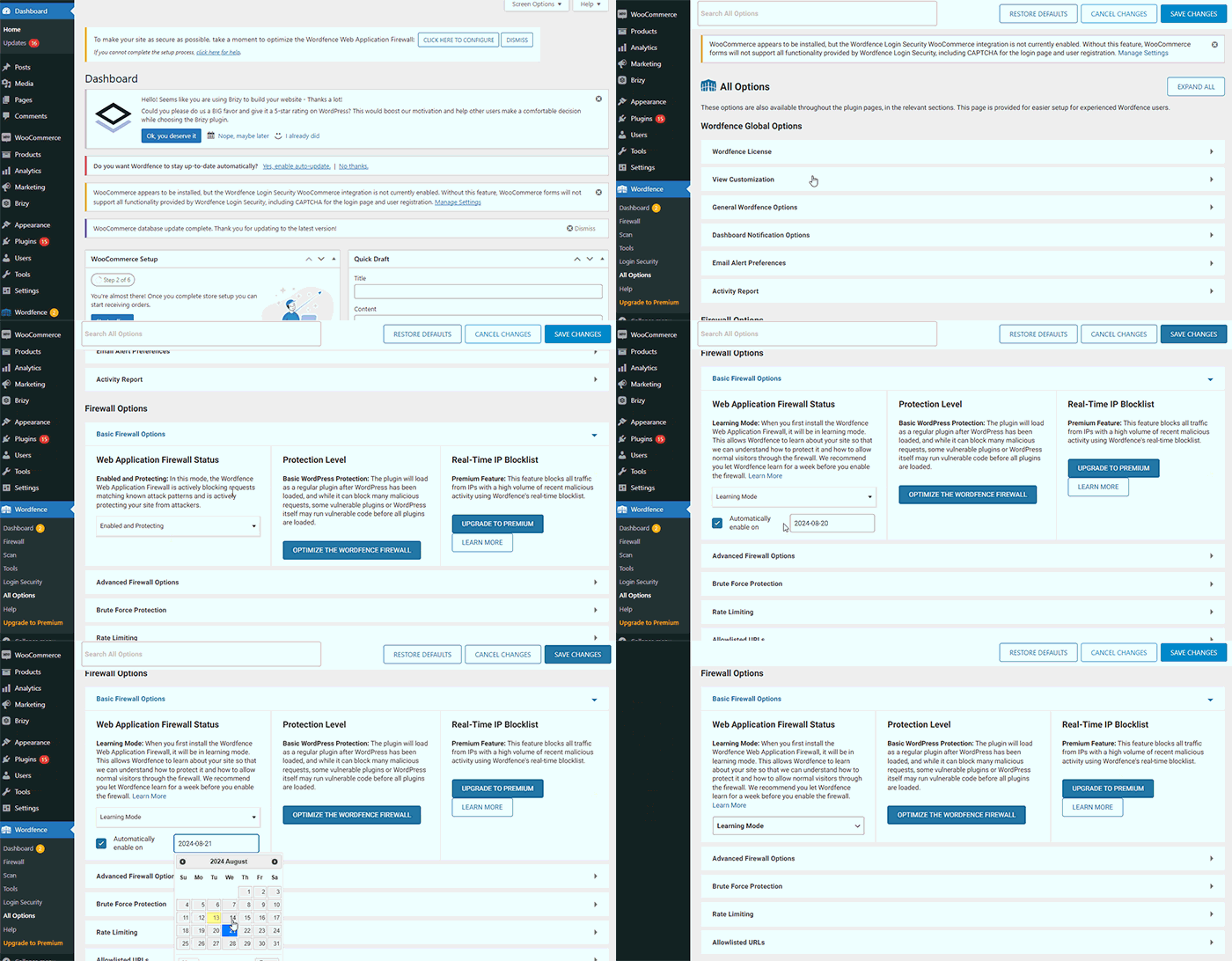
By following these steps, you can save or update your Brizy pages.
If you do not have WordFence, please also check if you have access in your Hosting panel to disable Firewall/ModSecurity, as this may help resolve the issue.
If the issue continues, could you kindly provide us temporary access to your WP Admin details so we can take a closer look. Please add us as an Admin user to your WordPress Dashboard and send the following details to: communitysupport@brizy.io
Community Post link: https://support.brizy.io/hc/en-us/community/posts/21051529173778
WordPress Admin URL:
Username:
Password:Please make a full backup of your site as a precaution.
Best regards,
Ariel H.0 -
Thanks mate, I’ll try that. I do have Wordfence on the site, so that sounds like it should work
0
Please sign in to leave a comment.
Comments
2 comments