Pop Up Image Duplication For Two Different Posts Appearing

The issue I am having is that when I set up a pop up and add an image, the system seems to want to duplicate this same image on all pop ups that are in the same posts display, even though it seems to grab #field from each post with no problem. I will demonstrate via screenshots below:
URL: https://www.officestation.com/herman-miller-preowned-used-office-cubicle-modular-office-workstations
1. I have a block where I am displaying posts (second block down) and I have 2 posts showing per my filters.
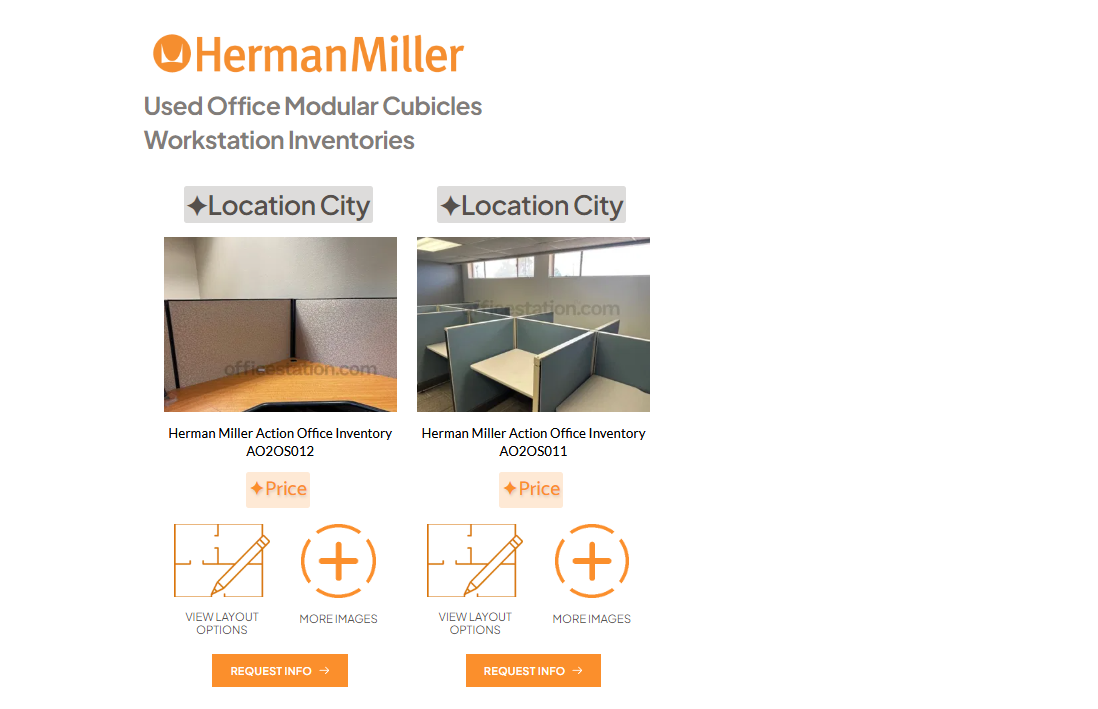
2. The two posts are from two seperate asset records that share the same filtered fields for displaying. Each post has a popup trigger set for the "Request Info" button that I want the design to stay consistent.
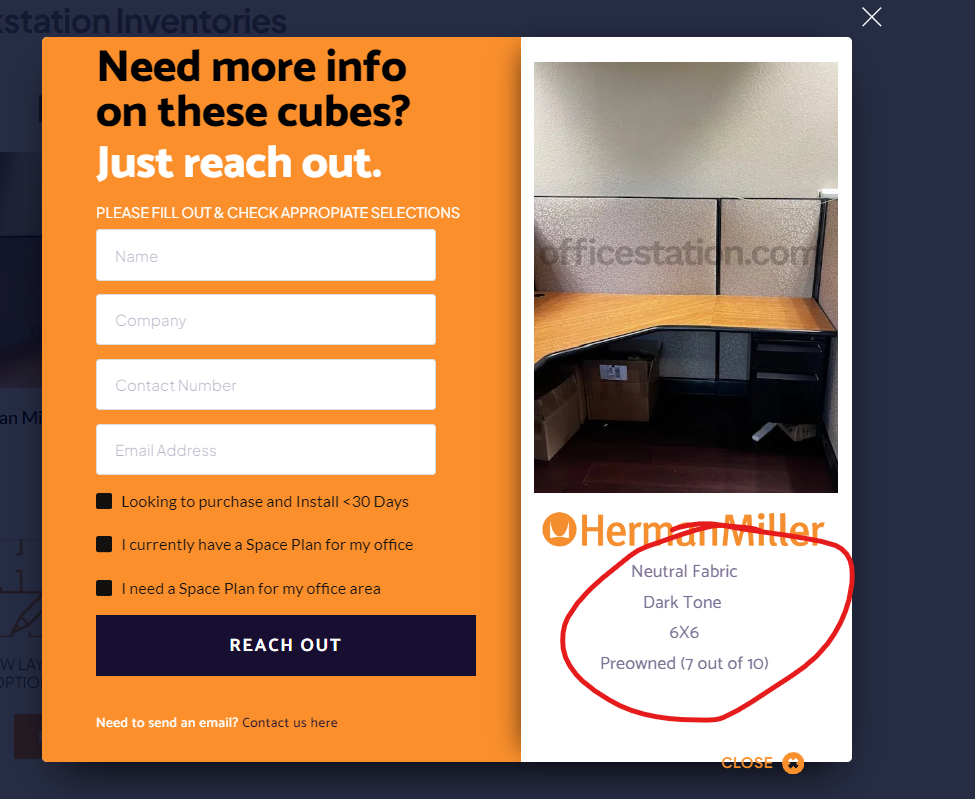
The data displayed in red outline is consistent with specific post where this popup resides.
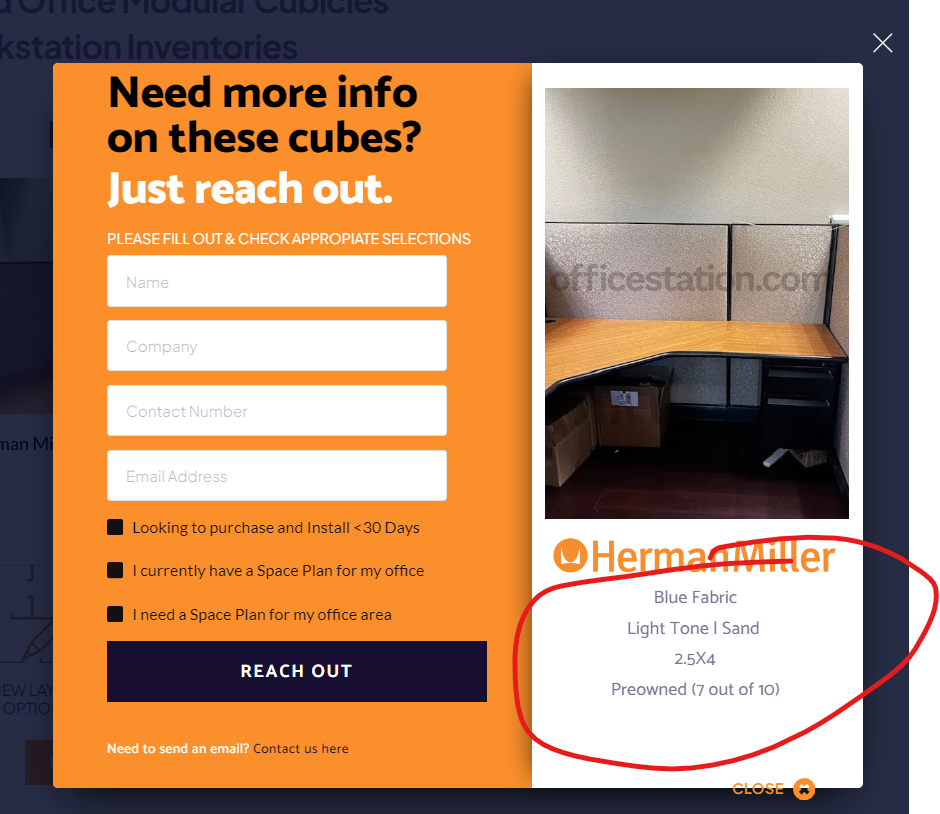
Same here, the data is a true representation of the #field being referenced in the popup. So the data is correct for each post's popup. BUT....
When you try to set different images in the image block, both popups on both posts show whichever image you specify on either record and displays only that one image on both posts.
I am trying to see why is does it for images but the data is fine. The popup is not set to "Global" so I could use some assistance in figuring out the error on my end or if there is a trigger that is activated, or something to seperate these images from each post.
-

Hello,
The appropriate dynamic value was not selected for the image. I have now fixed it. Kindly check if the right dynamic images are shown in each popup.
0 -
Hi KC, unfortunately I just went in and checked and both popups continue to show same image. When I first went in, I made sure that each side was pulling the correct image, but in doing so, they continue to show the same image.
I did find a work around, but it is a pain and not how I would like to automate this process, but essentially I can create a row with multiple columns and put a "posts" element in each column set to 1 row and 1 column, therefore creating a distinct and seperated operation where the popups are not within the same two buttons in a "posts" elements, which seems counter productive to trying to utilize these types of features in Brizy.
Sincerely,
Carlos
0 -
Hi Carlos,
Kindly see my test at https://jmp.sh/WGFQIOAj Kindly reload the page at your end and check again.
0
Please sign in to leave a comment.
Comments
3 comments