Links associated with a migration

I migrated a Brizy built WP site from one URL to a new URL test site using all-in-one migration. I exported the test site (as I've done many times in the past with other websites) and then imported it into the test site. The test site is live and can be seen at bionicsolutions.link (has nothing to do with bionics) I believe all of the data is there, but when you try linking the categories found on the home page, you get what appears to be a landing-page-like page. No matter which link you use, the same page appears for all of them. I've checked the links and they all appear to be correct. However, I see a number of errors when I go to the dashboard Appearance and then Widgets. There are about 18 or so error messages. I believe the landing page is from the original download for the Wordpress site. I guess my question is this. Are they any known incompatibilities with the all-in-one migration plugin? Or, am I missing something else along the way. Help is appreciated. Thank you.
-

Hi Wil,
Thnk you for contacting us.
I use All-In-One Migration plugin, and I can confirm that it is fully compatible with Brizy.
To further assist you, could you please provide us with temporary access to the original website so that we can inspect it, download the .wpress file, and replicate the issue?
Please send your WP Admin credentials to communitysupport@brizy.io and include the following reference number in the Subject line: 21029222838162
In the meantime, could you please check if flushing the permalinks in bionicsolutions.link resolves the issue? You can refer to this guide: https://wpastra.com/docs/how-to-refresh-wordpress-permalinks
I am looking forward to your response.
Best regards,
Ariel H.0 -
Hi Wil,
Thank you for your cooperation.
Upon checking, it appears that the issue is related to Permalinks and Cache.
To resolve this issue, we took the following steps:
1. We reset the Permalinks (WP All In One Migration suggests this action after the successful site migration).
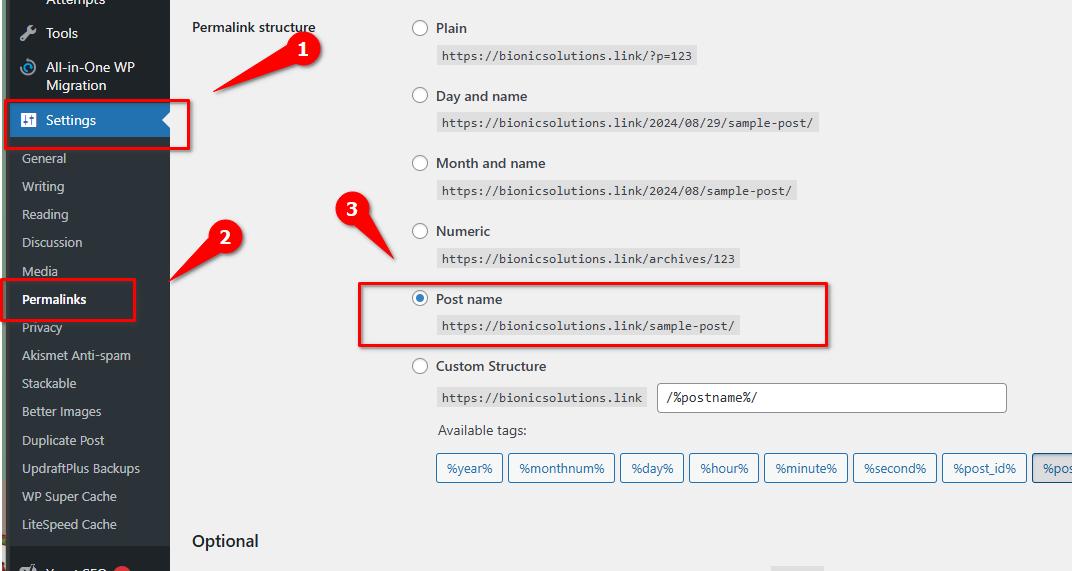
2. We then cleared the cache.
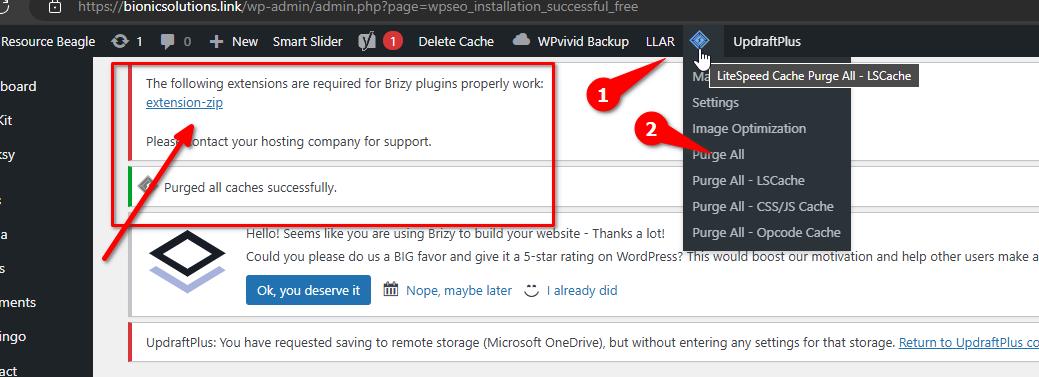
As a best practice, before creating a backup using your preferred backup plugin, I recommend disabling all optimization plugins such as LiteSpeed Cache or Smush. After a successful migration to your new site or domain, you can re-enable them. This will help prevent these issues during migration.
We also noticed that the Zip module in your server is not enabled; this is required by Brizy or any page builder to function properly. You can enable this in cPanel by searching for 'Select PHP Version', put check on the Zip extension, and hit Save.
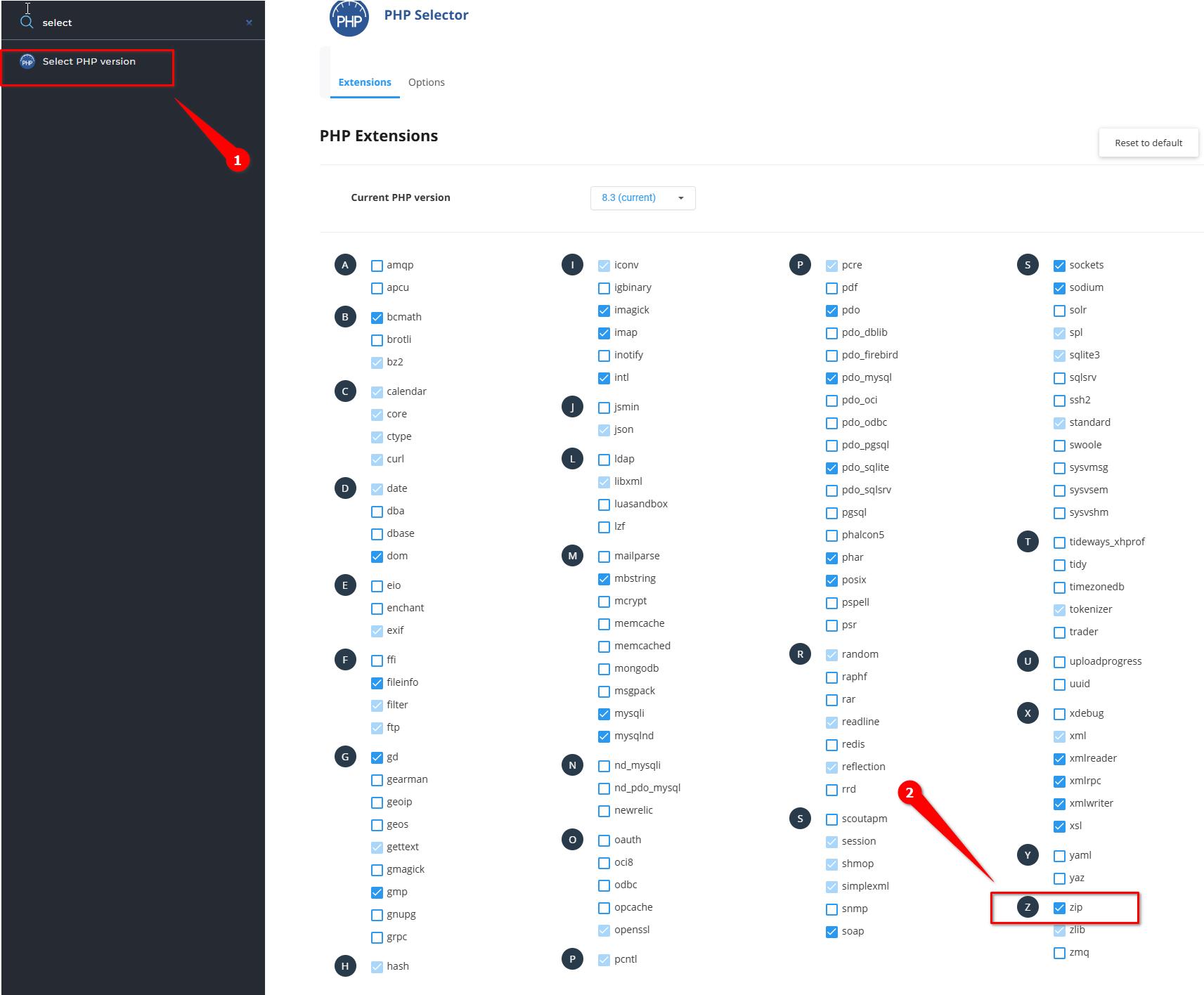
If you have any further questions, please let us know.
Best regards,
Ariel H.0
Please sign in to leave a comment.
Comments
2 comments