impossible to add new element (pages) in main menu

Hi
Just after deleting a page of the main menu, with success, I want to add new pages in it, but can not succeed.
https://studioyoga-pilates-montpellier.fr/
Thank you for helping
-

Hi Vincent,
Thank you for reaching out to us.
I'm having trouble understanding the issue you are facing. Could you please send us some screenshots or a short screencast to demonstrate the problem?
Looking forward to your response.
Best regards,
Ariel H.0 -
I created a new page ("cours individuels"), and added it into the main menu, but this element does not appear in the menu.
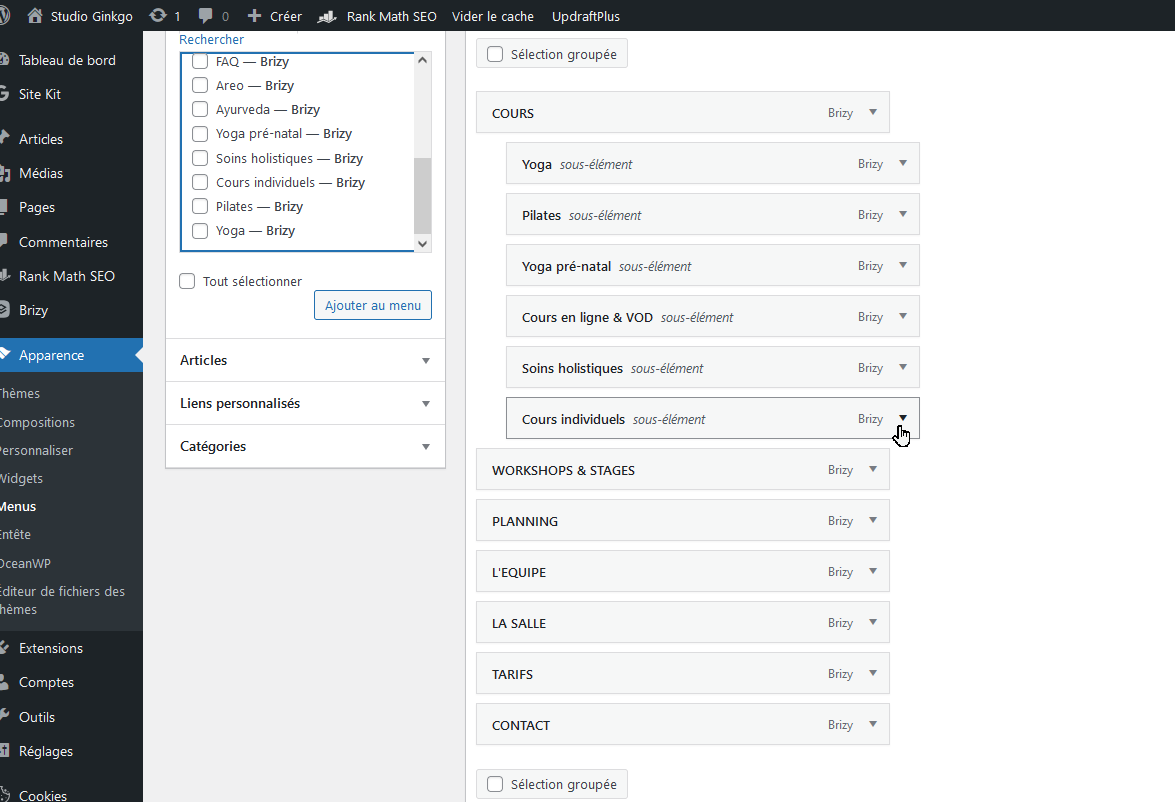
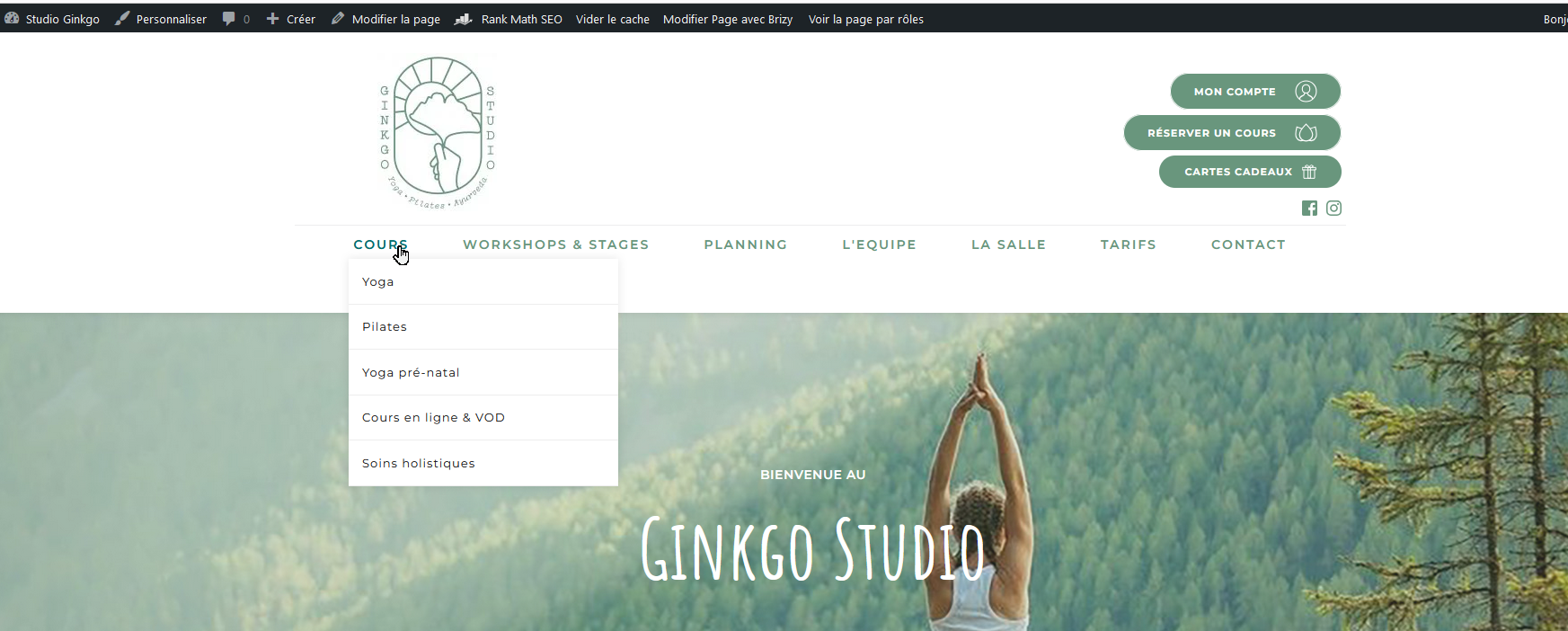 0
0 -

Hi Vincent,
This is due to a bug with the latest Brizy versions. We hope to release an update that fixes this bug. In the meanwhile, please make a small modification to your global header (such as increasing the padding by 1 pixel), reverse it, and save your changes by clicking the "Update" button at the bottom right corner. Then check to see if the menu update is reflected in the website frontend.
0 -
Hi,
I don't understand where I should do this setting (padding).
You can see on my screenshot where I tried, but with no success.
According to your message, it seems that it is not the right place.thank you
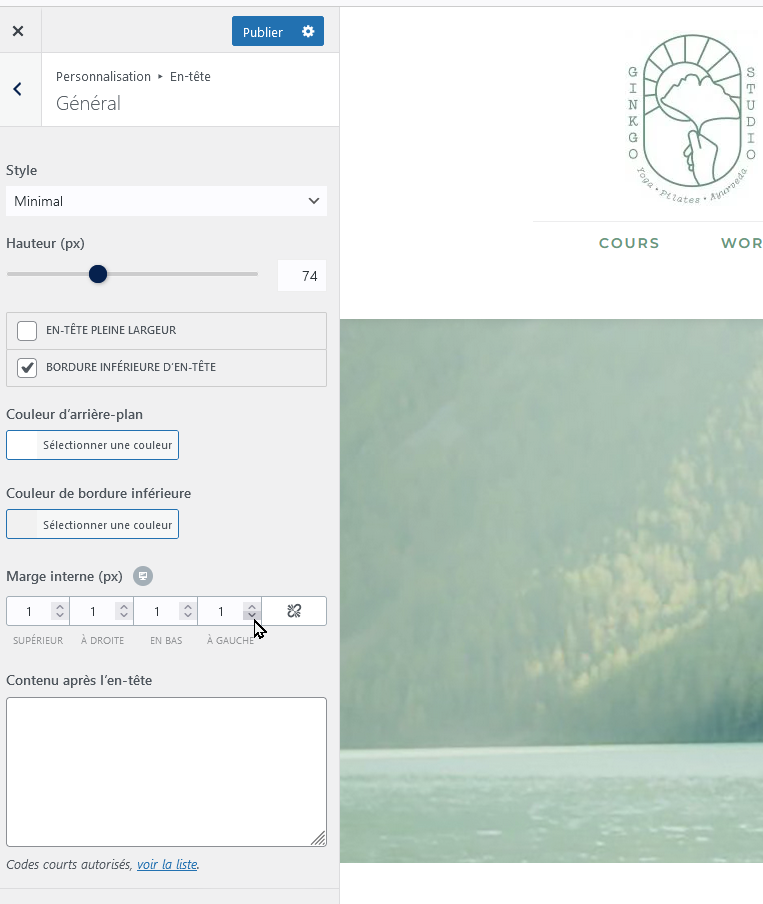 0
0 -
Hi Vincent,
Sorry for being unclear in my earlier communication. Please open any page in the Brizy editor. In the global header block, make a minor change, reverse it and save your work by clicking on the "Update" button at the bottom right corner.
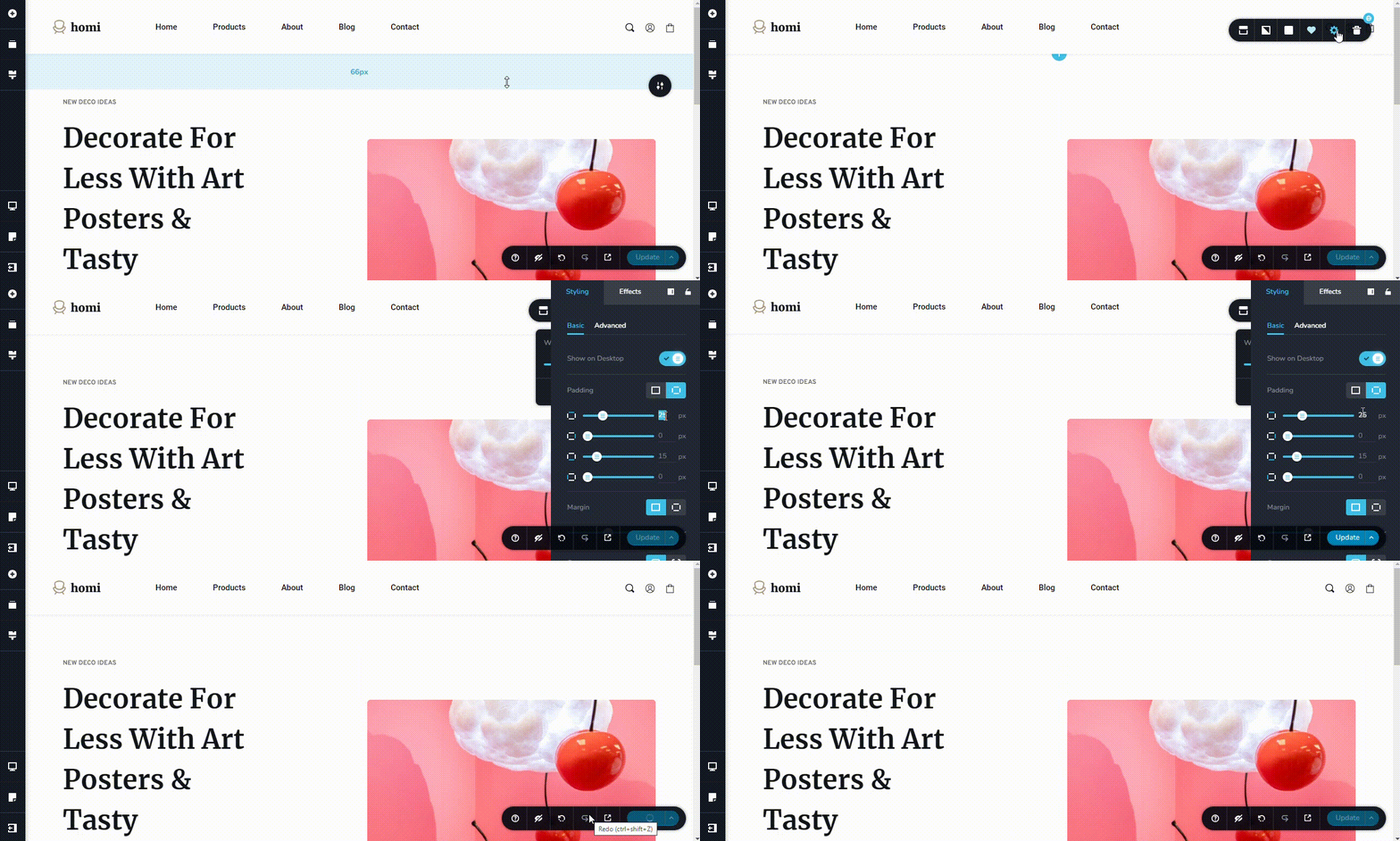 0
0
Please sign in to leave a comment.
Comments
5 comments