WP Cron Error

Hello,
I saw different posts on this topic but never found an explained solution.
I keep getting in my error log:
Cron reschedule event error for hook: brizy-cloud-synchronize, Error code: invalid_schedule, Error message: Event schedule does not exist., Data: {"schedule":"5minute","args":[],"interval":300}
Now, Wordfence seems to be the most common reason for this error to happen, but it can't be that in order to solve this I need to remove Wordfence... Security is the priority N1 for me and my clients.
I use Brizy and Wordfence (and other plugins too) on each customers' website, so this error is appearing everywhere.
Does anyone have a solution, which is not removing Wordfence?
-

Hi Edoardo,
Thank you for contacting us.
To resolve the issue, please set WordFence to Learning mode by following the steps below:
A. In the WordFence plugin settings, navigate to Firewall;
B. Enable Learning Mode and set it to automatically switch back to "Enabled Protecting" in 2 days; this will allow WordFence to learn the actions from the Brizy editor.
C. Save your WordFence changes.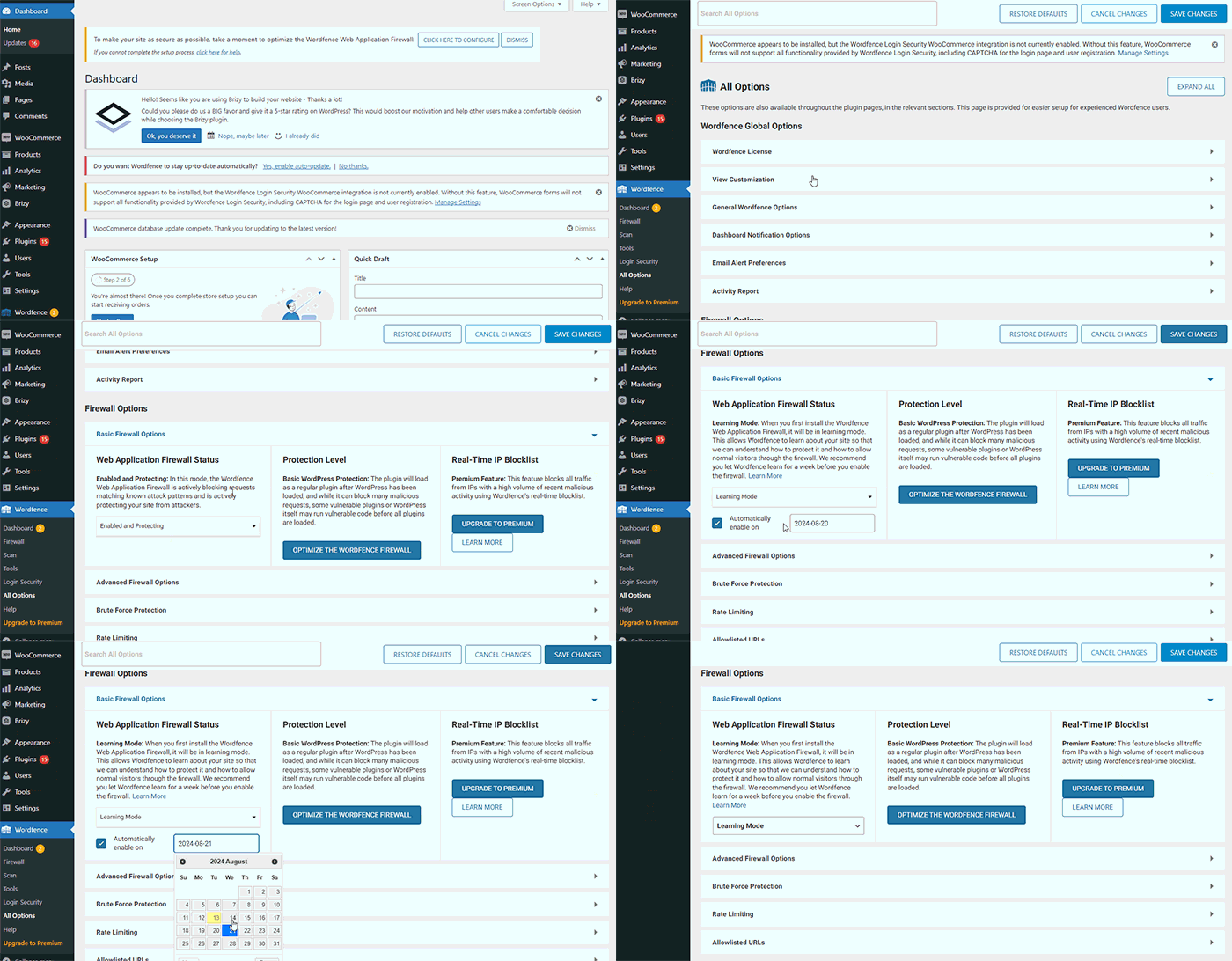
Please try this and let me know how it goes.
Best regards,
Ariel H.0 -
Hello Ariel,
thank you for the feedback. I will try this and I'll let you know.
0 -
Hello,
unfortunately it seems that this doesn't solved anything. The error keeps showing repeatedly in the log
0 -
Hi Edoardo,
Thank you for the update.
To further troubleshoot the issue, could you please try switching to a different theme and disabling all other plugins except for Brizy, Brizy Pro, and WordFence to see if the conflict affecting the cron schedule persists?
Please try this and let me know the results.
Best regards,
Ariel H.0
Please sign in to leave a comment.
Comments
4 comments