Error saving page updates.

Hi, hope everyone is doing fine.
Currently, i'm having some problem when I try to make any changes using Brizy on my pages.
Everytime I try to update it displays the following error "This page needs a refresh. You’ve probably updated this page (or another page) in a different tab or browser."
I have tried to do the same on different browsers or using incognito mode. Also tried do deactivate some plugins, but the error persists.
Is there anything else I can do?
-

Hi,
Thank you for contacting us.
We have found that this issue is prevalent among users who have WordFence installed.
To resolve the issue, please set WordFence to Learning mode by following the steps below:
A. In the WordFence plugin settings, navigate to Firewall;
B. Enable Learning Mode and set it to automatically switch back to "Enabled Protecting" in 2 days; this will allow WordFence to learn the actions from the Brizy editor.
C. Save your WordFence changes.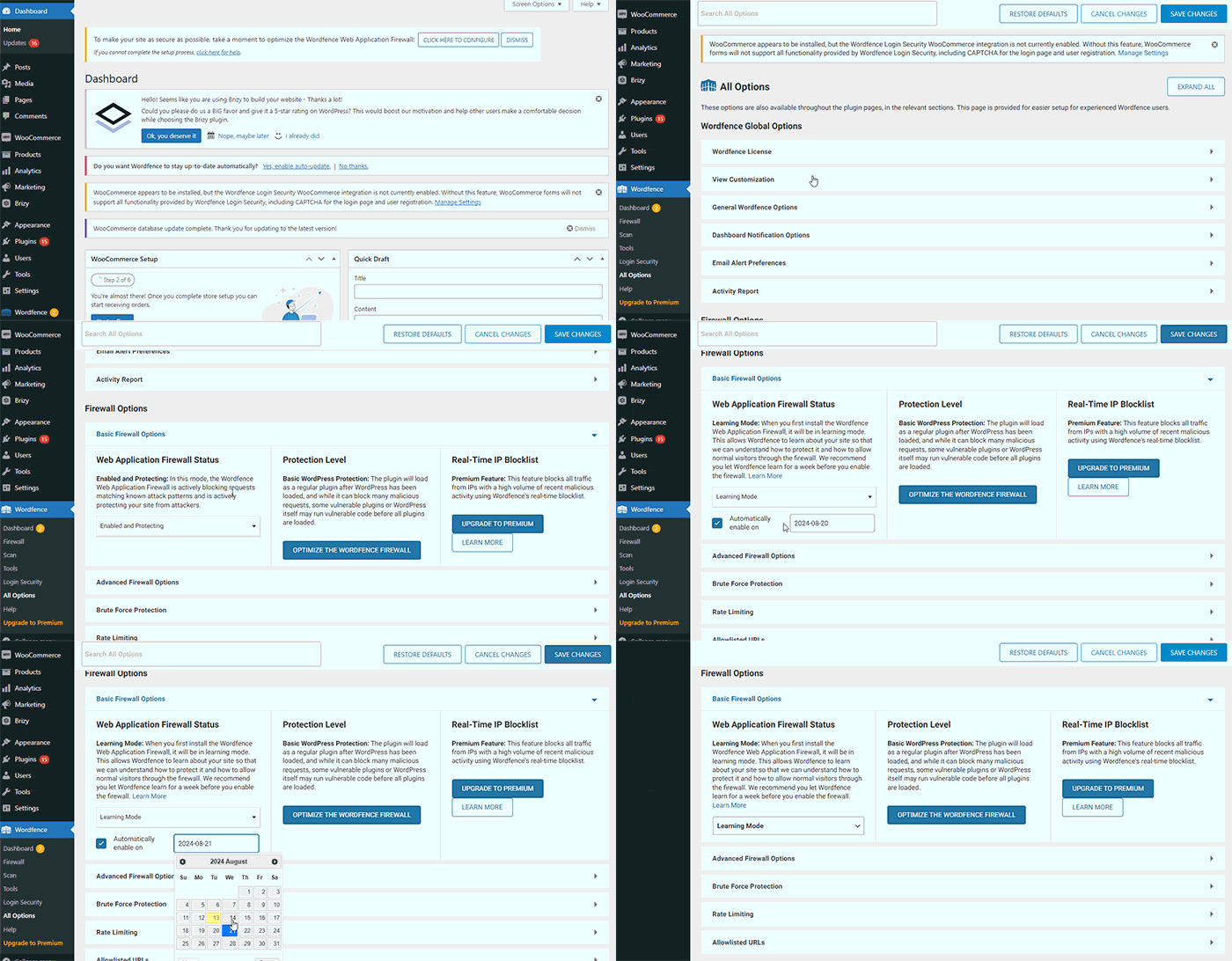
By following these steps, you can save or update your Brizy pages.
If you do not have WordFence, please also check if you have access in your Hosting panel to disable Firewall/ModSecurity, as this may help resolve the issue.
If the issue continues, could you kindly provide us temporary access to your WP Admin details so we can take a closer look. Please add us as an Admin user to your WordPress Dashboard and send the following details to: communitysupport@brizy.io
Community Post link: https://support.brizy.io/hc/en-us/community/posts/20983315188754
WordPress Admin URL:
Username:
Password:Please make a full backup of your site as a precaution.
Best regards,
Ariel H.0 -
Hi,
Thank you for your cooperation. Upon checking, this error appears in the Google Console.
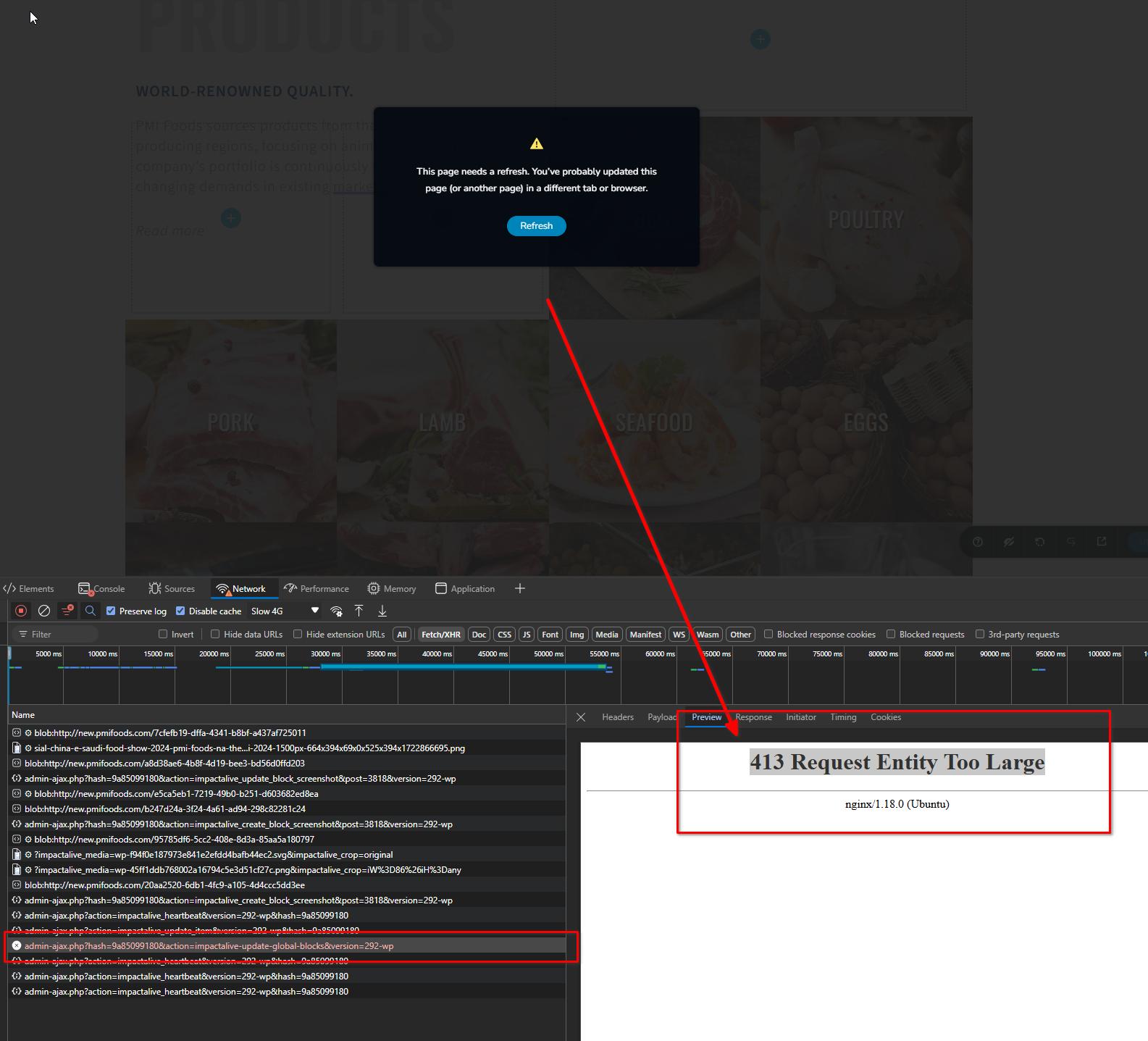
The "413 Request Entity Too Large" error in WordPress occurs when the server is unable to process a request because the size of the request exceeds the server's configured limit. This usually happens when you're trying to upload a file or save data that exceeds the server's maximum upload size or post size limits.
This issue is best explained on this article:
https://kinsta.com/knowledgebase/413-request-entity-too-large-error/Please try adjusting the following settings and increase the values as needed:
upload_max_size: 64M
post_max_size: 128M
max_execution_time: 600Please try this and let me know if this helps.
Best regards,
Ariel H.0 -
Hi, Ariel, hope you're doing well
We tried to adapt the server allocating more memory, but unfortunatly it still doesn't work.
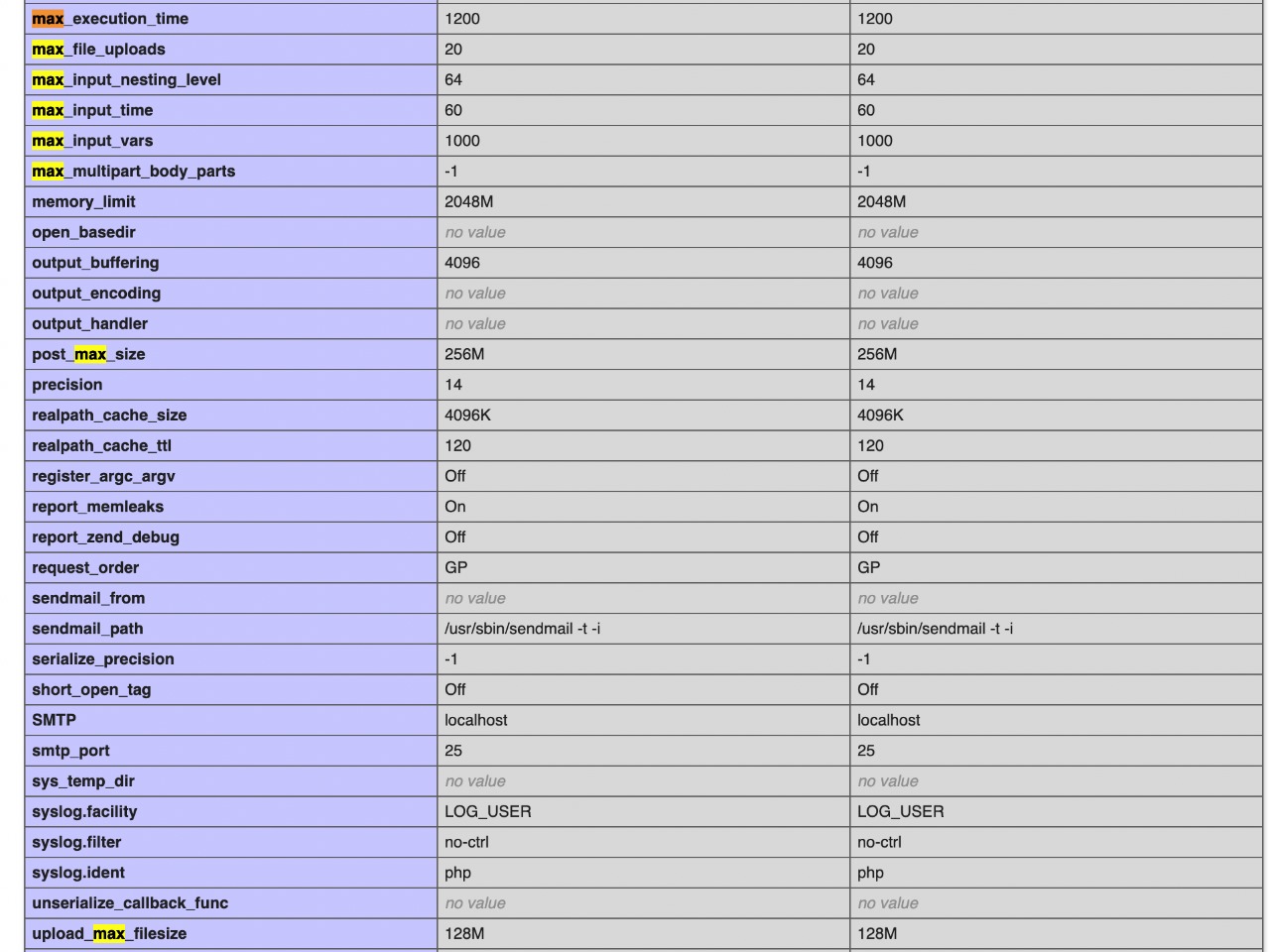
The website does not have any firewall settings either.
Anything else we can do?
Best regards
1 -
Hi,
Thank you for the update.
Could you please contact your hosting provider for assistance in investigating this issue? The "413 Request Entity Too Large" error can also occur if you are using a CDN to optimize your site, as some CDNs have file size limits that might trigger this error. Your hosting provider can help identify whether the error is due to server settings, such as upload size limits; or CDN-related restrictions. They should be able to adjust these limitations to prevent the error from occurring in the future.
You can find more information about this issue in this article - https://blog.hubspot.com/website/413-request-entity-too-largeBest regards,
Ariel H.0 -
Thanks, everything is working now.
0
Please sign in to leave a comment.
Comments
5 comments