Site Icon

Good morning
Can a site icon be created with the 10xBNB Mastermind Website?
0
-

Hi Kevin,
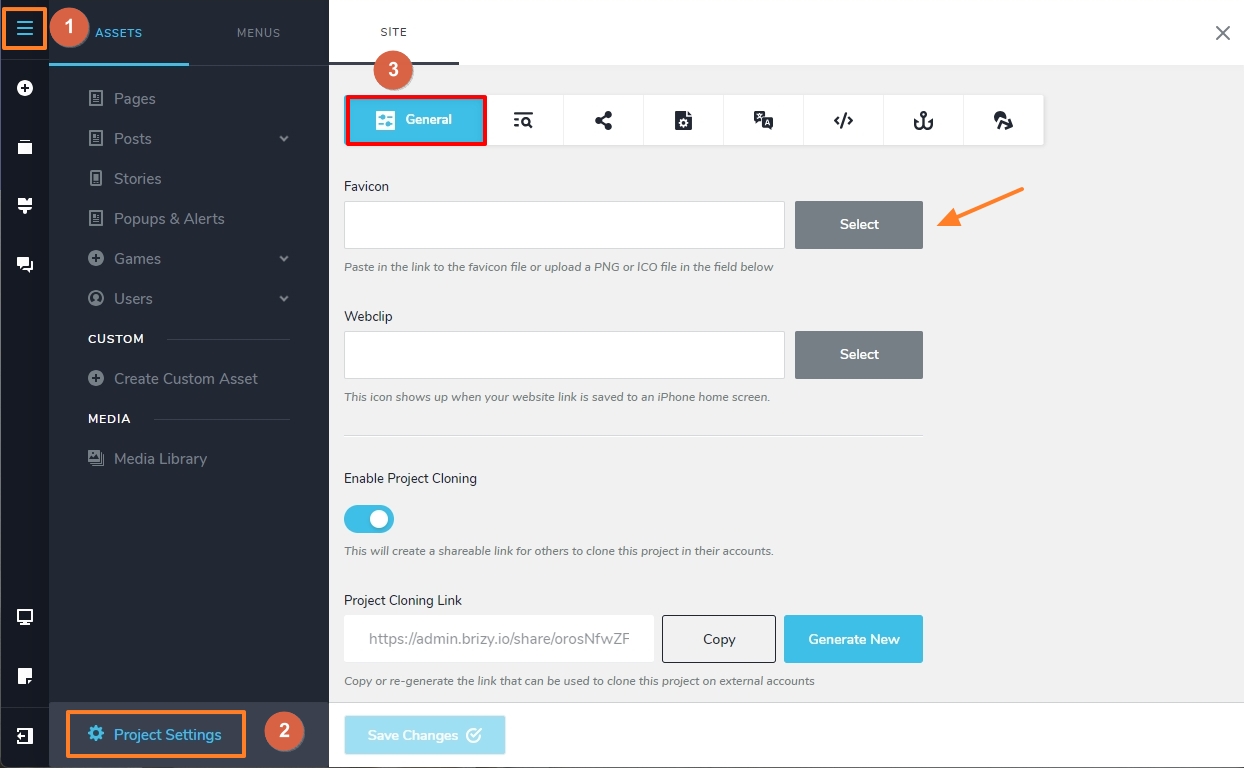
To add a site icon to your website, kindly
- Select the CMS (hamburger) icon on the left sidebar
- Click on 'Project Settings" at the bottom
- Under the "General" tab upload your site icon image in the "Favicon" field
 0
0
Please sign in to leave a comment.
Comments
1 comment