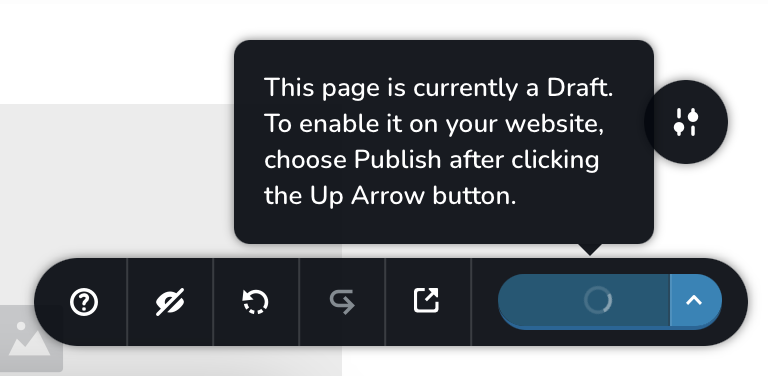
Save to draft button stuck at loading

The update button keeps getting stuck in the loading animation whenever I try to save the changes I’ve made. This has happened so many times across all pages that it’s preventing me from updating the draft. I’ve waited a long time, but nothing happens, and I have to refresh the page, causing all the changes I’ve made to disappear without being updated. I’ve also deleted previous revisions, but the problem persists. I even tried downgrading both Brizy Free and Brizy Pro version, but the template section doesn’t appear.
-

Hi Ronna,
Thank you for contacting us.
We have found that this issue is prevalent among users who have WordFence installed.
To resolve the issue, please set WordFence to Learning mode by following the steps below:
A. In the WordFence plugin settings, navigate to Firewall;
B. Enable Learning Mode and set it to automatically switch back to "Enabled Protecting" in 2 days; this will allow WordFence to learn the actions from the Brizy editor.
C. Save your WordFence changes.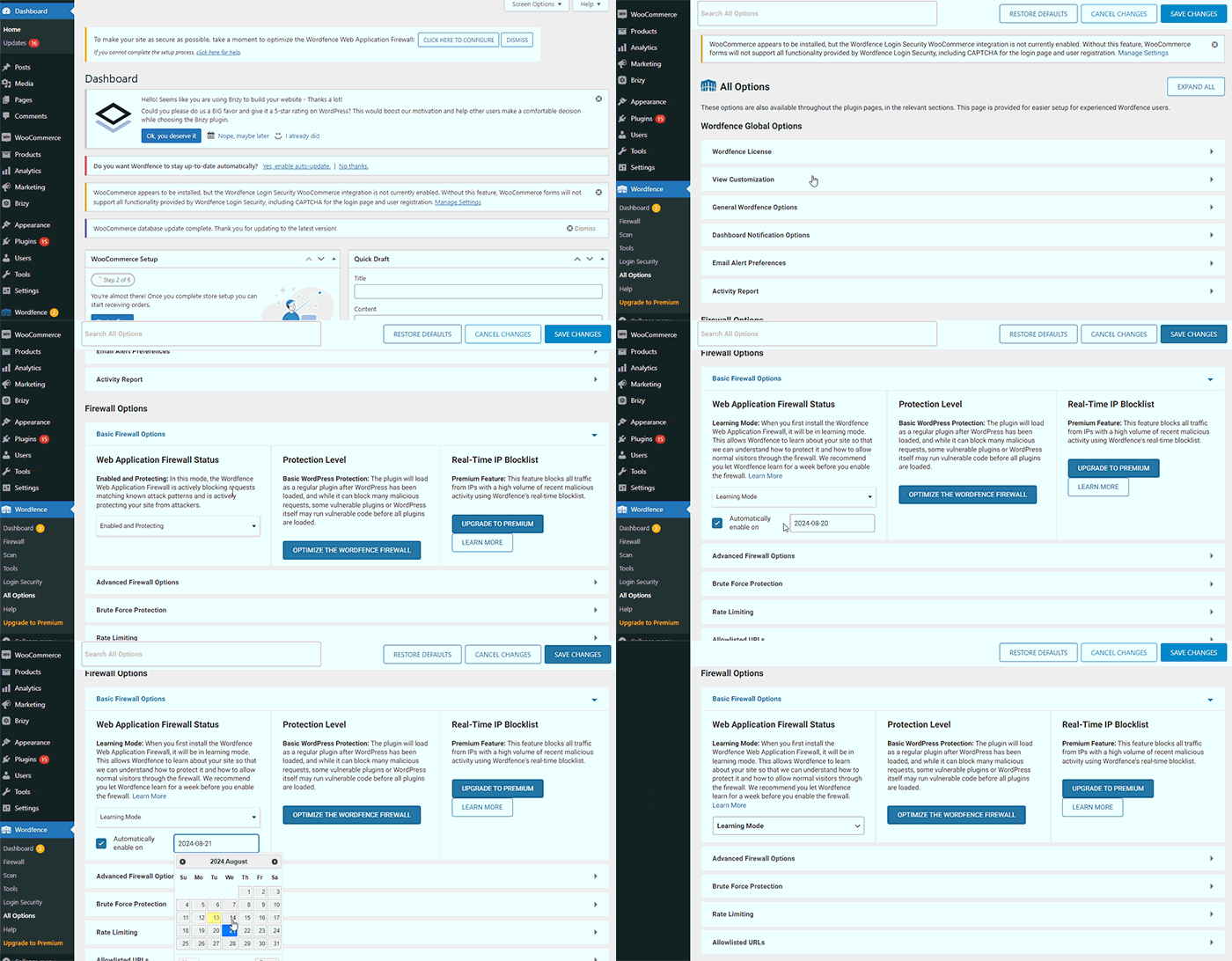
By following these steps, you can save or update your Brizy pages.
If you do not have WordFence, please also check if you have access in your Hosting panel to disable Firewall/ModSecurity, as this may help resolve the issue.
If the issue continues, could you kindly provide us temporary access to your WP Admin details so we can take a closer look. Please add us as an Admin user to your WordPress Dashboard and send the following details to: communitysupport@brizy.io
Community Post link: https://support.brizy.io/hc/en-us/community/posts/20883747384978
WordPress Admin URL:
Username:
Password:Please make a full backup of your site as a precaution.
Best regards,
Ariel H.0 -
Hi,
I’m having trouble finding Firewall/ModSecurity in WHM or cPanel. Just to clarify, I’m not using WordFence. Am I missing something?
0 -
Hi Ronna,
Thank you for the update.
Please follow the instructions provided in the previous email to share your WordPress Admin credentials. Additionally, kindly include your cPanel credentials to facilitate further investigation of the issue.
Best regards,
Ariel H.0 -
Hi,
I’ve followed the instructions provided and have sent my WordPress Admin credentials as well as the cPanel credentials to the email address mentioned in the previous correspondence.
Thanks for your assistance!
0 -
Hi Ronna,
Thank you for your cooperation.
Unfortunately, we are unable to log in to your site. While we briefly had access to cPanel, we were eventually locked out and can no longer access your files in the File Manager. This issue may be a result of the stringent security measures implemented by your hosting provider.
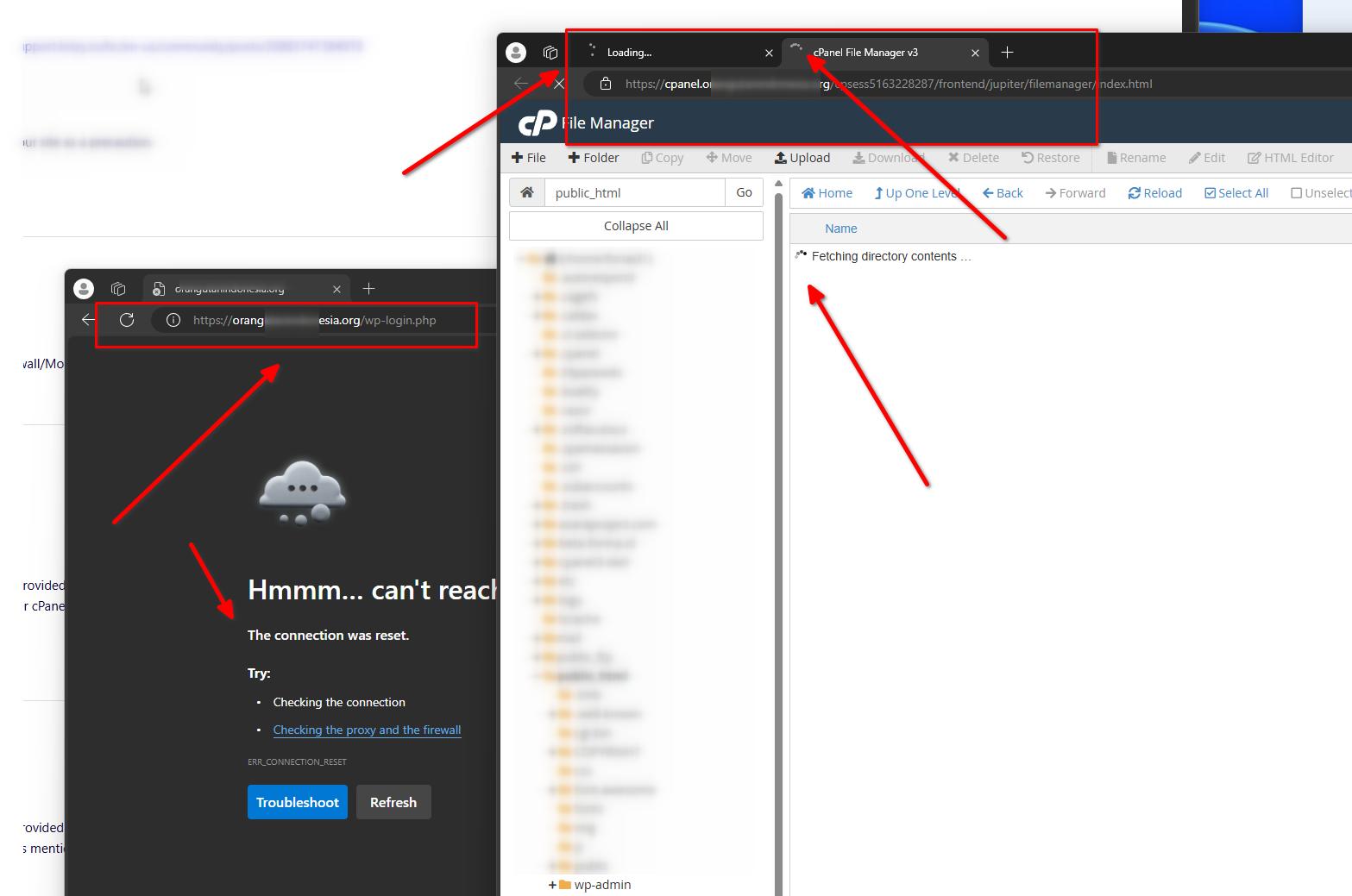
Kindly request them to temporarily permit access from the following countries:
1. India
2. Philippines
3. MoldovaBest regards,
Ariel H.0 -
I apologize for the mistake, I realized I sent the wrong cPanel account information in my previous email. I've already sent the correct credentials by now.
The "Connection Was Reset" error often occurs when I refresh the page when the Brizy editor gets stuck loading after I click "Save to Draft." I can access the website again after waiting a few moments.
Thanks.
0 -
Hi Ronna,
Thank you for the update.
Unfortunately, we are unable to access your login page. We're getting the same result as I have posted in my previous reply. Kindly request your hosting provider to temporarily allow access from the following countries:
1. India
2. Philippines
3. MoldovaBest regards,
Ariel H.0
Please sign in to leave a comment.
Comments
7 comments